How to Create AI Video for Viral Shorts and TikToks
 Anika Riply
Welcome to the new era of content creation, where that one massive roadblock—all the tedious video editing—is finally starting to disappear. The whole process of making an AI video breaks down into a pretty simple, repeatable loop: you nail down a script, generate a voiceover, pick a visual style, and let the tech handle the heavy lifting. This guide is all about showing you exactly how that works, specifically for YouTube Shorts and TikTok.
Redefining Video Creation for Shorts and TikTok
The hunger for short-form video is insatiable, but trying to keep up by hand is a slow, expensive grind. This is where AI automation completely changes the game. Instead of sinking hours into editing a single 60-second clip, you can now churn out a bunch of high-quality videos in just minutes.
This isn't just a small tweak; it's a fundamental shift in workflow. Creators are going from maybe one video a week to several every single day. The real win here isn't just speed—it’s about finally being able to unleash your creativity. When you automate all the technical grunt work, you get to pour all your energy into what actually matters: your ideas, your message, and connecting with your audience.
The New Content Workflow
This new process really highlights the jump from painstaking manual labor to a smarter, AI-driven workflow that lets you produce way more content.
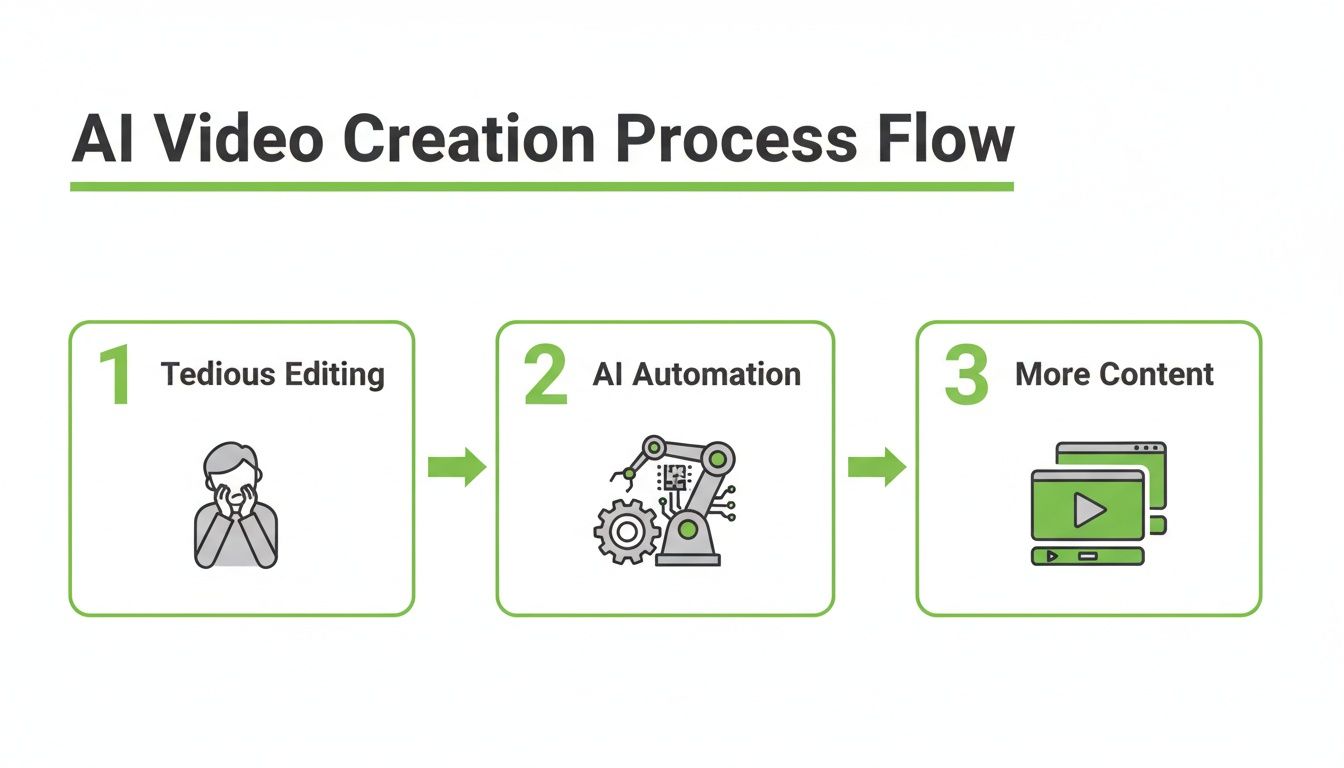
As you can see, AI automation is the bridge that takes you from the slow, old-school editing slog to being able to scale your content production like never before.
It’s crazy to think that less than ten years ago, the idea of creating video with AI was just a niche experiment. Now, it's a core production strategy. The global market for generative AI in video was valued at a cool USD 336.1 million in 2023 and is projected to hit around USD 2.30 billion by 2033. For creators, this means that getting good at AI-assisted workflows isn't about being an early adopter anymore—it’s about staying in the game.
The goal of AI in video production isn't to replace your creativity, but to give it scale. It’s about turning your best ideas into a consistent stream of content that builds your audience 24/7.
To really get the most out of these new workflows, you've got to know your tools. Exploring the best AI tools for content creators is a great starting point for streamlining your process. Getting comfortable with these platforms is key to staying competitive in a world that demands speed, quality, and consistency.
Let an AI Be Your Creative Co-Pilot for Scriptwriting
Every killer short-form video is built on a solid script, but let's be honest—that blinking cursor on a blank page can be intimidating. This is exactly where AI can step in, not just as a tool, but as a genuine creative partner. It can take a single spark of an idea and spin it into several script options, each with a different hook, a good rhythm, and a clear call-to-action.
This kind of AI-assisted workflow is becoming the new standard. Think about it: text-to-video systems already make up about 45% of the AI video generator market. And with an estimated 25 million videos hitting TikTok every single day, trying to keep up manually is a losing battle. Automation isn't just a luxury anymore; it's a necessity for anyone serious about creating content at scale.
From a Simple Prompt to a Full Script
Let’s get practical. Say you want to make a short video about "Three Stoic Principles for Modern Life." Instead of spending hours brainstorming angles and outlines, you can give an AI a simple, direct prompt.
Here's an example of what I'd use:
"Generate a 60-second video script for YouTube Shorts on 'Three Stoic Principles for Modern Life.' I'm going for a calm and insightful tone. Give me a strong hook for the first three seconds, explain each principle simply, and wrap up with a call to subscribe for more wisdom."
The AI will spit back a structured script, sometimes even with shot suggestions. It does the heavy lifting on the structure, which gives you a great starting point. This lets you skip the grunt work and jump straight to refining the message and adding your own unique flair. A good ChatGPT prompts database can be a goldmine of inspiration when you're just getting started.
The real trick is to treat the AI's output as a first draft, not the final word. Your job transforms from writer to editor, which is a much more creative and frankly, faster, place to be.
Refining the AI-Generated Draft
Once you have that initial script, it's time to put your own stamp on it. Read through it and adjust the language so it sounds like something you'd actually say. Does that opening line really grab you? Is the call-to-action something that would make you want to subscribe?
Here's a practical example of this in action. A popular history channel, "History Uncovered," uses AI to generate initial scripts for their Shorts. The AI provides the core facts and timeline for a topic like "The Great Emu War." Then, their human writer punches it up with humor, adds their signature sarcastic tone, and ensures the pacing is perfect for TikTok's rapid-fire style. This transforms a dry historical account into engaging, viral content.
Working this way—collaborating with an AI—saves a ton of time on the initial grind. If you really want to get good at this first, critical step, we've put together a deeper guide on AI scriptwriting that covers more advanced techniques.
Choosing the Right Voice and Visuals for Your Brand
With your script locked in, it's time to bring your video to life. This is where we get into the aesthetics—the voice and visuals that will define your content. It’s about more than just looking and sounding cool; this is how you build a recognizable brand identity that people connect with.
Think of the voiceover as the soul of your video. It really sets the emotional tone and often decides whether someone keeps watching past the first few seconds. For marketing content, you might want an AI voice that's energetic and upbeat. But for educational or philosophical topics, a calm, authoritative tone just works better.
Always keep your target audience in mind. Are you trying to reach a younger crowd on TikTok? A friendly, conversational voice will probably land better. If your content is more serious, a deep, professional narrator adds a layer of credibility. This choice has a huge impact on how your message is received.
Selecting Your Signature Voice
The voice you pick for your AI video becomes a core part of your brand. Consistency is everything. When you use the same narrator across your videos, you're building familiarity and trust with your audience—they'll start to recognize you by sound alone.
Case Study: "Zen Stoic"
A creator started a YouTube channel called "Zen Stoic," focusing on short, animated philosophy lessons. They chose a deep, calm, and slightly aged AI voice. This voice, paired with a consistent "Japanese Ink Wash" visual style, became their signature. Within three months, their subscribers started commenting, "I knew it was your video just from the voice!" This sonic branding helped them grow to 50,000 subscribers in under a year.
Getting this right can make a massive difference in your engagement numbers. If you want to get into the weeds on different narrator styles, check out our guide on the best AI voiceovers for a more detailed breakdown.
Matching Visual Style to Your Message
The visual style is just as crucial as the voice. The look and feel you choose should sync up with your script and reflect your brand's personality. When there’s a mismatch, it feels jarring and unprofessional, which can easily pull a viewer right out of the experience.
Imagine you're making a video about stoic philosophy. Pairing it with a minimalist Japanese Ink Wash style creates a perfectly contemplative mood. On the other hand, if you’re telling a dynamic story about a historical battle, a bold Comic Book aesthetic will make it pop.
Your visual style is your content’s uniform. It’s what makes someone stop scrolling and say, "I know this creator," even before they see your name. A consistent look makes your content instantly recognizable in a crowded feed.
So, how do you pick the right one? Here’s a quick-reference guide to help you match MotionLaps visual styles with your content's goals.
Matching Visual Style to Content Type
| Visual Style | Best For Content Type | Example Use Case |
|---|---|---|
| Photorealistic | Educational Explainers, Tech Reviews | A short video explaining how blockchain technology works. |
| Japanese Ink Wash | Philosophy, Mindfulness, History | A YouTube Short on the core principles of Zen Buddhism. |
| Comic Book | Dynamic Storytelling, Action Narratives | A TikTok recounting the thrilling story of a historical battle. |
| Animation | General Topics, Brand Storytelling | An engaging animated video about a company's founding story. |
By thinking strategically about how you pair the right voice with a compelling visual theme, you're doing more than just making a video. You're building a cohesive brand that grabs and holds your audience's attention.
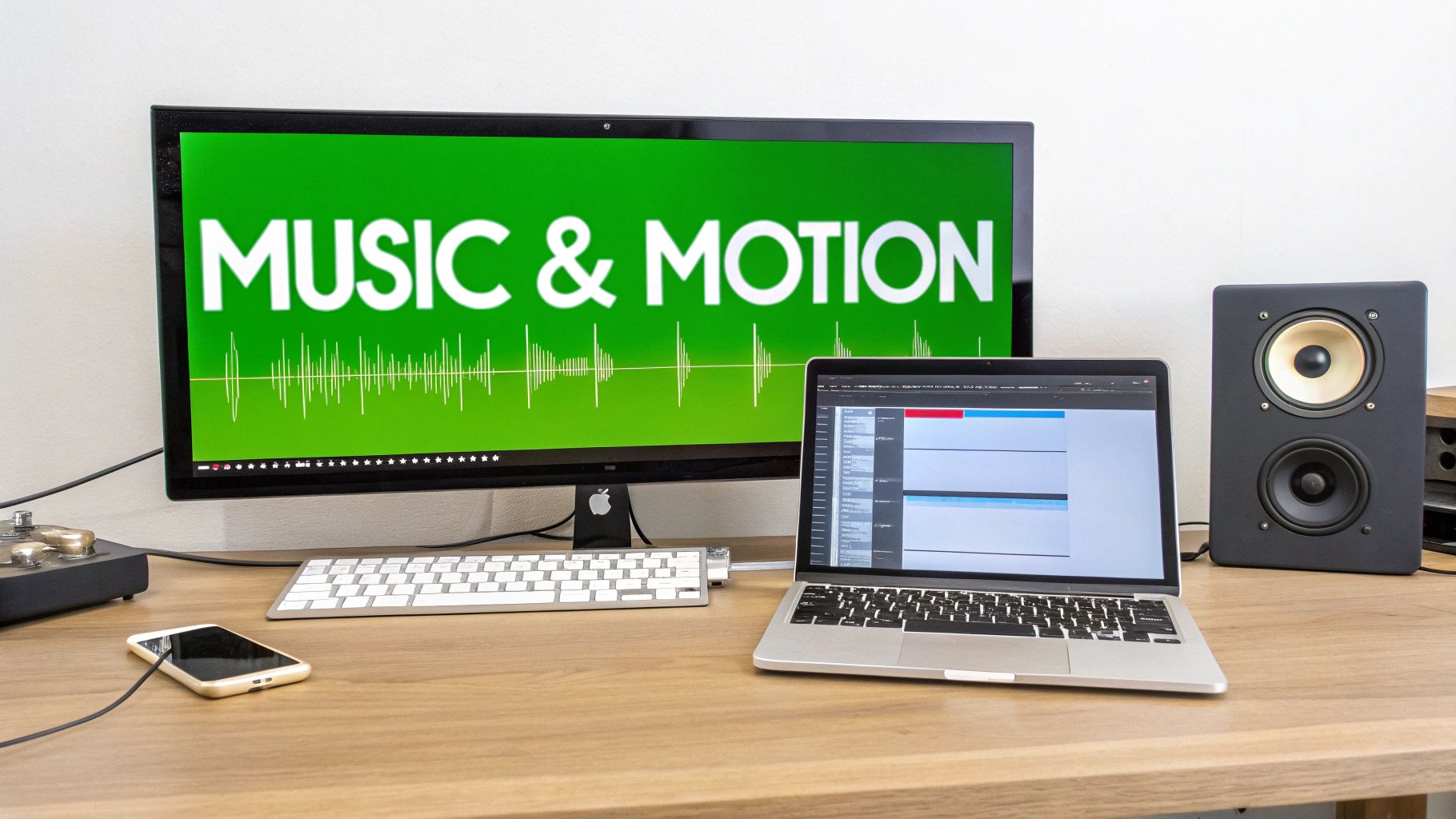
Using Music and Motion to Maximize Engagement
Okay, let's get into the fun part: adding the music and motion that will make your video truly pop. This is where we take the narrated visuals we've built and turn them into a cohesive, engaging experience that keeps people glued to their screens. Honestly, it's the secret sauce that separates a decent video from a great one.
Music is so much more than just filler—it's an emotional shortcut. The right track sets the entire mood and can dramatically affect how long someone watches. It’s what makes your message stick.
The Magic of Automated Synchronization
If you've ever edited video the old-fashioned way, you know how mind-numbingly tedious it is to manually sync every visual change to the voiceover. This is where AI tools like MotionLaps are a massive time-saver. The platform’s smart sync features actually listen to the pacing of your narration and time the visual transitions automatically.
What this means for you is that as your voiceover moves to a new idea, the on-screen visuals switch right on cue, with zero timeline fiddling. This keeps the video feeling dynamic and alive, which is critical for holding attention in a fast-scrolling world. The end result is a polished video where everything feels intentional.
How to Pick the Right Background Music
Choosing the right music is a bit of an art. An upbeat electronic track is great for a high-energy marketing clip, but it would feel completely out of place in a guided meditation video. You're looking for a track that supports your narration, not one that fights it for attention.
Here are a few actionable tips based on real-world use:
- For Educational Content: A financial news channel uses subtle, low-fi instrumental tracks. The music is just present enough to prevent awkward silence but never distracts from the complex data being presented.
- For Storytelling: A true-crime channel on TikTok uses suspenseful, ambient music that slowly builds in intensity as the story unfolds. This simple audio choice doubles the video's dramatic impact.
- For Marketing Videos: A startup promoting a new app uses an energetic, royalty-free pop track with a strong beat. The music creates a sense of excitement and momentum that mirrors the app's fast-paced features.
Finding the perfect track used to be a huge headache, but there are tons of great options now. If you need some help navigating the options, our guide to royalty free music for creators is a great place to start.
Think of music as the emotional glue of your video. It connects the voice and visuals, turning a simple explanation into a compelling story that resonates with your audience.
Your Pre-Rendering Checklist
Before you hit that final render button, take a minute to run through a quick quality check. This little habit will save you from common mistakes and make sure your video looks and sounds professional right out of the gate.
Final Checks Before You Render
- Aspect Ratio: Is it set to 9:16? This is the standard vertical format for YouTube Shorts and TikTok, and it's essential for mobile.
- Audio Levels: Give it one last listen. Can you clearly hear the narration over the music? The music should be an accent, not the main event.
- Watermark Placement: Check that your logo is visible but not obnoxious. Tucking it into a corner is usually the best bet.
Running through this quick list ensures your AI-generated video is polished, optimized, and ready to grab some eyeballs.
Optimizing and Publishing Your Video for Maximum Reach
Alright, you've created a fantastic AI video. That's a huge win, but it's only half the battle. The real work begins now: getting it in front of people. This part of the process is all about mastering the quirks of each platform, like YouTube Shorts and TikTok, to make sure your video doesn't just get uploaded—it gets seen.
This isn't just about clicking the "publish" button. It’s a bit of an art and a science, involving a thoughtful approach to titles, descriptions, and hashtags. These elements are the breadcrumbs that lead both viewers and the all-powerful algorithms right to your content.
Crafting Titles and Descriptions that Drive Discovery
Think of your video’s title as the headline that stops the scroll. The description is what tells the algorithm who needs to see it.
For short-form video, you want a title that's direct and makes people curious. For instance, a generic title like "Stoic Philosophy Explained" won't get much traction. Something like "Three Stoic Rules That Will Change Your Life" is far more compelling. It’s specific, promises real value, and piques interest immediately.
Your description is more than just an afterthought; it’s prime real estate for keywords. Weave in terms related to your topic naturally. This is how you signal to YouTube and TikTok what your video is about, which helps them serve it to the right audience.
Actionable Tip: Write your description as if you're explaining the video to a friend. Start with a hook sentence that expands on the title, then add a short paragraph with relevant keywords. Finish with 3-5 highly specific hashtags.
Here’s a practical example for our Stoicism video:
- Title: 3 Stoic Principles to Master Your Emotions
- Description: Feeling overwhelmed? Discover three ancient Stoic principles you can use today to find calm and resilience in a chaotic world. Learn how to control your perceptions and focus on what truly matters. #stoicism #mindfulness #selfimprovement #philosophy #lifelessons
Leveraging Automation for Consistent Publishing
If you want to grow on platforms like YouTube Shorts and TikTok, consistency is everything. But let's be real—the daily grind of creating and publishing can lead to serious burnout. This is where a little automation can be a game-changer.
Instead of living on a content treadmill, you can use a tool like MotionLaps to batch-create dozens of videos at once. From there, you just schedule them to post when your audience is most active. Suddenly, what was a daily chore becomes a focused, strategic task you can knock out once a week.
This isn't just a niche trick; it's how top creators are scaling their channels. The data shows that the social media segment in AI video generation is set to grow at a 23.5% CAGR. AI-native workflows are quickly becoming the standard, especially in high-growth markets. As you can see in the full research on AI video generator market trends, platforms that automate the entire process are tapping into a market segment growing faster than 20% a year.
By automating, you ensure a steady stream of content goes live, even when you’re busy with other things. It frees you up to work on your channel—engaging with your community, planning your next big idea—instead of just working in it. Your content becomes an asset that works for you 24/7.
Got Questions About Making AI Videos?
Whenever you're diving into new creative territory, a few practical questions always pop up. It's completely normal. Getting straight answers can be the difference between hitting a wall and finding your flow. Let's walk through some of the things creators ask most often.
How Long Does It Actually Take to Make an AI Video?
When you’re just starting out, expect your first 60-second video to take about 10-15 minutes from start to finish. That gives you some breathing room to click around the interface, listen to a few different voice options, and see how the visual styles look in practice. There’s a bit of a learning curve, but it’s a quick one.
Once you get the hang of it and find a workflow you like, you can easily pump out a polished, ready-to-post short-form video in under five minutes. Seriously.
The process becomes second nature:
- Drop in your script: (around 1 minute)
- Pick your voice and visual style: (another minute or so)
- Find the right background music: (less than a minute)
- Let the AI work its magic: (rendering usually takes 1-2 minutes)
The real game-changer isn't just making one video fast; it’s the ability to do it at scale. You can create ten unique videos in less than 30 minutes. That's a task that, not long ago, would have eaten up days of manual editing.
Can I Actually Make Money with AI-Generated Videos on YouTube and TikTok?
Yes, absolutely. This is a huge concern for creators, and the answer is a definitive yes. The monetization policies for both YouTube and TikTok don’t care about the tools you use; they care about the quality and originality of what you produce.
As long as your videos follow the community guidelines and—this is the important part—give your audience something of value, they are 100% eligible for programs like the YouTube Partner Program and the TikTok Creator Fund.
The secret is using AI as a tool to bring your unique ideas to life, not as a substitute for creativity itself. When you write original scripts, curate a distinct visual identity, and let your personality shine through, you're building monetizable content, not just mindlessly generating videos.
At the end of the day, these platforms want to keep viewers engaged and happy. If your AI-assisted videos do that, you're golden.
What Are the Most Common Mistakes I Should Avoid?
From what I’ve seen, the biggest tripwires are relying too heavily on automation and forgetting that all-important human touch. A little bit of thoughtful oversight makes all the difference.
Here are three common blunders to watch out for:
- Using the Raw AI Script: Never just copy and paste what the AI gives you. Treat that initial script as a starting point, a first draft. You have to go in and tweak it to match your voice, add your own stories or insights, and double-check that everything is accurate and engaging.
- A Mismatch Between Tone and Visuals: Imagine a serious, booming voiceover on a video full of playful, bubbly animations. It just feels… off. That kind of disconnect can confuse viewers and pull them right out of the experience. Your audio and visuals need to work together, telling the same story.
- Forgetting to Optimize for the Platform: This one is a massive missed opportunity. You can create the most incredible AI video, but if you don't write a compelling title, a keyword-rich description, and use relevant hashtags, the algorithm has no idea who to show it to. It's like having a billboard in the desert.
Steering clear of these simple mistakes will ensure your content not only looks professional but is actually set up to be discovered from the moment you hit publish.
Ready to stop editing and start creating at scale? With MotionLaps, you can turn any idea into a professional, engaging video in minutes. Start creating for free today!