How to Make YouTube Shorts That Go Viral
 Mahmudul Hasan
Creating a YouTube Short seems simple on the surface—film a vertical video under 60 seconds, slap on some music and text, and hit upload. But if you want to see real growth and not just throw content into the void, you need to think like a seasoned creator. The magic isn’t in just making a Short; it’s in the strategy behind it.
The Framework for Viral YouTube Shorts
Let’s be clear: YouTube Shorts aren’t a novelty anymore. They are a powerful driver of channel discovery and growth. To really make an impact, you have to go way beyond the basic technical specs like the 9:16 aspect ratio and the sub-60-second length. The real secret sauce is a simple, repeatable framework that’s built for how people actually consume content today—fast, and with a very twitchy thumb.

This powerful formula is the blueprint that consistently produces high-performing content. It’s surprisingly simple, but don’t let that fool you. It works.
The Anatomy of a High-Performing Short
Think of every successful Short as having three distinct parts that flow seamlessly into one another. Getting this structure down is the first real step to creating Shorts that not only get views but actually get results.
- The Hook (First 3 Seconds): You have a razor-thin window to stop someone from scrolling. Your first 3 seconds are everything. Kick things off with a bold claim, a controversial question, or a visual that makes people go, “Wait, what?” You need to spark immediate curiosity.
- The Value (The Middle): This is where you deliver on the hook’s promise. It’s the meat of your video. Whether you’re providing a quick tutorial, telling a compelling mini-story, or just making someone laugh, this section has to be engaging and concise. No fluff.
- The Payoff (The End): Wrap it up with a satisfying conclusion. This could be a punchline to a joke, a surprising reveal, or a clear call-to-action (CTA). Tell viewers exactly what you want them to do next—subscribe, check out a longer video, or leave a comment.
The goal isn’t just to get a view; it’s to earn a “watch.” A viewer who finishes your Short is more likely to be shown your future content by the algorithm.
The numbers don’t lie. As of 2025, YouTube Shorts are pulling in a staggering 90 billion daily views. Even more impressive is the engagement rate of 5.91%, which outpaces its competitors. This framework is crucial if you want to learn how to create viral videos and grab a piece of that massive audience.
To help you remember these key components, here’s a quick rundown of what makes a successful Short tick.
Core Elements of a Successful YouTube Short
| Element | Best Practice | Why It Matters |
|---|---|---|
| The Hook | Grab attention in the first 3 seconds with a question, bold statement, or shocking visual. | You’re competing with an endless feed. A weak start means an instant swipe. |
| Pacing | Keep it fast. Use quick cuts, dynamic text, and energetic music to maintain momentum. | Slow pacing feels boring on a platform designed for speed and high energy. |
| Value Proposition | Deliver a clear piece of value—entertainment, education, or inspiration. | Viewers need a reason to stick around. Your content must solve a problem or evoke an emotion. |
| The Loop | Craft the end to flow seamlessly back into the beginning, encouraging re-watches. | Higher audience retention and watch time are strong signals to the YouTube algorithm. |
| The Payoff/CTA | End with a satisfying conclusion or a direct call-to-action (e.g., “Subscribe for more”). | Guides the viewer’s next step and helps convert views into loyal subscribers. |
Think of this table as your pre-flight checklist. Before you post, make sure your Short hits all these marks to give it the best possible chance of taking off.
From a Spark of an Idea to a Solid Script
Look, a cool camera trick might get you a view, but a great concept is what earns you a subscriber. The real secret to growing a channel isn’t just one viral hit; it’s building a system for consistently coming up with and scripting ideas that resonate. You can’t just sit around waiting for inspiration to strike—you need a reliable process to keep your content flowing.
The best ideas are often hiding right under your nose. A fantastic place to start is by mining your own long-form videos. Think about it: a 20-minute deep dive probably has at least five, maybe even ten, little golden nuggets that can be pulled out and polished into a powerful Short. These moments already have a story and a point, which makes adapting them so much easier.
Another goldmine? Your audience’s questions. Dig through your comments, check your DMs, and see what people are asking in community forums. Every time someone asks “How do you do X?” or “What’s the best way to handle Y?”, they’re literally handing you a ready-made idea for a Short that provides immediate value.
Scripting for Impact with the HVC Framework
Once you’ve landed on an idea, a script is what keeps your message tight and punchy. Don’t overthink it. All you really need is a simple, three-part structure to make a video that grabs people and actually delivers.
I live by what’s often called the Hook, Value, CTA (HVC) framework:
- The Hook: You have to start strong. Kick things off with a provocative question, a shocking statistic, or a bold statement that makes people stop scrolling. Instead of a bland “How to edit faster,” try something like, “You’re editing videos all wrong.” See the difference?
- The Value: This is the meat of your Short. Get straight to the point and deliver the solution you promised in the hook. Use quick cuts, on-screen text, and keep the energy up. You have seconds to prove your point.
- The CTA (Call-to-Action): End with a purpose. A simple “Subscribe for more tips” or a more engaging “Comment your biggest challenge” gives viewers a clear next step. This is how you turn a passive viewer into an active part of your community.
This structure forces you to be concise and cut out the fluff—an absolutely essential skill for holding attention in the blink-and-you’ll-miss-it world of Shorts.
Bringing in AI as a Creative Assistant
Let’s be real: creative burnout is a huge problem for creators. This is where AI tools can be a game-changer, acting as a brainstorming partner that literally never gets tired. Tools like ChatGPT can spit out dozens of video concepts from just a single keyword or topic.
Think of AI as a creative multiplier. It doesn’t replace your voice or expertise; it just gives you more starting points to play with, saving you from those hours of staring at a blank page.
You can drop in the transcript from a long video and ask it for five potential Short ideas, complete with ready-to-go hooks and CTAs. If you want to take it a step further, a dedicated AI story creator can help generate entire scripts from a simple prompt. By letting AI handle some of the initial heavy lifting, you save your best creative energy for what really matters: filming and bringing your idea to life.
Filming and Editing Shorts Like a Pro
You don’t need a fancy studio or a professional camera crew to make great YouTube Shorts. In fact, the most powerful tool you have is probably sitting in your pocket right now. Your smartphone is perfectly capable of shooting high-quality, engaging videos once you nail a few production basics.
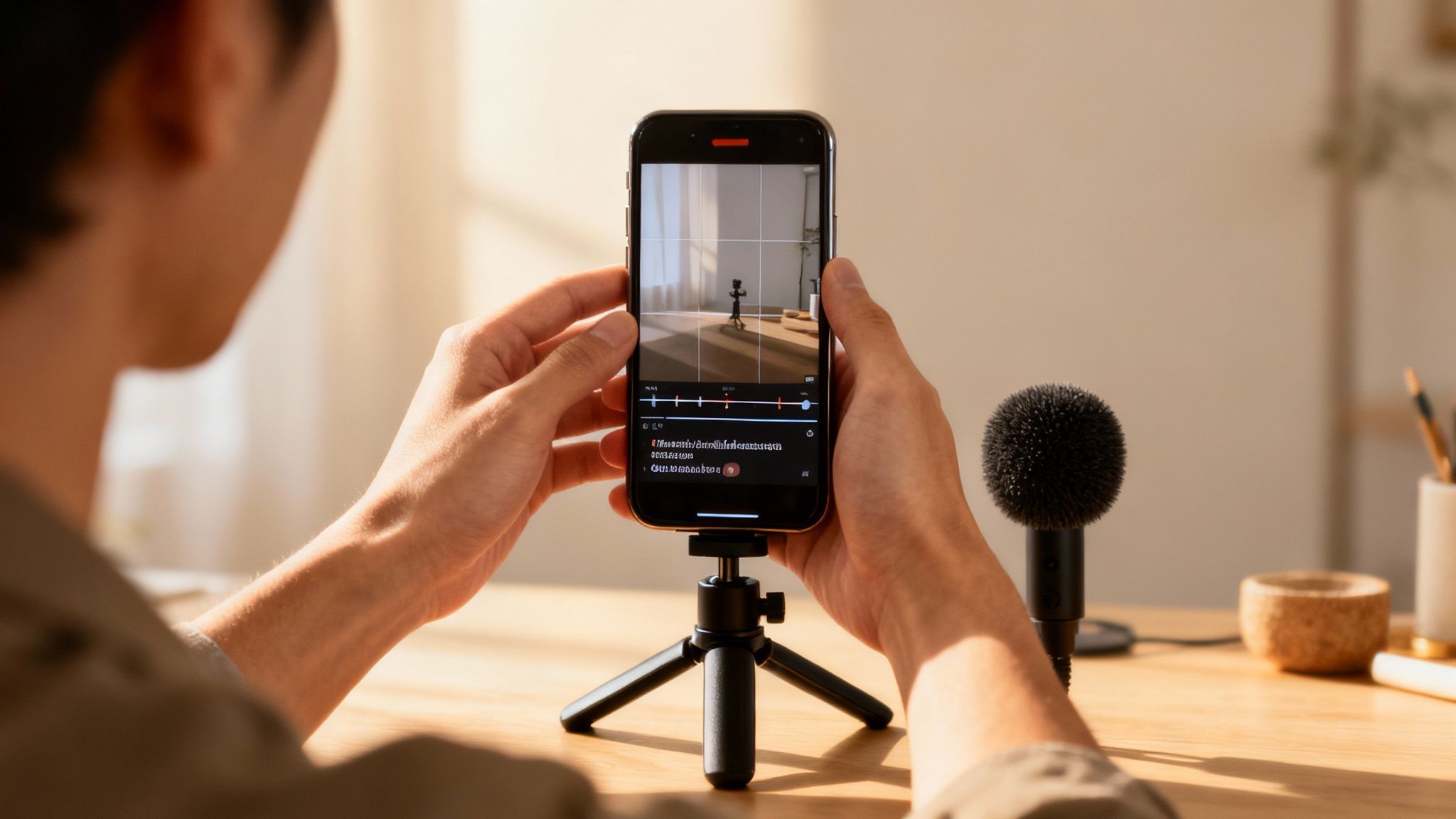
First things first, and this is non-negotiable: always film vertically. Your video needs to be shot in a 9:16 aspect ratio to fill the entire mobile screen. This isn’t just a suggestion; it’s essential for the Shorts experience. With 96% of Shorts being watched on phones, a vertical video feels native and immersive, while anything else just looks out of place. For more on this, check out the complete research about YouTube viewership.
Mastering the Basics of Mobile Filming
Beyond just turning your phone sideways, what really separates a crisp, clean Short from an amateur one comes down to two simple things: good light and clear sound.
You don’t need to buy a bunch of gear. For lighting, just face a window. Natural light works wonders and will instantly make your video look ten times better. For sound, even the basic microphone on your earbuds is a massive step up from your phone’s built-in mic. It’ll cut down on that echoey room sound and make your voice much clearer.
Here are a few more pro tips that take seconds to do but make a huge difference:
- Steady Your Shot: Nobody likes watching shaky footage. If you don’t have a tripod, just prop your phone up against a stack of books or a coffee mug. Anything to keep it stable.
- Lock in Your Focus: Before you start recording, tap and hold on your subject on the screen. A little sun or square icon will pop up, confirming that you’ve locked the focus and exposure. This stops the camera from annoyingly adjusting the brightness or blurring out halfway through your take.
- Wipe Your Lens: It sounds almost too simple, but you’d be surprised how often a smudged lens is the culprit behind a hazy, low-quality video. A quick wipe with a soft cloth makes all the difference.
Editing for Maximum Viewer Retention
Once you’ve got your clips, the real magic happens in the edit. Your goal here is to create a dynamic, fast-paced video that feels like it belongs on the Shorts feed. Pacing is everything. Be ruthless with your cuts—trim out every awkward pause and bit of dead air.
A great Short is an exercise in efficiency. Every single frame should serve a purpose, either by advancing the story, delivering information, or adding visual flair. There’s no room for filler.
Apps like CapCut are fantastic for this and are super easy to learn. You can quickly add dynamic text overlays and animated captions, which are vital for hooking people who are watching with the sound off. Tapping into YouTube’s own library of trending music is also a smart move, as it can help your Short get discovered.
Feeling more confident? You can really speed up your workflow by exploring some of the AI video editing software available now. These tools can automate tedious tasks like generating captions, suggesting the best clips to use, and even making initial cuts for you. This frees you up to focus on the creative stuff that actually makes your content stand out.
Getting Your Shorts in Front of the Algorithm
You’ve filmed and edited a killer Short. That’s a huge win, but the job isn’t quite done yet. Now comes the part where you make sure YouTube actually knows who to show it to. This is where a little bit of smart optimization can completely change the game for your video’s reach.
Think of it this way: your title, description, and hashtags are direct clues you’re feeding to the YouTube algorithm. They provide the context it needs to push your content beyond the Shorts feed and into places like search results and recommended video sidebars. A Short that’s optimized well from the start has a much better shot at picking up views long after its initial debut.
Nail the Title
Your title really has two jobs to do. First, it has to be interesting enough to stop someone from scrolling. Second, it needs to be descriptive enough for the algorithm to understand it. I’ve found the sweet spot is usually a combination of a clear benefit and a hint of curiosity.
For example, don’t just call your video “Gardening Tip.” Something like “This One Trick Revives Dying Plants in 24 Hours” works so much harder. It’s got the keywords (“plants,” “gardening”) but also creates a sense of urgency and promises a real solution. Getting this right is a huge part of making Shorts that get clicks today and still show up in search results a year from now.
Hashtags and Descriptions are Non-Negotiable
For Shorts, hashtags aren’t optional. You absolutely, positively must include #shorts somewhere in your title or description. This is the main signal YouTube uses to identify your video as a Short and get it onto the Shorts shelf.
After that, toss in a few more hashtags that are super relevant to your video’s topic. For that plant-reviving video, I’d probably use:
- #gardeningtips
- #plantcare
- #houseplants
Your description doesn’t have to be a novel. Just write a sentence or two that expands on your title and naturally includes your main keywords. It’s just another layer of context for the algorithm.
I always tell people to think of their optimization as a conversation with the algorithm. The clearer you are, the better YouTube can match your video with people who will actually watch and enjoy it.
Thumbnails and Captions Are Still a Big Deal
I know what you’re thinking—Shorts just auto-play in the feed, so who needs a thumbnail? Well, your Short can still pop up in regular search results, on your channel page, and in the suggested videos list. In those spots, a great thumbnail can be the one thing that convinces someone to click.
And don’t forget about captions. Learning about adding captions to your YouTube Shorts is a massive step for both accessibility and performance. So many people watch with the sound off, and on-screen text makes sure your message gets across. This keeps them watching longer, which sends a powerful positive signal to the algorithm. It’s these small details that really stack the deck in your favor.
Using AI to Scale Your Shorts Production
Let’s be real: the content treadmill is exhausting. The pressure to churn out new Shorts every single day can burn out even the most dedicated creator. This is where AI tools stop being a buzzword and start becoming your secret weapon. Think of them not as a replacement for your creativity, but as a powerful assistant that handles the grunt work, freeing you up to focus on the big ideas.
The most immediate win? Content repurposing. You can take a single 20-minute deep-dive video, feed it to an AI, and have it instantly pinpoint the most engaging, viral-worthy moments. It can then slice and dice that one video into a dozen ready-to-polish clips, each perfectly framed for a vertical screen. This is how you stop creating one-off videos and start building a content engine.
Supercharge Your Workflow with AI
Beyond just chopping up long-form content, AI is a game-changer for the tedious bits of production. Take captions, for instance. AI tools can create those dynamic, perfectly timed text overlays that are crucial for grabbing attention, especially since so many people watch with the sound off.
To get the most out of these tools, it helps to understand what audio to text AI is and how it works. This core technology powers not just captions but a whole lot more.
AI can also step in to help with:
- Voiceovers: Need a clean, professional-sounding voiceover for a faceless channel or to add narration? AI can generate one from a simple text script in minutes.
- Trend Spotting: Some tools are designed to sift through mountains of data to find the next big sound or topic in your niche, giving you a serious head start.
- Scripting: Stuck staring at a blank page? Give an AI a basic idea, and it can generate multiple hooks, script outlines, and calls to action to get you started.
The goal here is leverage. By automating 80% of the repetitive tasks—like transcribing, cutting, and captioning—you get to pour all your energy into the 20% that truly matters: your unique personality, strategy, and creative vision.
A Sample AI-Powered Batching Workflow
So, what does this actually look like in practice? Imagine you just finished a 15-minute product review video.
- Clip Generation: First, you upload your long-form video to an AI repurposing tool. It gets to work, analyzing the content and pulling out 10 potential short-form clips, already reframed for the 9:16 vertical format.
- Captioning & Voice: You review the clips and pick your favorite five. From there, another AI tool can add snappy animated captions and even a concise voiceover to summarize the key takeaways.
- Scheduling: Finally, you can upload those five finished Shorts to a scheduling tool like MotionLaps and have your content for the entire week drip out automatically. A process that once took an entire afternoon is now done in less than an hour.
To help you get started, here’s a look at some of the tools you might use in this process and what they’re best for.
AI Tool Comparison for Shorts Creators
| AI Tool Category | Example Tool | Primary Use Case |
|---|---|---|
| Content Repurposing | Opus Clip, Klip | Automatically finds viral moments in long videos and creates short clips. |
| Video Editing | Descript, Kapwing | Edits video like a text document and generates automated captions. |
| Scripting & Ideation | Jasper, ChatGPT | Brainstorms video ideas, writes hooks, and drafts entire scripts. |
| Voiceover Generation | Murf.ai, ElevenLabs | Creates realistic, human-like voiceovers from a text script. |
Each tool solves a specific problem in the production pipeline. By combining a few of them, you can build a highly efficient system that works for you.
Once your AI-powered production line is humming, the final step is making sure people actually see your work. That’s where a little SEO comes in.
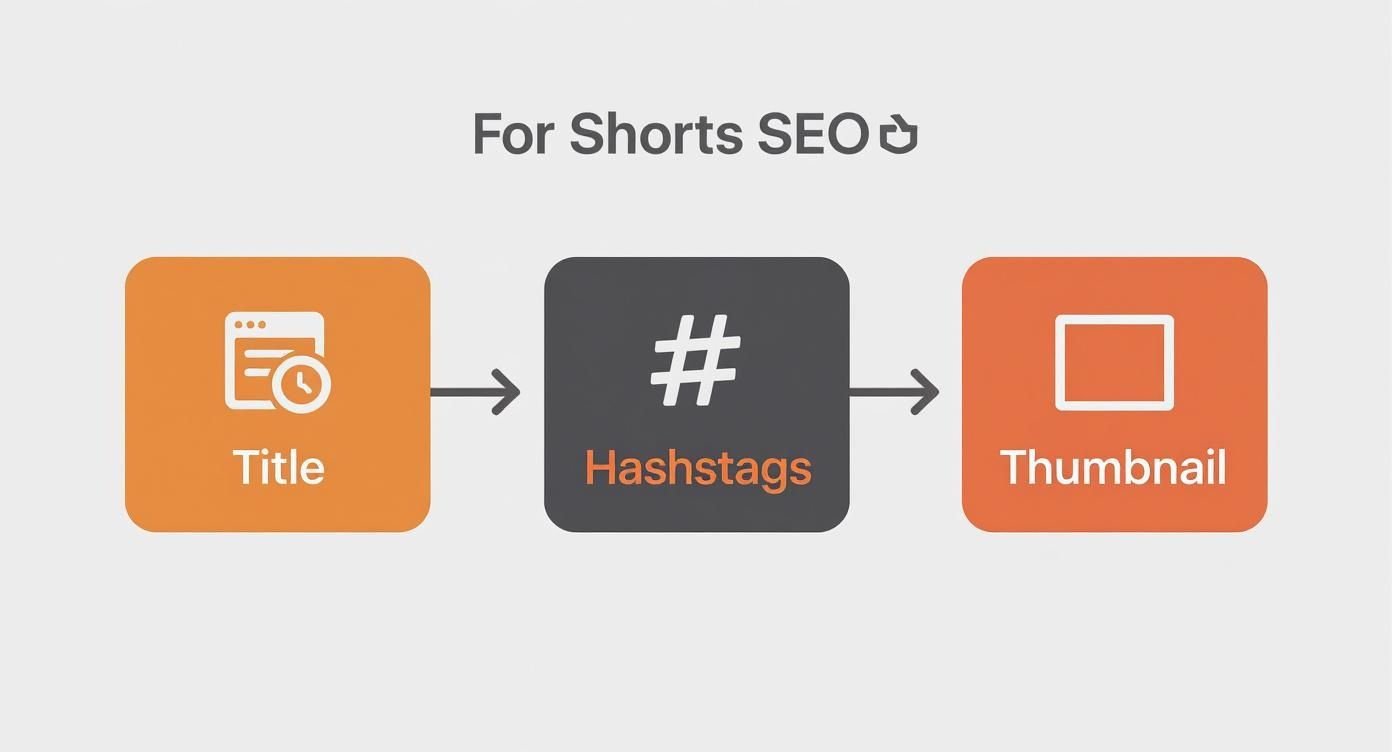
This graphic really breaks it down. A keyword-focused title, relevant hashtags, and a thumb-stopping thumbnail are non-negotiable. When you pair an efficient AI workflow with smart optimization, you create a powerful, sustainable engine for growing your channel.
Analyzing Performance to Fuel Your Growth
So, you hit publish. That’s a great first step, but the real work starts now. Your growth as a creator isn’t about just throwing content out there; it’s about digging into the data to see what’s actually working. This is how you stop guessing and start making smart decisions.
YouTube Studio is your mission control, packed with analytics for every Short you post. It’s easy to get overwhelmed, but you only need to focus on a few key numbers that tell you the real story of how people are reacting to your videos.
The Metrics That Actually Matter
Let’s cut through the noise. Here are the numbers I check obsessively because they directly impact how the algorithm sees my content.
- Viewed vs. Swiped Away: This is the big one. It’s a simple, brutal percentage showing who watched versus who immediately swiped away. A high “viewed” number is a powerful signal to YouTube that your content is sticky and deserves a bigger audience. It’s your content’s first impression, and it counts.
- Audience Retention: This graph is your best friend for diagnosing problems. It shows you the exact moment viewers lose interest. Do you see a huge drop-off at the 3-second mark on multiple videos? That’s not a coincidence; your hooks aren’t landing.
- Traffic Sources: Where are people finding you? The Shorts feed is the goal, but are you also pulling views from YouTube search or suggested videos? This tells you if your SEO and titling strategies are actually paying off.
Think of your analytics as a direct conversation with your audience. If a Short blows up and has a tiny swipe-away rate, you need to become a detective. What was the hook? Was the pacing faster? What was the sound? That’s your blueprint for the next one.
Turning Views into a Viable Business
Growing an audience is one thing, but making a living from it is another. Understanding your analytics is the first step toward monetization, which is more achievable with Shorts than ever before.
To get in the game, you need to qualify for the YouTube Partner Program (YPP). The requirements for Shorts creators are pretty straightforward: hit the subscriber threshold and rack up a significant number of valid public Shorts views within a 90-day window.
Once you’re in, you get a cut of the ad revenue from the Shorts feed. But don’t stop there. The smartest creators I know don’t rely on just one income source. They use their Shorts as a funnel to:
- Pull viewers over to their long-form videos, which have much higher ad revenue potential.
- Subtly promote affiliate products that genuinely help their audience.
- Sell their own courses, merchandise, or digital products.
This is how you turn a creative outlet into a real business. The competition is insane—creators are uploading over 12 million Shorts every single day now that there’s money on the table. You can see more wild YouTube stats and insights here to grasp the scale.
By constantly analyzing what works and what doesn’t, you’re not just making more content; you’re making smarter content that stands out and actually grows your channel.
Your Top YouTube Shorts Questions, Answered
Jumping into Shorts for the first time? You probably have a few questions. Let’s tackle the big ones I hear all the time.
First up: Do I need a fancy camera? Absolutely not. Your smartphone is more than enough to create viral-quality Shorts. Seriously. Focus your energy on getting good lighting (natural light from a window is your best friend) and clear audio. That’s what really makes a difference, not expensive gear.
Then there’s the question of length. You get up to 60 seconds, but that doesn’t mean you should use all of it. In my experience, the magic happens much faster. Most of the top-performing Shorts land somewhere between 15 and 30 seconds. The goal is to deliver a quick, powerful punch before anyone has a chance to swipe away.
Can You Actually Make Money with Shorts?
Yes, and this is a huge one. You can definitely monetize Shorts. Once you qualify for the YouTube Partner Program (which, by the way, Shorts views count towards!), you’ll start earning a share of the ad revenue from the Shorts feed.
But don’t stop there. Think bigger than just ad revenue. Your Shorts are the perfect top-of-funnel marketing tool. Use them to hook viewers and drive them to your long-form videos, affiliate products, or your own courses and merchandise. It’s about building a real business, not just chasing a view count.
And what about repurposing content? A lot of creators ask if they can just re-upload their TikToks. While you can, you really shouldn’t—at least not with the watermark. Always upload a clean, watermark-free version of your video to give it the best possible chance to perform well on YouTube’s algorithm.
Ready to stop spending hours on video production? MotionLaps uses AI to turn your ideas into viral-ready Shorts in minutes. Create your first video for free at MotionLaps.