Best AI Content Creation Software for 2026: 12 Tools Compared
 Mahmudul Hasan
The content creation treadmill is speeding up. To stay relevant and grow your audience, you need to produce high-quality material consistently, a task that can quickly lead to burnout. This is where the strategic use of ai content creation tools becomes a game-changer. These platforms are no longer just for automating simple tasks; they are powerful co-pilots for ideation, production, and scaling your output without sacrificing quality.
For creators and marketers, especially those focused on fast-paced platforms like TikTok and YouTube Shorts, these tools solve a critical problem: the relentless demand for more content. They can help you transform a single idea into a dozen assets, generate scripts in minutes, create stunning visuals from a simple text prompt, and even produce entire videos with minimal manual effort. This allows you to focus less on tedious production steps and more on the creative strategy that drives growth.
This guide cuts through the hype to deliver a practical, in-depth resource. We’ve curated and analyzed 12 of the best AI tools, categorizing them by their core function: video, text, image, audio, and all-in-one platforms. For each tool, you’ll find a clear breakdown of its pros, cons, pricing, and who it’s best suited for, complete with screenshots and direct links. Our goal is simple: to help you identify the right ai content creation tools to build a faster, smarter, and more effective content engine for your specific needs.
1. MotionLaps
Best for: High-volume, automated short-form video production.
MotionLaps stands out as a formidable contender in the AI content creation tools landscape by offering a truly end-to-end automated pipeline for short-form video. It is specifically engineered for creators and marketers on platforms like YouTube Shorts and TikTok who need to produce polished, engaging content at scale without getting bogged down in the complexities of video editing, voiceover recording, or visual asset creation. Its core value lies in its ability to transform a simple idea or script into a publish-ready video in minutes, handling everything from ideation to distribution.
Unlike many tools that only address a single part of the content workflow, MotionLaps integrates multiple AI technologies into one seamless process. This holistic approach makes it an exceptionally powerful solution for solo entrepreneurs, social media managers, and creative agencies looking to maximize output without expanding their production team. The platform’s emphasis on “faceless” video creation, combined with its diverse aesthetic options, provides a strategic advantage for brands aiming to build a consistent visual identity.
Standout Features & Capabilities
MotionLaps distinguishes itself with a suite of integrated features designed for maximum efficiency:
- Complete End-to-End Automation: The platform’s workflow is its crown jewel. Users can generate a script, select a high-quality neural voiceover from top-tier providers like OpenAI and Google, and have the AI automatically generate and sync visuals and background music. This removes nearly all manual editing and production friction.
- Diverse Visual Style Palette: A key differentiator is the ability to select from distinct visual styles, such as Japanese ink wash, photorealistic, Disney-inspired animation, or vintage sci-fi. This allows for creating on-brand, aesthetically unique content that captures audience attention without needing a human artist.
- Integrated Publishing and Scheduling: MotionLaps closes the loop by including built-in tools to publish and schedule content directly to YouTube Shorts and TikTok. This feature is invaluable for maintaining a consistent posting cadence, which is critical for algorithmic success on these platforms.
Our Take: For teams and creators where speed and volume are paramount, MotionLaps is a game-changer. It effectively automates the role of an entire production team, turning content strategy into tangible, revenue-generating assets that work around the clock.
Pros and Cons
| Pros | Cons |
|---|---|
| True end-to-end workflow saves significant time by handling script, voice, visuals, music, and publishing. | Pricing is credit based, though it’s cheaper than other alternatives in market. |
| High-quality neural voices and multiple visual styles allow for professional, brand-aligned “faceless” content. | As with all AI tools, outputs require human review for accuracy, brand safety, and potential fine-tuning to meet specific creative needs. |
| Optimized for scaling short-form video, enabling creators and businesses to maintain a high-frequency posting schedule with ease. | Fine-grained customization might be limited compared to traditional video editing software. |
Website: https://motionlaps.app
2. OpenAI (ChatGPT, DALL·E, Sora previews)
OpenAI serves as the foundational, all-in-one platform for many AI content creation tools, offering a broad suite of capabilities for text, image, and increasingly, video. It’s the Swiss Army knife for content creators, providing powerful models for everything from initial brainstorming and scriptwriting with ChatGPT to generating custom visuals with DALL·E. This versatility makes it an indispensable starting point for nearly any content project.
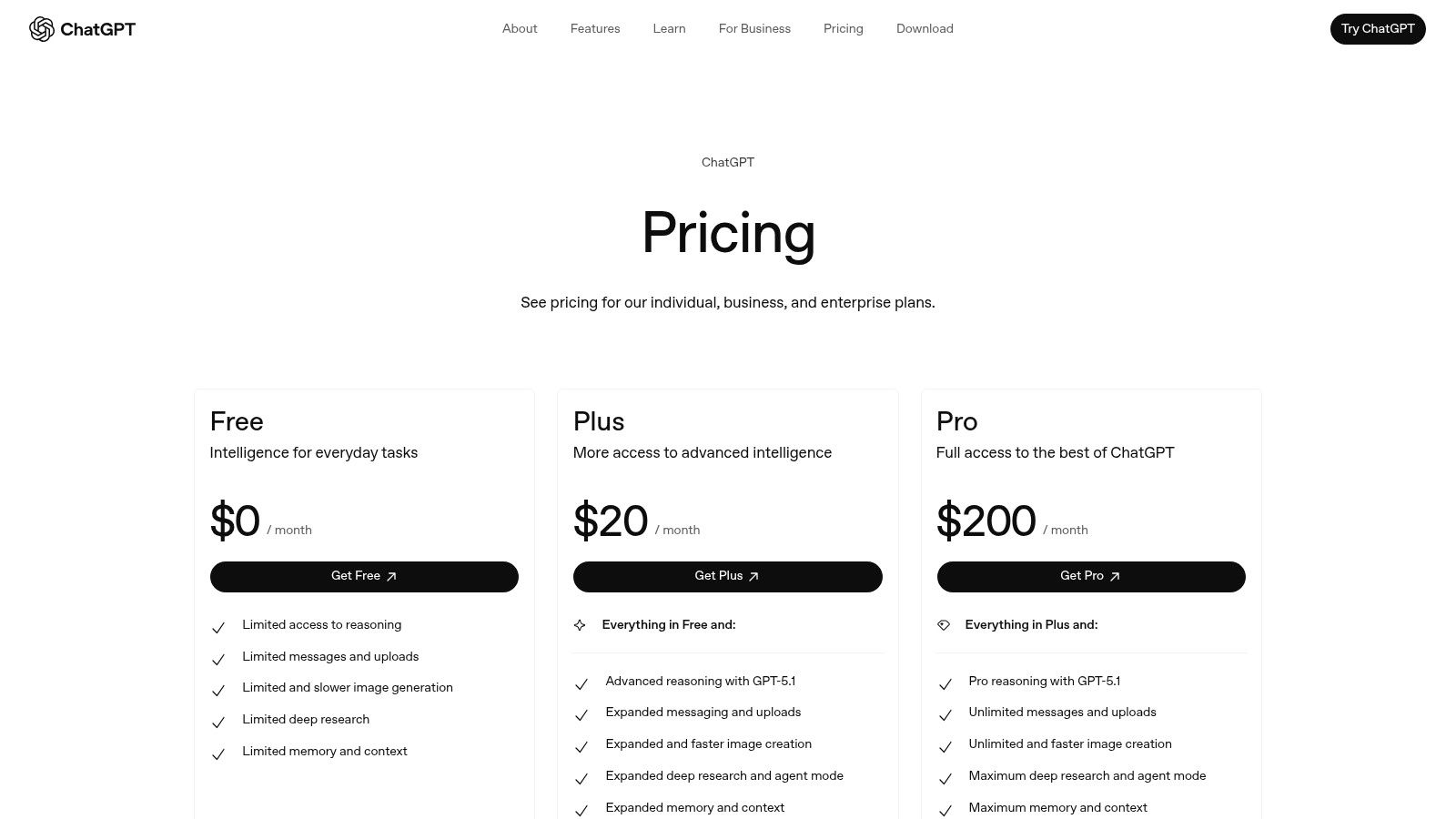
The platform excels in its multimodal integration; you can upload a document for analysis, ask ChatGPT to summarize it into a script, and then prompt DALL·E to create a concept image for it, all within the same interface. For businesses, the Team and Enterprise plans add crucial collaboration features, admin controls, and enhanced security, making it a viable solution for scaling content operations. While generating content is its primary function, understanding the other side is also key. Learning how to get your content cited by ChatGPT can provide valuable insights into creating AI-friendly material that gets recognized and referenced by these systems.
Key Details & Pricing
- Best For: Individuals and teams needing a powerful, general-purpose AI tool for text ideation, data analysis, and image generation.
- Pros: The most comprehensive feature set available in a single platform; strong security and privacy controls for business users.
- Cons: Access to cutting-edge features like the Sora video model is still limited; usage caps apply on lower-tier plans.
- Pricing: Offers a free tier with basic access. Paid plans start with Plus at $20/month per user and Team at $25/user/month (billed annually), with custom pricing for Enterprise.
- Website: https://openai.com/chatgpt/pricing
3. Adobe Firefly (part of Adobe Creative Cloud/Express)
Adobe Firefly is a generative AI suite designed for seamless integration within the industry-standard Adobe Creative Cloud ecosystem. Rather than a standalone tool, it acts as an intelligent layer inside applications like Photoshop and Illustrator, bringing powerful features like Generative Fill and Text-to-Image directly into existing creative workflows. This makes it one of the best AI content creation tools for professionals and brands that require on-brand, commercially safe assets without leaving their primary design environment.
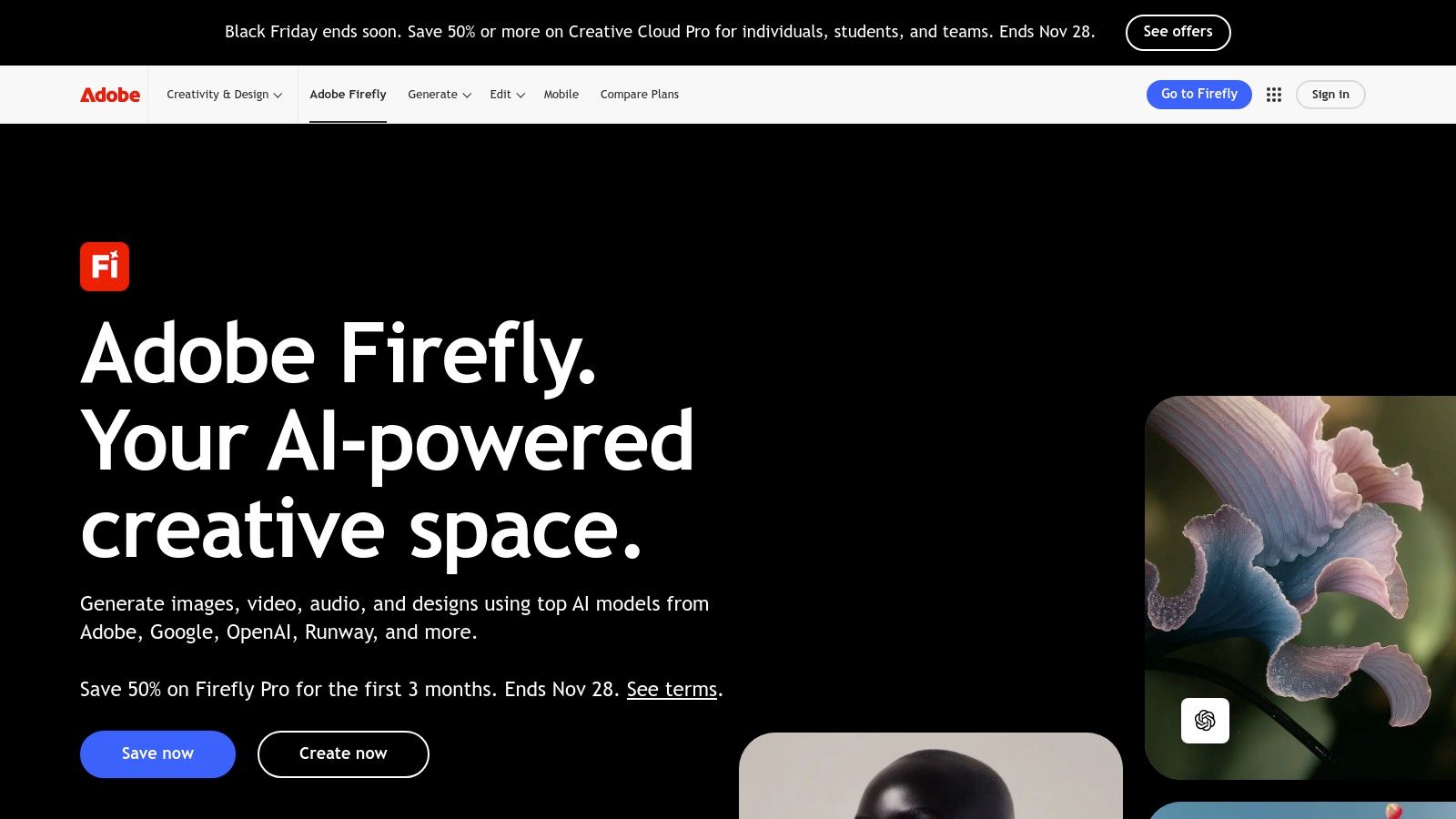
The platform’s key advantage is its deep integration and commercial focus. Because Firefly is trained on Adobe Stock’s licensed library, the content it generates is designed to be commercially safe, a critical factor for businesses and agencies. Users can generate images, text effects, and vector graphics inside their projects, maintaining stylistic control with features that reference existing artboards or apply specific structural guides. This allows for a level of brand consistency and precision that general-purpose image generators often lack.
Key Details & Pricing
- Best For: Creative professionals, designers, and marketing teams already invested in the Adobe Creative Cloud ecosystem.
- Pros: Tight integration with industry-standard applications like Photoshop; designed for commercially safe use, making it ideal for brands.
- Cons: The credit-based system can be confusing and costly for heavy users; full potential is only realized with a Creative Cloud subscription.
- Pricing: A free plan offers 25 generative credits per month. Paid Creative Cloud plans (starting at $9.99/month for the Firefly plan) include a higher monthly credit allowance.
- Website: https://www.adobe.com/products/firefly
4. Microsoft 365 Copilot
For organizations deeply embedded in the Microsoft ecosystem, Copilot integrates powerful AI content creation tools directly into the productivity apps teams already use daily. Instead of a standalone platform, it brings generative AI assistance into Word, PowerPoint, Excel, and Outlook. This makes it ideal for streamlining internal and external communications, from drafting documents and summarizing meetings in Teams to automatically generating entire slide decks from a simple prompt.
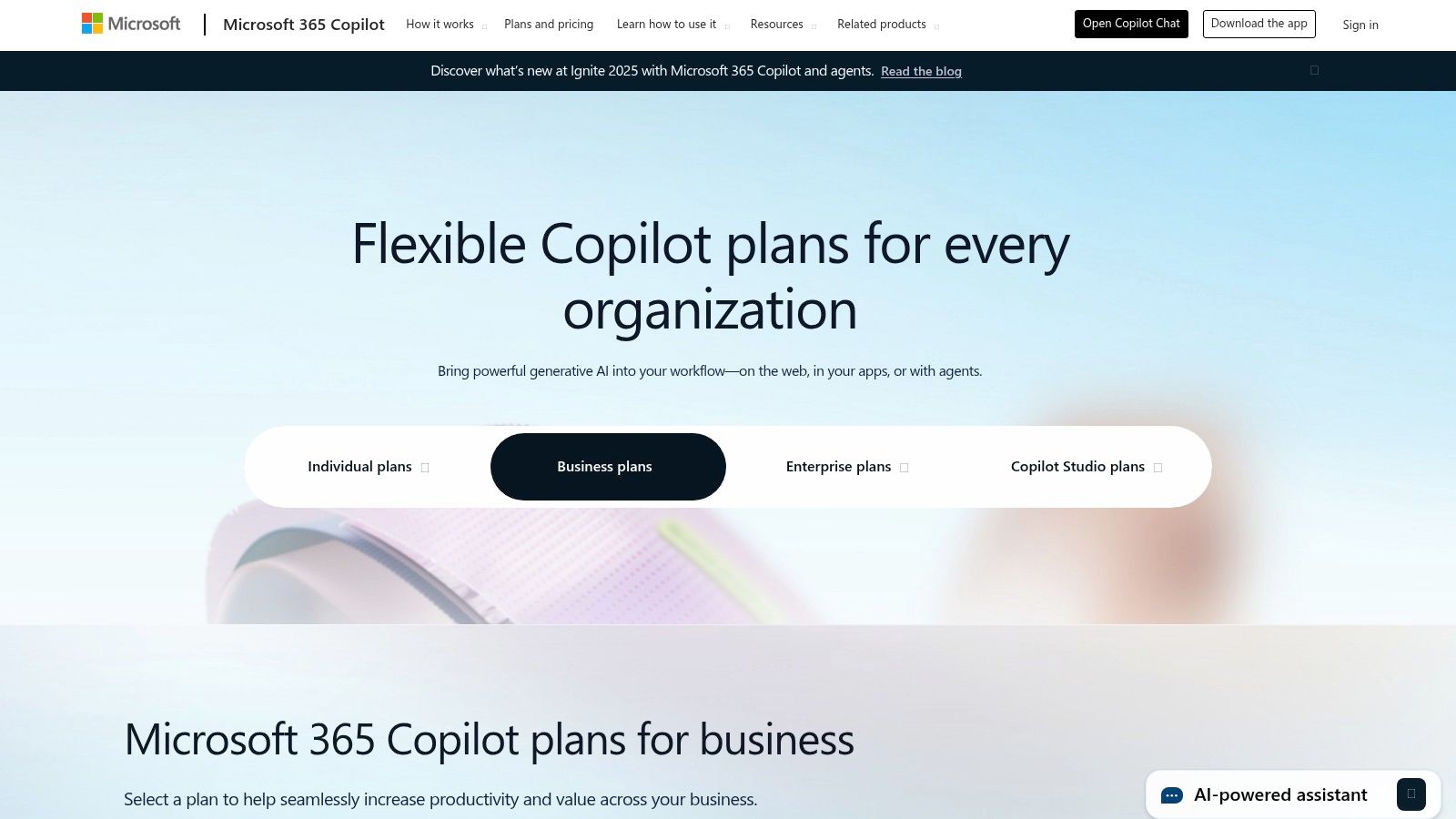
Copilot’s key advantage is its context-awareness; it can access and reason across your entire universe of company data within Microsoft 365, including emails, chats, and files, while maintaining enterprise-grade security and compliance. This “work-grounded” approach ensures the content it helps generate is relevant and secure. For more advanced needs, Copilot Studio allows businesses to build custom AI agents and chatbots, extending its utility far beyond simple document creation. Its seamless workflow integration makes it one of the most practical ai content creation tools for corporate environments.
Key Details & Pricing
- Best For: Enterprises and businesses already using Microsoft 365 who need secure, integrated AI assistance for document creation, data analysis, and internal communications.
- Pros: Native integration inside Microsoft 365 apps provides a seamless user experience; strong security and compliance posture for enterprises.
- Cons: Requires a qualifying Microsoft 365 license to purchase and use; priced per user annually, which can be expensive for some teams.
- Pricing: Requires a prerequisite Microsoft 365 Business or Enterprise plan. Copilot for Microsoft 365 is an add-on for $30/user/month (billed annually).
- Website: https://www.microsoft.com/en-us/microsoft-365-copilot/pricing
5. Canva (Magic Studio + Affinity)
Canva has evolved from a simple design tool into a comprehensive AI-powered creative suite, making it a go-to platform for individuals and marketing teams. Its “Magic Studio” integrates a host of AI content creation tools directly into the familiar drag-and-drop interface, drastically accelerating the process of creating polished social media posts, presentations, and marketing materials. This seamless integration allows users to move from a text idea to a fully designed and publishable asset within minutes.
The platform’s strength lies in its workflow efficiency. You can use Magic Write to generate copy, Magic Media to create custom images or video clips, and then immediately place them into a branded template. Tools like Magic Switch resize a design for multiple platforms with a single click, solving a common bottleneck for social media managers. While Canva excels at design-centric content, its video capabilities are a key feature for creators, and understanding how it stacks up against a dedicated AI short video generator can help you decide which tool best fits your workflow. The recent stewardship of Affinity’s professional apps also signals a future where Canva bridges the gap between accessible design and high-end creative work.
Key Details & Pricing
- Best For: Social media managers, marketers, and small businesses needing an all-in-one platform to quickly create branded visual content.
- Pros: Extremely fast workflow from idea to finished asset; huge library of templates and collaborative tools streamlines team projects.
- Cons: Pricing and team plan structures have changed frequently; feature access and costs can vary significantly by plan and user count.
- Pricing: A robust free plan is available. Paid plans include Canva Pro at $14.99/month for one person and Canva for Teams starting at $29.99/month for the first 5 people.
- Website: https://www.canva.com
6. Jasper
Jasper is a marketing-focused AI content creation platform engineered for teams that need to produce brand-aligned assets at scale. Unlike general-purpose chatbots, Jasper is built around creating cohesive campaigns, from blog posts and ad copy to social media and emails. Its core strength lies in its ability to learn and apply a specific brand voice, tone, and knowledge base across all generated content, ensuring consistency for marketing operations.
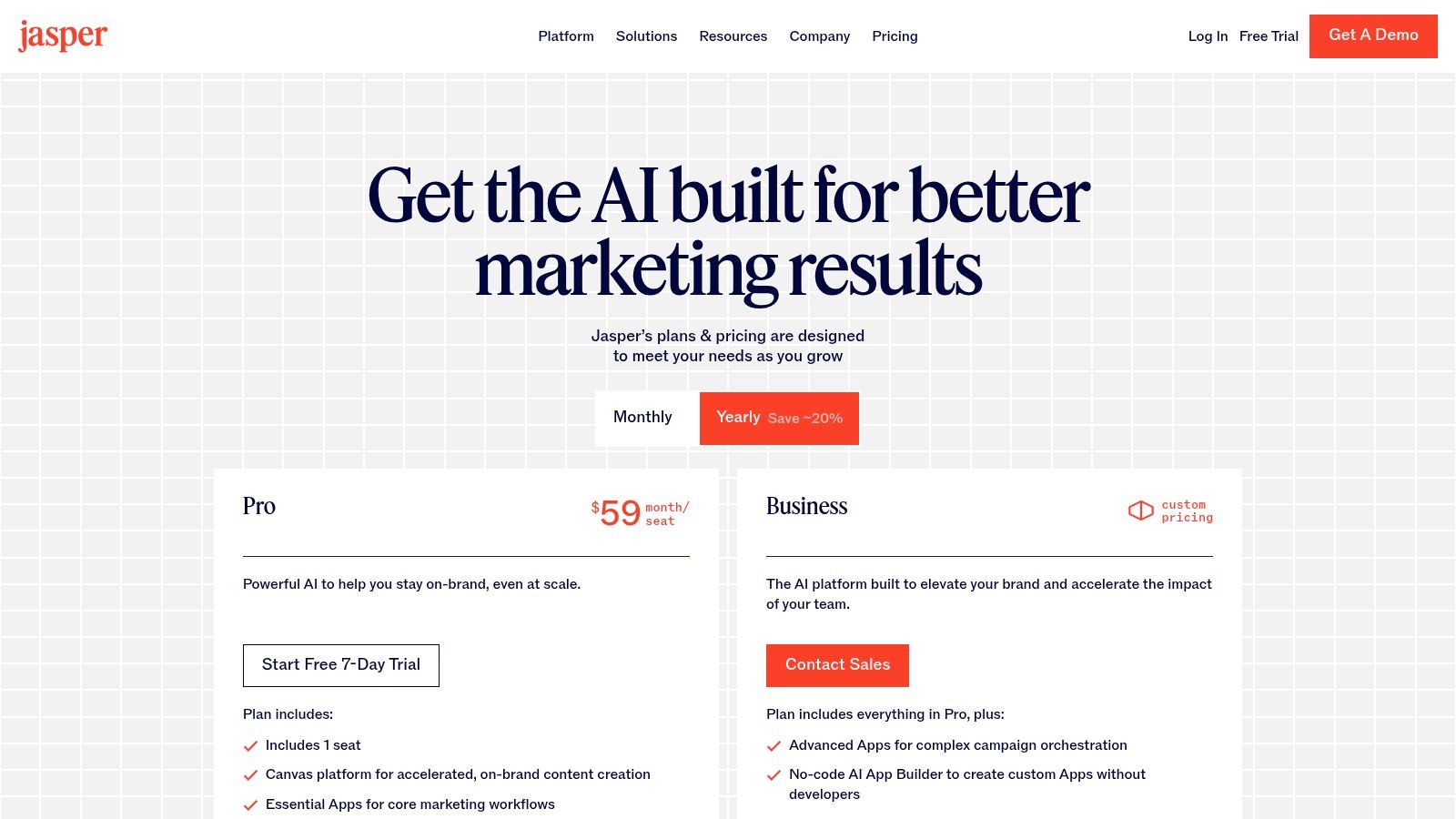
The platform’s standout features, Brand Voice and Knowledge, allow marketing teams to upload style guides, product information, and audience personas to train the AI. This ensures that every piece of content, whether a short ad headline or a long-form article created in its “Canvas” workspace, reflects the company’s unique identity. For larger teams, its governance and collaboration tools make it one of the most powerful ai content creation tools for maintaining quality and control across an entire marketing department.
Key Details & Pricing
- Best For: Marketing teams and businesses needing to enforce brand consistency and streamline multi-asset campaign creation.
- Pros: Purpose-built for marketing operations with excellent brand voice controls; clear seat-based pricing and trials for teams.
- Cons: Higher entry price than generic chat tools for solo users; advanced features require a Business plan or higher.
- Pricing: Creator plan starts at $39/user/month (billed annually). Pro and Business plans offer more seats, Brand Voices, and advanced features with custom pricing.
- Website: https://www.jasper.ai/pricing
7. Copy.ai
Copy.ai positions itself as an AI copywriting platform designed for marketing and sales teams, moving beyond simple text generation to offer automated workflows. It excels at creating structured, repeatable content processes, making it a powerful tool for businesses looking to scale their outreach and marketing efforts consistently. By building “Agents,” users can automate multi-step tasks like drafting personalized sales emails or generating product descriptions at volume.
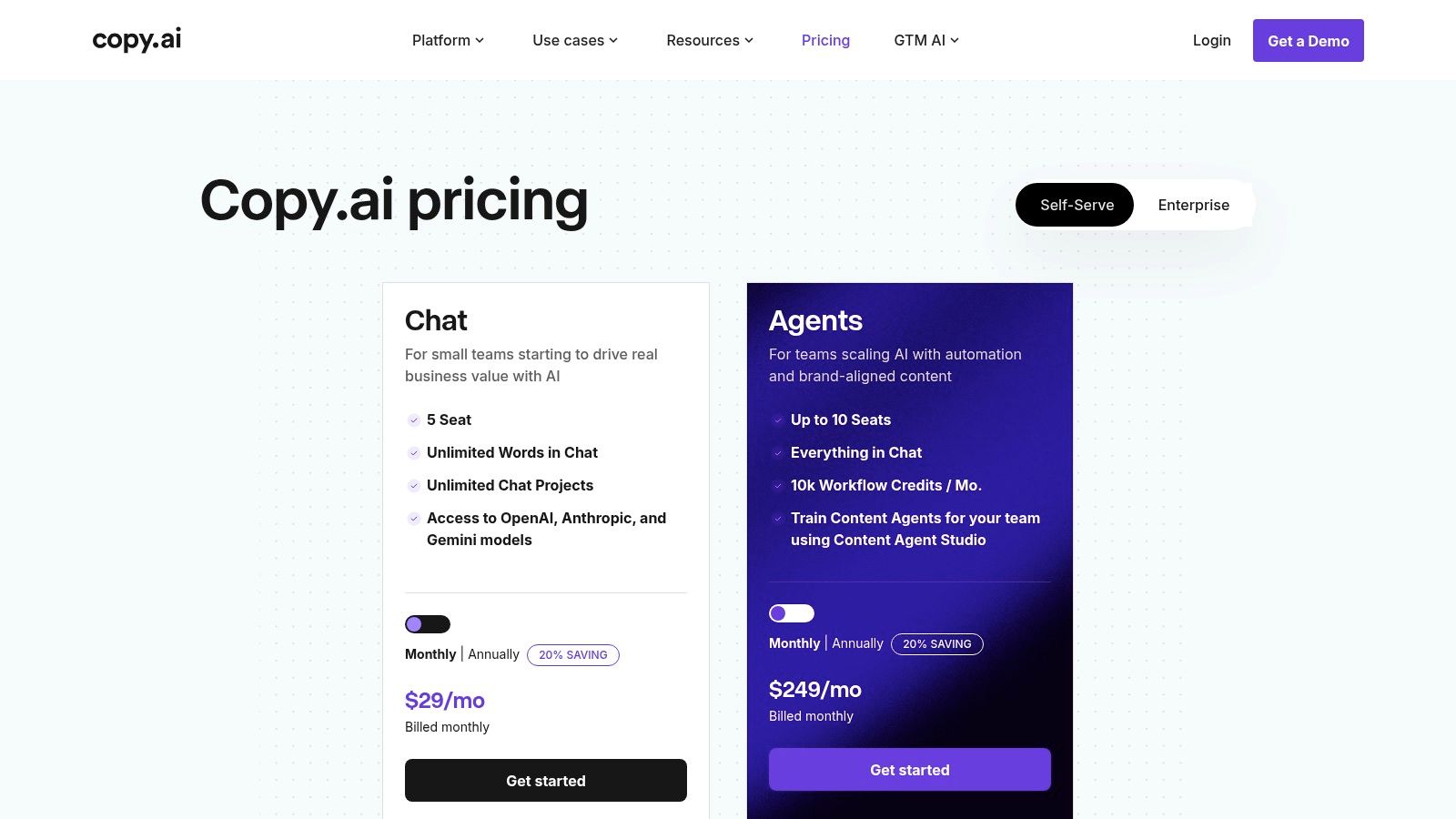
The platform’s strength lies in its workflow and automation capabilities, allowing teams to build custom content engines that integrate with their existing systems. Instead of just being a chat interface, it acts as an operational layer for go-to-market content. This makes it one of the more business-focused ai content creation tools available, shifting the focus from one-off content pieces to building sustainable, automated content pipelines. Access to multiple underlying models like those from OpenAI and Anthropic also ensures flexibility and high-quality output.
Key Details & Pricing
- Best For: Sales and marketing teams looking to automate repeatable copywriting tasks like email outreach, ad copy, and product descriptions.
- Pros: Generous chat usage and unlimited words on paid plans; powerful workflow automation for scaling content processes.
- Cons: Workflow credits can be a limiting factor for heavy automation on lower tiers; advanced features are locked behind higher-cost plans.
- Pricing: Offers a free plan with a 2,000-word limit. The Pro plan is $36/month (billed annually) for 5 user seats, and the Team plan is $186/month (billed annually) for 20 seats. Custom Enterprise pricing is also available.
- Website: https://www.copy.ai/prices
8. Descript
Descript revolutionizes audio and video editing by transforming media into a text document. This AI-powered platform is tailored for podcasters, marketers, and creators of shorts and explainer videos who need to produce high-quality content quickly. Its core innovation is an edit-by-transcript workflow, where deleting text from the script automatically cuts the corresponding audio and video, dramatically speeding up the production cycle.
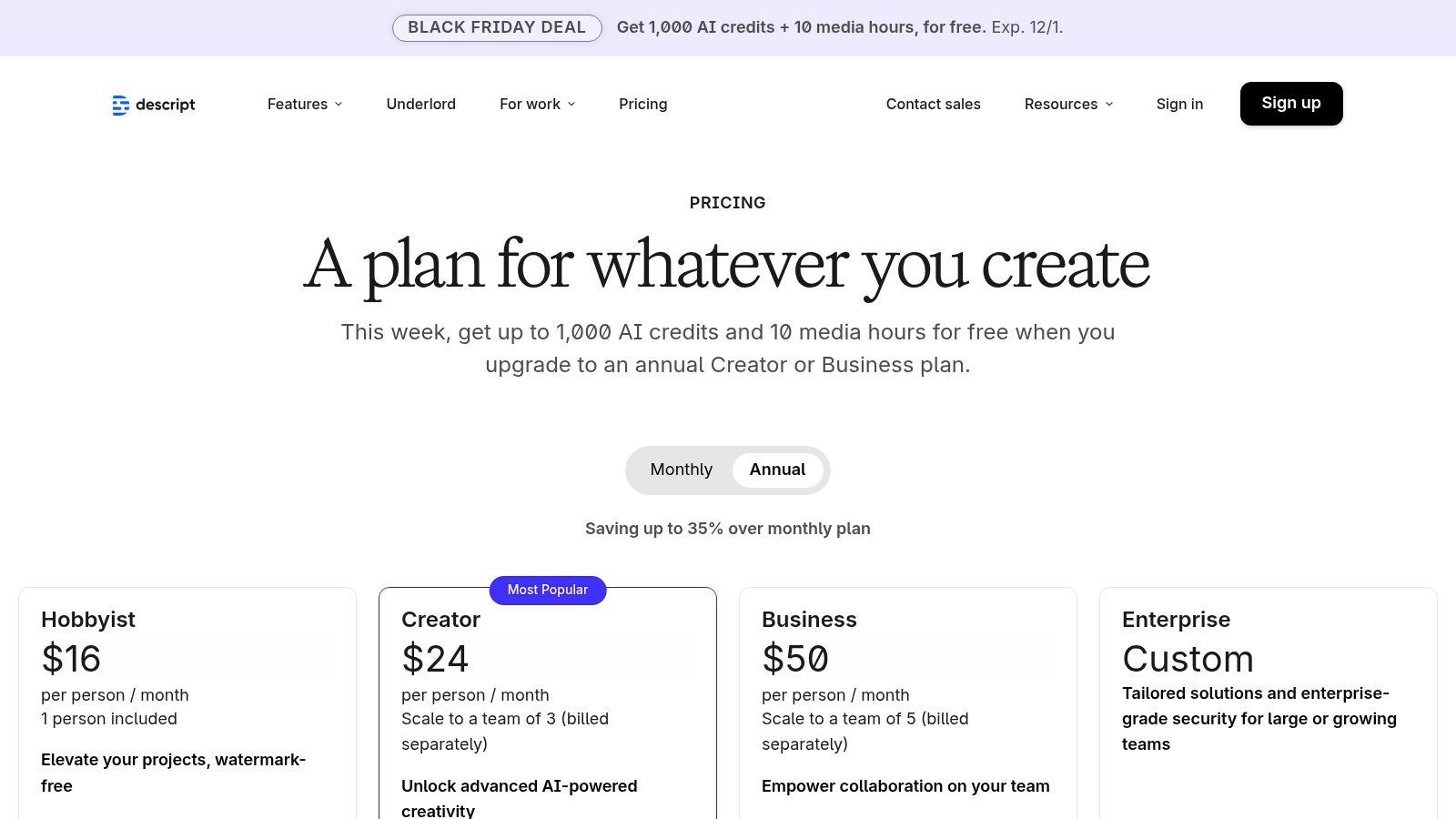
The platform is packed with intelligent features designed to polish content with minimal effort. It can automatically remove filler words like “um” and “uh,” clone your voice with Overdub for easy corrections, and enhance audio quality with its Studio Sound feature. For teams, Descript offers collaborative workspaces and robust tools for creating social clips from longer recordings, making it a comprehensive solution among modern AI video editing software. This unique approach makes it one of the most intuitive and powerful ai content creation tools available for dialogue-heavy media.
Key Details & Pricing
- Best For: Podcasters, video creators, and marketing teams who want an incredibly fast way to edit spoken-word content by editing text.
- Pros: Extremely fast turnaround from raw recordings to publishable clips; rich suite of AI tools like filler word removal and voice cloning.
- Cons: Media hour and AI credit limits on plans may require paid top-ups for high-volume production; some advanced features are gated behind paid tiers.
- Pricing: Offers a free plan with limited transcription. Paid plans include Creator at $12/user/month and Pro at $24/user/month (billed annually), with custom pricing for Enterprise.
- Website: https://www.descript.com/pricing
9. Synthesia
Synthesia is a leading script-to-video platform that specializes in creating professional, presenter-style videos with AI avatars. This tool is a game-changer for producing training content, how-to guides, and marketing videos without the need for cameras or microphones. Simply type your script, choose an avatar and background, and Synthesia generates a polished video, making it one of the most efficient ai content creation tools for corporate and educational purposes.
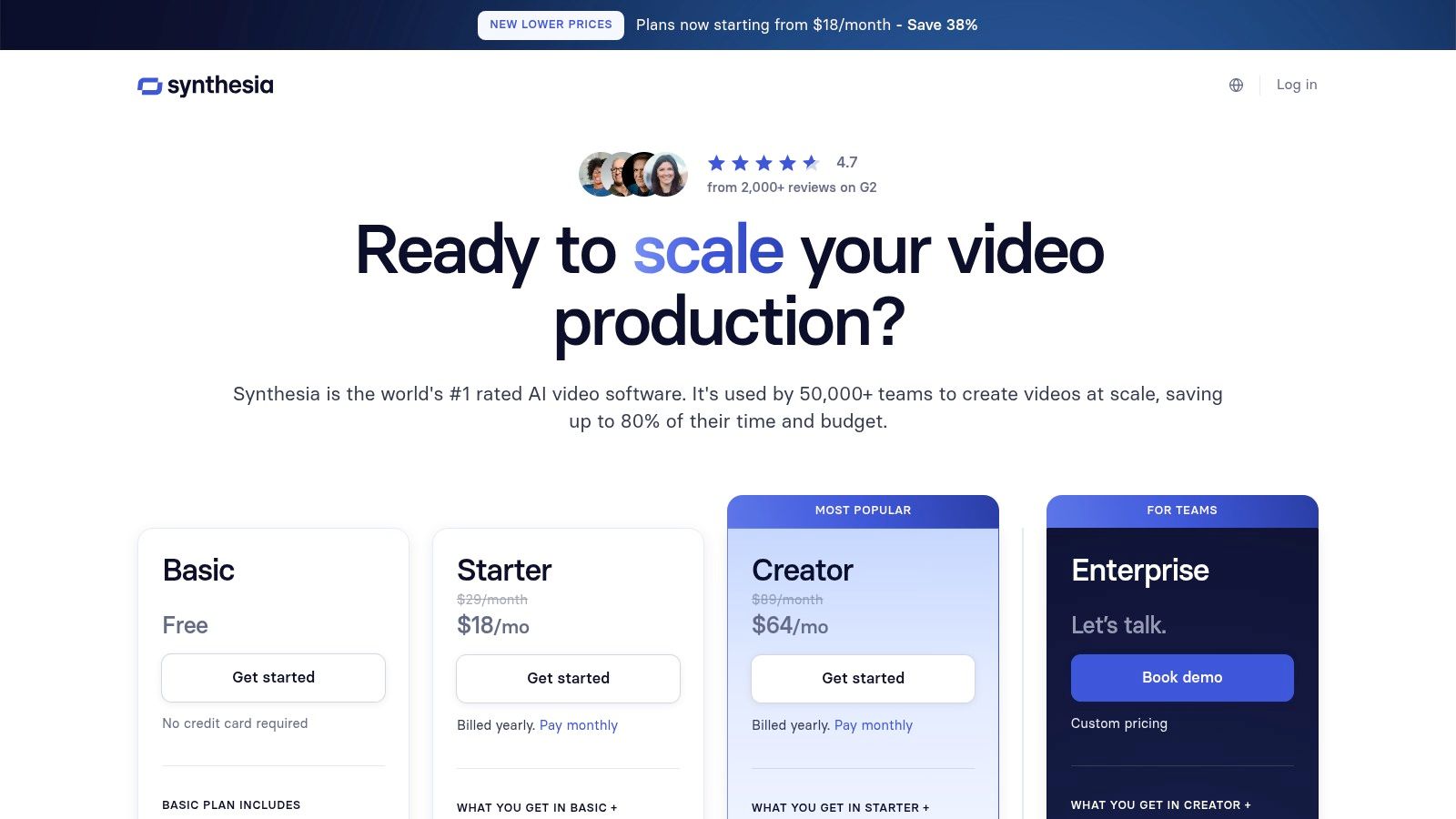
The platform’s strength lies in its scalability and localization features. With over 180 stock AI avatars and support for 80+ languages, you can create and translate content for a global audience in minutes. For businesses, the ability to create a custom digital twin of a real person and integrate videos into Learning Management Systems (LMS) via SCORM export offers immense value. The user interface is clean and intuitive, guiding you through the creation process seamlessly from script to final render. For a deeper look at similar technologies, you can explore other text-to-video AI tools to see how they compare.
Key Details & Pricing
- Best For: Corporate trainers, educators, and marketers needing to produce high-quality, scalable presenter-led videos quickly.
- Pros: Extremely fast production of presenter videos without filming; excellent for multi-language content; scales from individual creators to enterprise-level collaboration.
- Cons: The credit-based system (minutes of video) can become costly for users with high-volume needs; creating a personal avatar may require an additional investment.
- Pricing: The Personal plan is $22/month (billed annually) for 10 minutes of video. Creator and Enterprise plans offer more minutes, custom avatars, and collaboration features.
- Website: https://www.synthesia.io/pricing-options
10. ElevenLabs
ElevenLabs sets the industry standard for AI-powered voice generation, offering incredibly realistic and emotive text-to-speech (TTS) and voice cloning capabilities. It’s the go-to platform for creators needing high-quality voiceovers for videos, podcasts, audiobooks, or digital ads without hiring voice actors. The platform’s strength lies in its ability to produce nuanced, human-like narration that captures subtle inflections, making it one of the most powerful audio-focused ai content creation tools available.
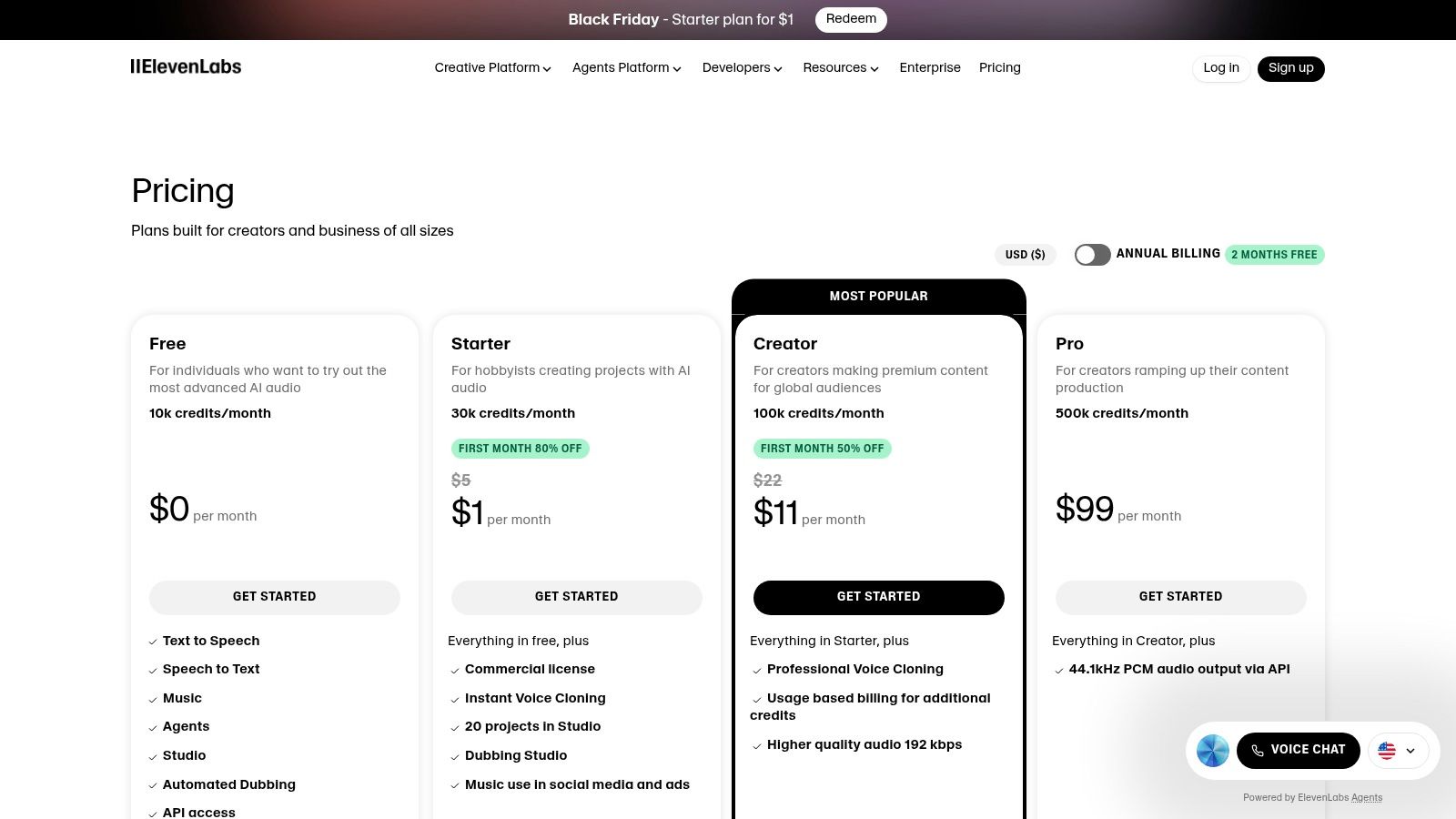
The platform is designed for both individual creators and large-scale enterprises, providing a user-friendly studio interface for quick projects and a robust API for developers to integrate custom voices into their applications. Features like the AI Dubbing studio allow for seamless translation and localization of video content, while speech-to-speech functionality lets users transform their own voice into any target voice. This combination of quality, flexibility, and advanced features makes it an essential tool for adding a professional audio layer to any project.
Key Details & Pricing
- Best For: Video creators, podcasters, and developers who need best-in-class, natural-sounding AI voices and professional voice cloning.
- Pros: Leading voice quality for narration, ads, and user-generated content; flexible options with a studio UI and a scalable API.
- Cons: The credits-based billing model can make cost estimation for large projects complex; LLM costs for newer agent-style features may be separate.
- Pricing: A free tier is available with 10,000 characters per month. Paid plans start at $5/month for the Starter tier, with Creator at $22/month and custom pricing for enterprise needs.
- Website: https://elevenlabs.io/pricing
11. AppSumo – AI Deals Collection
AppSumo isn’t a single tool but a marketplace offering heavily discounted lifetime and subscription deals on emerging AI content creation tools. It functions as a discovery platform, allowing creators to access specialized software for writing, image generation, social media management, and SEO at a fraction of their standard cost. This makes it an ideal resource for budget-conscious creators or agencies looking to experiment with niche tools without committing to expensive monthly subscriptions.
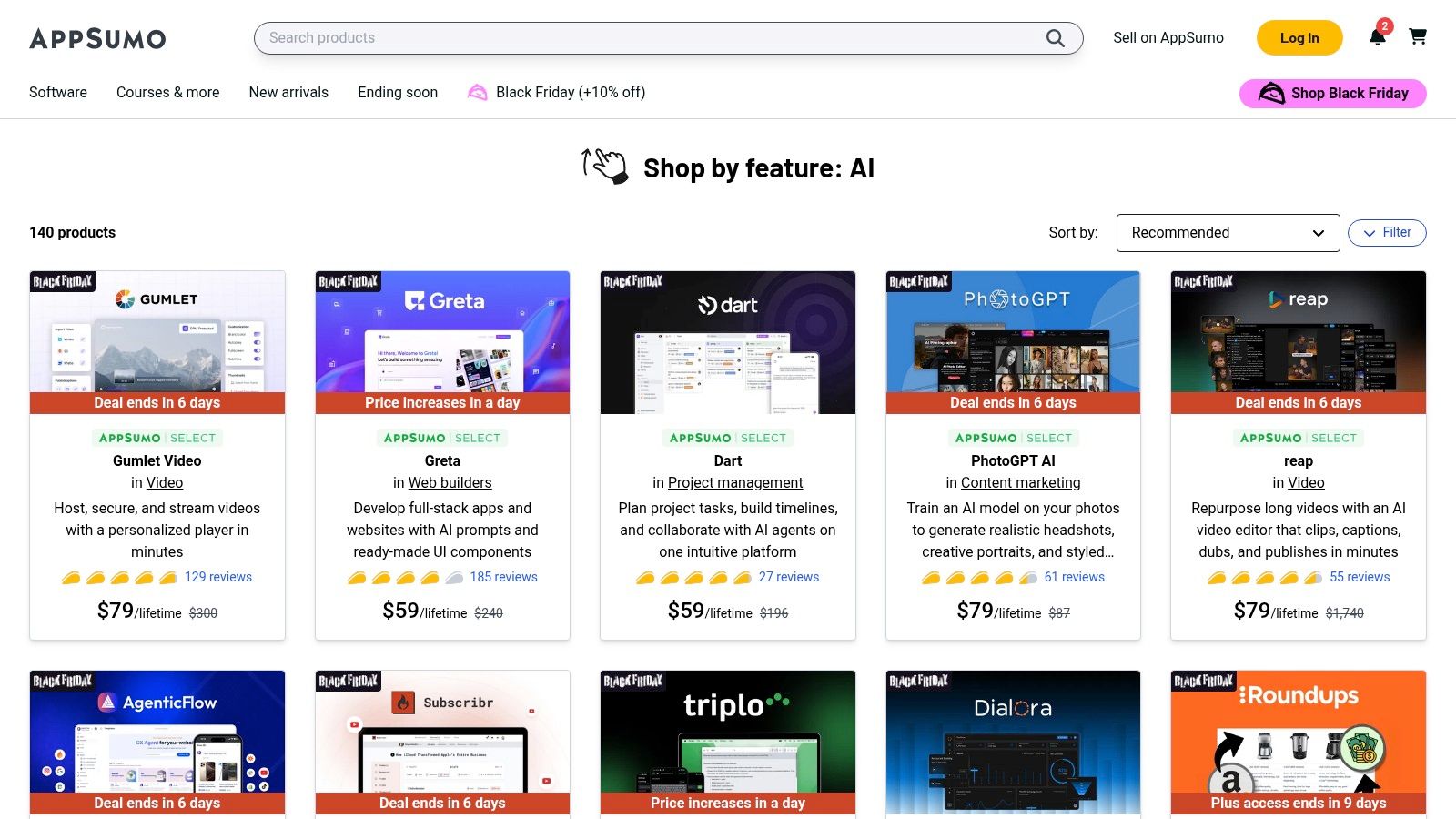
The platform’s strength lies in its curated “AI” category, which features over 100 active deals at any given time, complete with user reviews and generous refund windows. This environment encourages trying new solutions risk-free. However, it’s crucial to carefully vet each deal; some lifetime offers come from early-stage startups that may pivot or cease operations. Savvy buyers should thoroughly read the fine print regarding usage limits and credit models to ensure a deal aligns with their long-term content needs.
Key Details & Pricing
- Best For: Freelancers, small businesses, and agencies looking to build a diverse toolkit of AI software with one-time payments.
- Pros: Extremely cost-effective way to acquire powerful AI content creation tools; great for discovering innovative and specialized software.
- Cons: The long-term viability of some purchased tools can be uncertain; deal terms and credit limits require careful evaluation.
- Pricing: Varies by deal. Most offers are lifetime deals (LTDs) with a one-time payment, often starting from $39-$79.
- Website: https://appsumo.com/collections/features/ai
12. Midjourney
Midjourney is a specialized generative AI system renowned for producing high-quality, artistic, and stylized images, making it a favorite among designers, concept artists, and marketers. Unlike many other AI content creation tools with web-based UIs, Midjourney primarily operates through Discord, where users interact with a bot to generate and refine visuals. This unique interface fosters a community-driven environment where creativity and inspiration are shared openly.
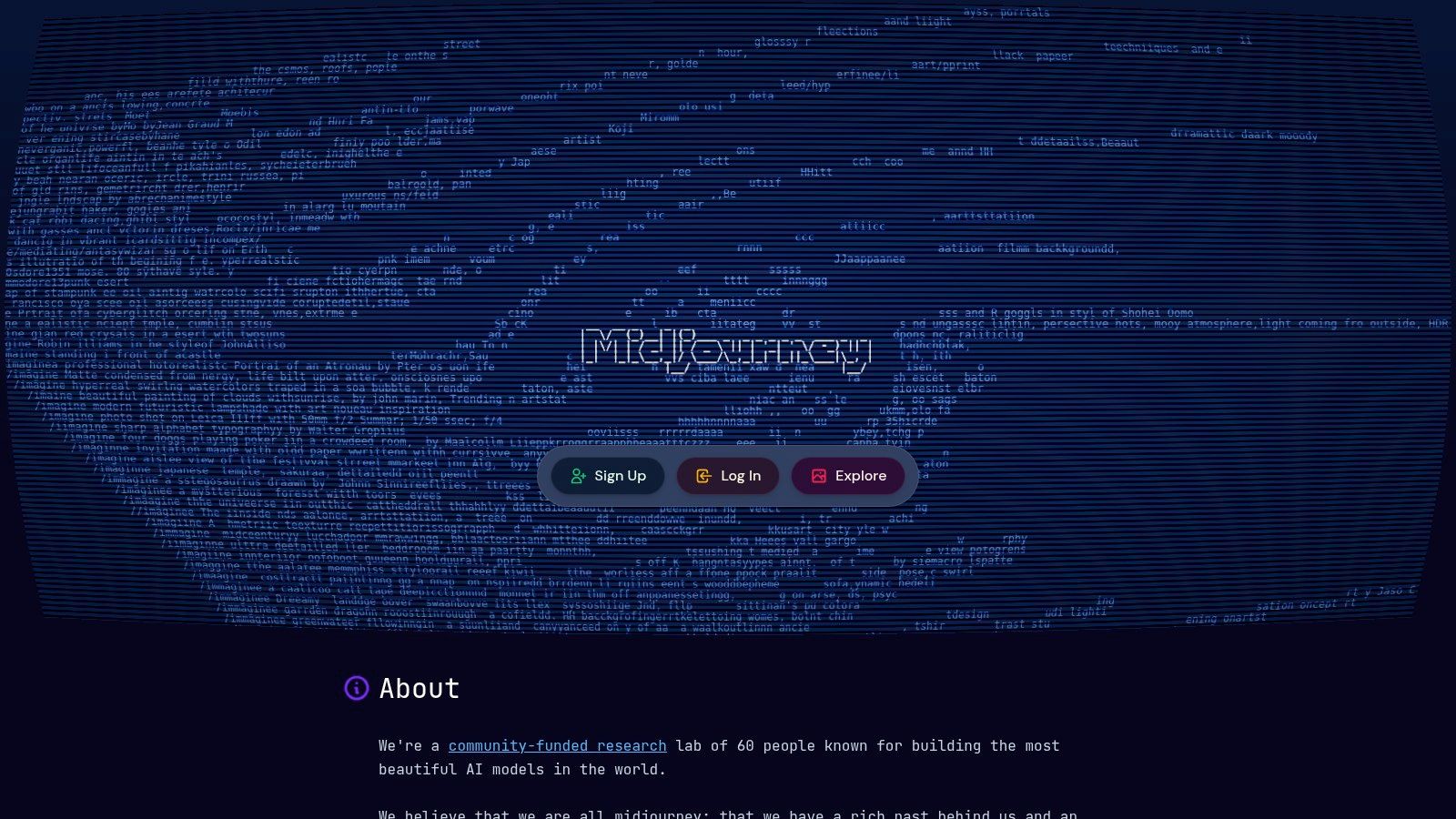
The platform’s strength lies in its distinctive aesthetic and the powerful control it gives users over the final output through detailed prompting and parameter adjustments. Subscription tiers are structured around “GPU time,” with higher-tier plans offering more fast-generation hours and “Stealth Mode” for private image creation, a crucial feature for commercial projects. While it has introduced early-stage short video generation, its core focus remains on delivering unparalleled still-image quality for creative content and marketing visuals.
Key Details & Pricing
- Best For: Creative professionals, artists, and marketing teams needing high-fidelity, stylized images for concept art, social media, and advertising.
- Pros: Produces exceptionally high-quality, artistic outputs; clear subscription tiers based on GPU usage and privacy needs.
- Cons: The Discord-based interface has a significant learning curve for new users; video generation features are experimental and consume credits quickly.
- Pricing: No free tier available. Paid plans start with the Basic Plan at $10/month, with Standard, Pro, and Mega plans ranging from $30 to $120/month.
- Website: https://www.midjourney.com
Top 12 AI Content Creation Tools Comparison
| Product | Core features | UX / Quality ★ | Value / Price ? | Target audience ? | Unique selling points ✨ |
|---|---|---|---|---|---|
| MotionLaps ? | End-to-end AI pipeline: ideation → script → neural voice → AI visuals → music → auto-publish | ★★★★☆ — polished short-form workflow | ? Tiered (contact/site) — built for scale | ? Creators, agencies, SMBs, Shorts/TikTok marketers | ✨ Faceless lifelike narration, wide visual style palette, auto-scheduling |
| OpenAI (ChatGPT, DALL·E, Sora) | Text, image gen, voice, Sora video previews, Custom GPTs | ★★★★★ — top-tier models & tooling | ? Individual & business plans; rate limits on lower tiers | ? Developers, enterprises, creators, teams | ✨ Broadest model ecosystem; Custom GPTs; strong security controls |
| Adobe Firefly (Creative Cloud) | Text-to-image/video, Generative Fill, CC asset integration | ★★★★☆ — industry-grade creative tools | ? CC subscription + credit model for some features | ? Designers, brands, agencies | ✨ Deep Adobe integration + commercial-use licensing |
| Microsoft 365 Copilot | AI embedded across Word/PowerPoint/Excel/Teams; Copilot Studio | ★★★★☆ — seamless in-app assistance | ? Per-user annual pricing (MS 365 required) | ? Enterprises and Microsoft-focused teams | ✨ Native Office automation with enterprise compliance |
| Canva (Magic Studio) | Magic Write, Magic Media (image/video), templates, scheduling | ★★★★☆ — fast, template-first UX | ? Freemium → Pro/Team subscriptions | ? Marketers, social teams, small businesses | ✨ Rapid idea → publish flow with brand kits & collaboration |
| Jasper | Long-form canvas, Brand Voices, Knowledge, AI apps | ★★★★☆ — marketing-focused, consistent output | ? Seat-based pricing; trials available | ? Marketing teams, content ops | ✨ Purpose-built for brand consistency and campaigns |
| Copy.ai | Chat, Agents, multi-model access, automation workflows | ★★★★☆ — simple chat + automation UX | ? Affordable entry plans; workflow credits | ? Small teams, marketers, sales ops | ✨ Multi-model options and automation agents for repeatable flows |
| Descript | Edit-by-transcript, overdub, clip gen, studio sound | ★★★★☆ — fast repurposing of long audio/video | ? Tiered with media hours/credits | ? Podcasters, creators, marketers | ✨ Transcript-first editing + high-quality overdub voices |
| Synthesia | Script-to-video with AI avatars, dubbing, LMS exports | ★★★★☆ — presenter-style video fast | ? Credits/minutes model; enterprise tiers | ? L&D, training teams, marketing | ✨ Large avatar library, multi-language dubbing, SCORM export |
| ElevenLabs | High-fidelity TTS, voice cloning, dubbing, low-latency API | ★★★★★ — industry-leading voice quality | ? Usage/credits-based billing | ? Narrators, studios, devs, creators | ✨ Best-in-class neural voices and flexible API/studio options |
| AppSumo – AI Deals | Marketplace for lifetime/subscription AI tool deals | ★★★☆☆ — value varies by deal | ? One-time deals & discounts; high upside | ? Startups, bargain hunters, indie creators | ✨ Access to discounted lifetime SaaS & curated AI deals |
| Midjourney | Stylized image generation; early short-video features via Discord | ★★★★☆ — highly creative, stylistic outputs | ? Subscription tiers by GPU time; stealth mode | ? Artists, designers, creative marketers | ✨ Distinctive artistic styles favored by creatives |
Choosing the Right AI Tools for Your Content Workflow
We’ve journeyed through a comprehensive landscape of modern AI content creation tools, each offering a unique pathway to amplifying your creative output. From the all-encompassing ecosystems like Adobe Creative Cloud and Canva’s Magic Studio to specialized powerhouses like ElevenLabs for audio and Descript for video editing, the options are as diverse as the content you aim to create. The central theme is clear: generative AI is no longer a futuristic concept but a practical, accessible toolkit for creators and marketers today.
The key takeaway is that there is no single “best” tool for everyone. The ideal solution depends entirely on your specific workflow, primary content format, and biggest production bottlenecks. The era of manual, one-off content creation is rapidly being replaced by a more strategic, system-based approach powered by artificial intelligence.
How to Select Your AI Content Stack
Making the right choice can feel overwhelming, so it’s crucial to approach the decision with a clear strategy. Your goal is not to adopt every tool available but to build a lean, efficient stack that directly solves your most pressing challenges.
Consider these factors when evaluating AI content creation tools:
- Identify Your Core Need: Are you struggling with ideation and scriptwriting? A text generator like Jasper or ChatGPT should be your starting point. Is video production the main time sink? An automated video solution like MotionLaps is likely your answer. Are you spending too much time on voiceovers or image sourcing? Look to ElevenLabs and Midjourney, respectively.
- Workflow Integration: How well does the tool fit into your existing process? A tool like Adobe Firefly is a natural choice for those already invested in the Creative Cloud ecosystem. Similarly, Microsoft 365 Copilot excels for teams using Office and Teams. Assess whether a new tool will streamline or complicate your current operations.
- Scalability vs. Control: Determine the balance you need. Tools like Synthesia and MotionLaps offer incredible scalability and automation, producing content at a rapid pace. Conversely, platforms like Adobe Firefly or Midjourney provide granular creative control, which may be more suitable for bespoke, high-concept projects.
- Budget and ROI: Start with free trials or lower-tier plans whenever possible. This allows you to test the tool’s real-world impact before committing significant resources. The ultimate goal is a positive return on investment, whether measured in time saved, increased output, or enhanced content quality.
Implementing AI for Maximum Impact
Once you’ve selected a few promising tools, the implementation phase is critical. Don’t try to overhaul your entire workflow overnight. Instead, introduce one tool at a time to solve a specific problem. For example, use ChatGPT to generate 10 video ideas, then use Descript to edit the audio for the best one. This incremental approach allows you to learn the tool’s nuances and measure its direct impact.
The most successful creators use AI not as a replacement for human creativity but as a powerful assistant. Let AI handle the repetitive, time-consuming tasks like transcribing audio, generating background images, or creating initial drafts. This frees you up to focus on the high-level strategy, creative direction, and unique insights that only you can provide. To further aid in your selection process, you might want to explore a comprehensive list of best content creation tools that cater to various needs and compare them against the AI-powered options we’ve discussed.
Ultimately, the right AI content creation tools will transform your workflow from a production grind into an efficient engine for growth, allowing you to create more, engage better, and scale your brand’s presence effectively.
Ready to automate your short-form video production and reclaim hours of your time? MotionLaps is designed specifically for creators and marketers who need to produce high-quality Shorts, TikToks, and Reels at scale. Transform your ideas into engaging videos in minutes, not days, by trying MotionLaps today.