How to Make a Highlight Video That Captures Attention
 Mahmudul Hasan
Creating a highlight video that stops people from scrolling requires more than just stringing cool clips together. The magic happens before you even open your editing software, and it boils down to three key elements: a compelling story, a deep understanding of your audience, and a clear outline. This foundational work is what separates a forgettable clip from one that gets shared.
Crafting Your Game Plan for a Viral Highlight Video
Think of this planning stage as drawing a map before a road trip. Without it, your video will feel random and disjointed, and you’ll lose your viewer's attention before you can make an impact. The goal is to transform a simple collection of clips into a cohesive narrative that makes people feel something.
It all starts by asking the right questions. What's the main point you're trying to make? Are you showcasing your most epic gaming moments? Compiling a stunning travel diary? Or are you trying to launch a new product with a bang? Your answer here will shape every single decision you make later, from the music you choose to the pacing of your cuts.
Define Your Core Narrative
Every great highlight video, no matter how short, tells a story. It needs a clear beginning, middle, and end. You have to hook viewers within the first three seconds, build up the energy with your best moments in the middle, and then hit them with a finale they won't forget.
Actionable Example (Gaming): Instead of showing random kills, structure your story.
- Beginning (The Hook): Start with a clip where you're down to your last bit of health, facing an impossible 1v3 situation. This creates immediate tension.
- Middle (The Build-Up): Show a rapid sequence of two skillful takedowns, each one more impressive than the last.
- End (The Climax): Finish with the final, unbelievable headshot that wins the round, followed by your team's hyped reaction.
Actionable Example (Product Demo):
- Beginning: Show a real-world frustration your audience faces (e.g., a messy spreadsheet).
- Middle: Demonstrate how your product elegantly solves that specific problem in just a few clicks.
- End: Showcase the clean, satisfying result and a testimonial from a happy customer.
Understand Who You're Making It For
Knowing your audience is everything. A high-octane highlight reel for esports fans on YouTube Shorts is going to feel completely different from a dreamy travel montage aimed at a casual TikTok audience. You have to get inside their heads and figure out what makes them tick.
- Gamers: They want jaw-dropping skill, hilarious fails, or clutch moments that get the adrenaline pumping.
- Travel Buffs: They connect with stunning landscapes, authentic cultural moments, and a general sense of adventure.
- Business Professionals: They want to see a clear value proposition, hear from happy customers, and see a polished, professional final product.
This process of mapping out the story, audience, and outline sets the foundation for a killer video.
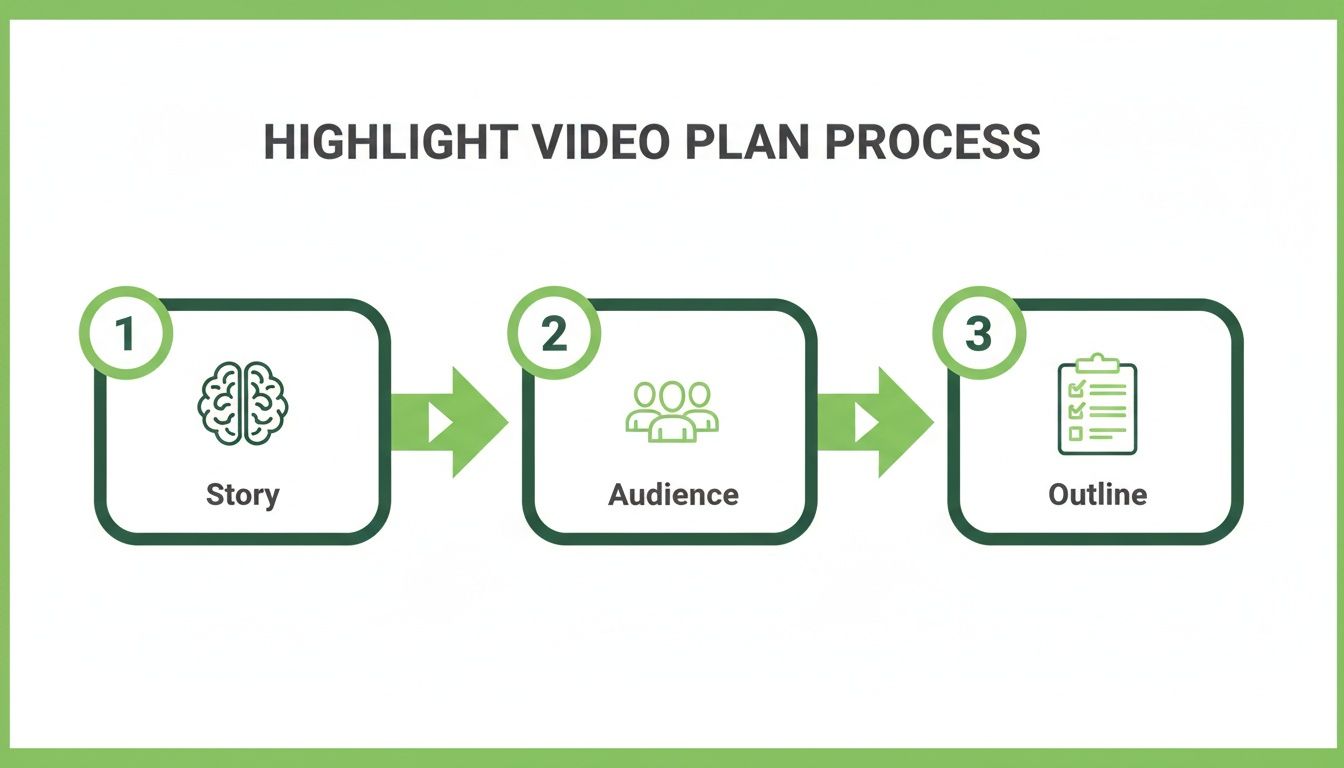
Before you dive into your footage, run through this quick checklist. It's a simple way to make sure you've covered your bases and are ready to create something truly engaging.
Essential Highlight Video Planning Checklist
| Planning Step | Key Objective | Pro Tip |
|---|---|---|
| Theme & Goal | Define the single most important message or feeling you want to convey. | Stick to one core idea. Trying to do too much will just confuse the viewer. |
| Audience Profile | Identify who you're talking to and what they care about. | Check out similar successful videos for that audience to see what resonates. |
| Story Arc | Outline a simple beginning, middle, and end. | Find your "hero" clip for the climax and build the rest of the story around it. |
| Key Moments | List the 3-5 absolute "must-have" clips. | Don't get bogged down with too many clips yet. Just identify the non-negotiable highlights. |
| Platform Choice | Decide if it’s for TikTok, Instagram Reels, or YouTube Shorts. | Each platform has its own trends and audio library; pick your primary target first. |
Getting this part right makes all the difference.
There’s a reason this format is dominating right now. Short-form videos under a minute see an average 50% engagement rate, which blows static images out of the water. As attention spans get shorter, platforms like TikTok and YouTube Shorts are built to reward creators who can deliver a punchy, valuable story in seconds. You can find more insights on the rise of short-form video over at Firework.com.
Finding the Gold in Your Raw Footage
Every great highlight video is built on a foundation of unforgettable moments. Your first real job as an editor is to become a prospector, digging through hours of raw footage to find those golden nuggets that will bring your story to life. This is where the magic really begins.
Let's be honest, sifting through hours of recordings—whether it's a marathon gaming stream or a full day of event coverage—can feel like a monumental task. The trick is to approach it with a plan, looking not just for action, but for genuine emotion and storytelling potential.
Developing Your Clip Selection System
To keep your sanity and work efficiently, you need a system. Think of yourself as a film director cataloging the best takes after a long day of shooting. The goal here isn't to start editing but to create a library of killer clips you can pull from later. Trust me, this will save you from endlessly scrubbing through the same long video files over and over.
A simple "first pass" is my go-to method. Just watch everything from start to finish and tag any moment that grabs your attention. Don't stress about getting the in-and-out points perfect just yet. You can use markers in your editing software like Adobe Premiere Pro or DaVinci Resolve, or even just a simple spreadsheet to log timestamps with a quick note.
Actionable Example (Streamer's Log): If a creator just finished a three-hour stream, their log might look like this:
- 1:15:32 – Epic Clutch: The impossible 1v3 win. Pure adrenaline. (Potential Climax)
- 2:04:10 – Hilarious Fail: Accidentally yeeted myself off the map. (Good for a funny compilation)
- 0:45:12 – Great Teamwork: That perfectly executed play with the squad. (Build-up clip)
This log becomes your treasure map. It points you straight to the good stuff and cuts down your editing time immensely.
Identifying Peak Action and Emotional Beats
Knowing what to look for is half the battle. Your audience connects with the peaks and valleys—the highest highs, the funniest fails, and the most relatable moments. These emotional beats are what make a highlight video stick in someone's mind and get shared.
The clips that truly land are the ones that make the viewer feel something. Excitement, laughter, surprise, empathy—that’s the real currency of engaging content. A technically flawless shot with zero emotion is worthless compared to a slightly shaky clip that captures a raw, unforgettable reaction.
Always circle back to your video's core story. A travel vlog isn't just a collection of pretty landscapes; it's about the look of awe on someone's face seeing a landmark for the first time. A sports reel isn't just about the points scored; it's about the nail-biting tension before the final shot and the pure explosion of joy that follows.
The Non-Negotiable Technicals
While emotion is king, technical quality is the castle it lives in. A grainy, pixelated clip can make your whole video feel amateur, instantly undermining all your hard work. As you're picking your moments, make sure the footage itself is solid.
Here's a quick technical checklist to run through for every clip you consider:
- Resolution: Stick with the highest quality you have, ideally 1080p at a minimum, but 4K is even better. High-res footage gives you the freedom to crop or reframe a shot later without it turning into a pixelated mess.
- Frame Rate: For that buttery-smooth slow-motion, you'll want clips shot at 60fps or higher. Otherwise, standard 24fps or 30fps works perfectly for normal playback.
- Clarity and Stability: Ditch anything that's wildly out of focus or so shaky it's hard to watch (unless that's a deliberate stylistic choice). Clean, stable shots are just easier on the eyes.
- Clean Audio: If the original sound is important—like dialogue or a key game sound—make sure it's clear. You can't easily fix audio that's muffled or drowned out by wind noise. Music can cover a lot, but it can't save bad source audio.
When you pair a keen eye for emotional storytelling with a firm standard for technical quality, you end up with a powerful library of clips. This curated collection is the backbone of your entire project, setting you up for a much smoother and more creative editing process.
Bringing Your Story to Life in the Edit
Alright, this is where the magic really happens. You’ve done the hard work of planning your story and cherry-picking your best clips. Now it's time to stitch them together into a video that doesn't just get watched, but gets felt. This isn't about which fancy software you use; it's about the creative choices you make in the timeline.
A great edit is an invisible art. It guides the viewer's eye, plays with emotion, and tells a story without needing a single word. When done right, the final video feels effortless, powerful, and totally captivating.
Mastering Rhythmic Editing and Pacing
If there's one technique that can instantly level up your highlight reels, it’s rhythmic editing. This is simply the art of timing your video cuts to the beat of your music. Seriously, when a key moment in your video slams down right on a beat drop, it creates a jolt of energy that’s almost magnetic. It’s what makes a highlight video feel alive.
Actionable Example (Editing to the Beat):
- Lay Down the Music First: Before adding any video clips, put your chosen audio track into the timeline.
- Add Markers: Listen to the song several times and place markers on the timeline at key moments: every major drum beat, the start of the chorus, and especially the big "beat drop."
- Align Your Clips: Now, align the most impactful part of each video clip with these markers. The gunshot should land on a beat. The scenic reveal should happen as the chorus swells. This simple trick makes your video incredibly satisfying to watch.
But incredible pacing isn’t just about going fast. It’s about creating a dynamic rhythm—a dance between high-energy and calmer moments.
- Rapid-Fire Montages: For those sequences full of action—like a series of quick gaming kills or a blur of travel shots—use super quick cuts. We're talking less than a second per clip to build a sense of energy and excitement.
- Strategic Slow-Motion: Want to make a moment unforgettable? Slow it down. The split-second before a game-winning shot or a stunning landscape reveal are perfect for this. It gives your audience a breath to really absorb the impact.
The real secret to great pacing is contrast. A video that’s all fast cuts from beginning to end just becomes white noise. By sprinkling in slower, more deliberate shots, you make those high-octane moments hit even harder.
Guiding the Viewer with Transitions and Effects
Transitions are more than just a way to get from clip A to clip B. Think of them as the punctuation in your visual story. Their main job is to keep the viewer locked in, moving them smoothly between scenes without any jarring distractions.
Honestly, for 90% of your edits, a simple, clean jump cut is your best friend. A quick cross-dissolve works great, too. Keep it simple and keep the flow going. Save the flashy stuff—like a whip pan or a glitch effect—for when you really want to signal a major shift in energy, time, or location. Overdo it, and your video will just look messy.
Polishing Your Look and Feel
Color grading is another one of those subtle but incredibly powerful tools. You don't need to be a Hollywood colorist to make a huge impact. The goal here is consistency—creating a unified mood across your entire video.
Applying a simple filter or a LUT (Look-Up Table) to all your clips can instantly make your project look more professional. A travel vlog might pop with warm, saturated tones to give it that sunny, adventurous vibe. A tech review, on the other hand, could use cool, clean blues and whites for a sleek, modern feel.
Finally, let's talk text overlays. Used sparingly, they can add crucial context or punch up a key message.
- Keep it brief: Short phrases or even single words work best. ("Clutch or Kick," "Game Winner").
- Make it readable: Pick a clean font that contrasts well with the background. A simple drop shadow can be a lifesaver.
- Time it right: The text should appear, do its job, and get out of there. Don't let it linger and distract from the visuals.
These techniques are what separate a raw collection of clips from a truly polished highlight video. It takes time, but the payoff is a piece of content that genuinely connects with your audience. If you're looking to speed up the more repetitive parts of this process, exploring different types of AI video editing software can be a game-changer, letting you focus more on the creative side. Master these fundamentals, and you'll be creating videos that don't just get views—they leave a mark.
Designing an Unforgettable Audio Experience
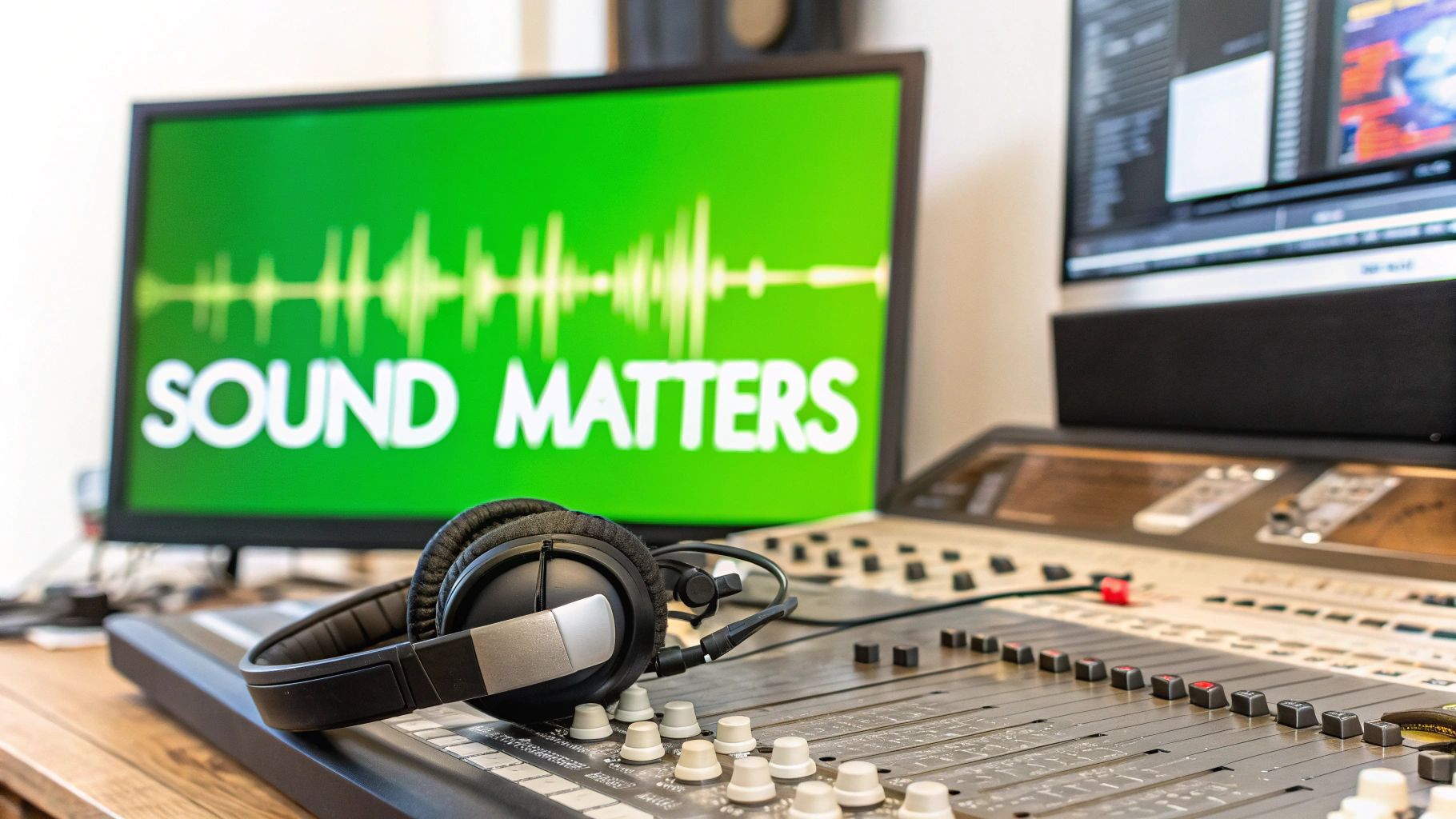
Let's be honest, too many creators treat audio as an afterthought—something you just slap on at the very end. This is a massive mistake. Sound is easily 50% of the viewing experience, and getting it right is the secret to making your highlight video truly hit home.
Great audio design is what separates a decent video from an unforgettable one. It’s the difference between just showing a cool clip and making your audience feel the adrenaline, the humor, or the awe of that moment.
Selecting the Perfect Soundtrack
Your music choice is the emotional backbone of your video. It sets the tone from the very first note and tells the viewer how to feel. A fast-paced electronic track can make a gaming montage feel electric, while a sweeping cinematic score gives a sports reel that epic, larger-than-life quality.
Think about the story you're trying to tell.
- High-energy sports or gaming reels? Hunt for tracks with a strong, driving beat and dramatic builds.
- Travel or lifestyle montages? Consider upbeat indie pop or chill lo-fi beats to match the vibe.
- Funny compilations? Quirky, playful tracks can elevate the on-screen humor perfectly.
It’s absolutely critical to use music you have the rights to, especially if you plan to monetize. YouTube and other platforms are incredibly strict, and a single copyright flag can get your video taken down. For an extra layer of impact, you could even consider weaving in personalized lyric change videos to help tell your story in a unique way.
Don't just pick a song you like; pick a song that serves the story. The right track amplifies the emotions you want your audience to feel, turning a sequence of clips into a powerful narrative.
To avoid copyright strikes, always source your audio from reliable places. The YouTube Audio Library is a decent starting point for free options. For a more professional selection, you'll need a solid resource. If you're wondering where to start, our guide on royalty-free music for creators breaks down the best resources out there.
The Subtle Art of Sound Design
Music is just one piece of the audio puzzle. The next layer is sound design, which is all about adding sound effects (SFX) to emphasize key actions and make your video feel more immersive.
Actionable Example (SFX): In a gaming clip, don't just rely on the in-game audio.
- Add a subtle whoosh sound as the player quickly turns a corner.
- Layer a cinematic boom or impact sound effect on the final game-winning shot to give it more weight.
- Use a riser effect (a sound that builds in pitch and intensity) leading up to the climax to build tension.
These small touches make the action on screen feel more tangible and real.
Achieving the Perfect Audio Mix
The final step is balancing all your audio elements so they work together instead of fighting each other. This is called audio mixing. Nothing ruins a great video faster than an unbalanced mix where the music completely drowns out important sound effects.
Here’s a simple hierarchy I always follow:
- Dialogue: If you have any, it must be the clearest element. No exceptions.
- Key Sound Effects: Important SFX tied directly to on-screen action come next.
- Music: The music should sit comfortably underneath everything else, setting the mood without overpowering the mix.
Before you export, do a final check with headphones to catch any issues you might miss on speakers. Your goal is a rich, layered audio experience where every sound has its place, creating a highlight video that truly captivates your audience.
Putting AI to Work: Creating More Highlights, Faster
In the never-ending race for fresh content, your biggest advantage isn't just your creativity—it's your speed. The old-school way of manually sifting through hours of footage to find those golden nuggets is a massive time-sink. This is exactly where AI stops being a tech buzzword and starts being your most valuable team member.
Think about it. Modern AI tools are built to solve the single biggest headache in making a great highlight video: the sheer time it takes to find the best moments. Imagine an assistant that can watch your entire two-hour stream or podcast and instantly point out the most exciting, funny, or powerful segments.
This isn’t about letting a robot take over your creative vision. It’s about letting AI handle the grunt work so you can stay focused on the bigger picture—crafting a story and building your brand.
How AI Flips the Highlight Video Workflow
The traditional process is slow and linear. You record, you watch everything back, you jot down timestamps, you cut the clips, and then you finally start editing. It’s exhausting.
AI completely upends this model. Instead of you manually scrubbing through footage, AI-powered platforms analyze audio and visual cues to find the highlights for you. They’re looking for spikes in emotion, moments of intense action, or keywords you’ve defined, and then they serve you a curated list of potential clips.
This approach is quickly becoming the new standard. In fact, by 2026, 63% of video marketers are expected to be using AI for video creation, a big jump from 51% the year before. While 59% of creators are still sticking to manual methods, AI offers a clear way to scale up your output without burning out. You can dive deeper into the numbers in this comprehensive video marketing report.
Case Study: Scaling Content Creation with AI
Let’s get practical. Picture a gaming creator who streams for three hours, three times a week. That's nine hours of raw footage. Turning that into a daily TikTok or YouTube Short is practically a full-time job. You have to re-watch the whole stream, log timestamps, cut the clips, and then edit each one individually.
Now, let's inject an AI tool like MotionLaps into that workflow.
- Feed the Machine: The creator uploads their three-hour stream recording.
- Let AI Do the Heavy Lifting: The AI gets to work, scanning the video for key moments. It can spot every kill, every funny glitch, every team victory, and every great interaction with the chat.
- Get Your Clips: In just a few minutes, the platform delivers a gallery of 20-30 high-potential clips, often with auto-generated captions ready to go.
- Add Your Final Touch: The creator just has to review the suggestions, pick their favorites for the day, make a few quick tweaks, and hit export.
What used to take an entire afternoon is now done in under 30 minutes. This creator can now crank out a full week's worth of viral-ready short-form videos in the time it used to take them to manually edit a single one.
This is the real power of AI for creators. It’s not about having a robot make your videos; it’s about having an incredibly fast and accurate assistant that handles the tedious parts. It frees you up to put your energy where it actually matters: connecting with your audience and telling great stories. AI becomes a partner that helps you work smarter, not just harder.
Getting Your Video Seen: Publishing for Maximum Impact
You’ve put in the work and created an amazing highlight reel. But here's the hard truth: a great video is only half the battle. Getting people to actually watch it is what really matters. This final stretch is all about exporting your masterpiece correctly and publishing it with a strategy that gets the algorithms on platforms like YouTube Shorts and TikTok to take notice.
Think of your video file as the foundation. Before you even start brainstorming clever captions or trending hashtags, you need to export your video with the right settings for vertical, mobile-first viewing. This is non-negotiable if you want your content to look sharp, professional, and feel native to the platform.
Nailing the Technical Stuff: Export Settings
For short-form platforms, a few technical details can make or break your video's performance. Get these wrong, and you'll end up with a blurry or awkwardly cropped video that viewers will scroll past without a second thought.
Here’s a quick-and-dirty checklist for your export settings:
- Aspect Ratio: Stick to 9:16. It’s the universal standard for vertical video and fills the entire phone screen.
- Resolution: Export in 1080×1920 pixels (Full HD). This gives you fantastic clarity without making the file size so massive that it buffers forever.
- Frame Rate: Keep it consistent with your original footage. Most of the time, this will be 30 or 60 frames per second (fps).
- Bitrate: A variable bitrate between 8-12 Mbps is the sweet spot. It delivers a great balance between high quality and a manageable file size for quick streaming.
Getting these settings right from the get-go ensures your video looks just as crisp on someone's phone as it did on your editing timeline.
From Upload to Viral: Platform-Specific Strategies
With your perfectly exported video file in hand, it's time to switch gears to your publishing strategy. Just hitting "upload" and hoping for the best won't cut it. You need to feed the platform's algorithm the right signals to get your content in front of more eyeballs. This is where your thumbnail, caption, and hashtags come into play.
Your thumbnail (or cover frame) is your video's first impression—its book cover, if you will. You need to pick a frame that’s clear, exciting, and makes people curious. A gaming highlight? Freeze on the split-second before the epic headshot. A travel reel? Choose that stunning, colorful landscape. When you're ready to publish, many tools offer streamlined ways to get your content live, like the saucial.app upload feature.
The data doesn't lie about how much this matters. Highlight reels and video ads have the highest click-through rate of any digital ad format at 1.84%. With a staggering 89% of viewers saying video convinced them to make a purchase, the return is huge. It’s no wonder 69% of marketers are doubling down on social media video.
Finally, write a caption that stops the scroll. Start with a strong hook or a question, keep it brief, and use a smart mix of popular and niche hashtags to help new viewers find you. For a really deep dive on this, our The Ultimate YouTube Shorts SEO Checklist for 2026 is the perfect resource to get your strategy dialed in.
Answering Your Top Questions About Highlight Videos
Diving into highlight videos always brings up a few common questions. It's totally normal. Getting these sorted out is what separates the frustrating edits from the ones that flow smoothly and actually get views.
Let's tackle some of the biggest questions I hear from creators when they're figuring out how to make a highlight video that connects.
How Long Should a Highlight Video Be?
For platforms like TikTok and YouTube Shorts, you’re playing in the 15 to 60-second sandbox. That's your sweet spot. These apps are designed for quick hits of dopamine, so you have to deliver value fast.
The first three seconds are everything. Seriously. If you don't hook them immediately, they're gone. Keep the energy high and the pace snappy all the way through. You can post longer videos, but the data doesn't lie—shorter, punchier clips consistently win on watch time and engagement.
What’s the Best Free Software to Get Started?
If you're just starting out and don't want to spend a dime, you have some fantastic options.
- For mobile editing: CapCut is a no-brainer. Its interface is super intuitive, and it’s packed with the trendy effects and text styles you see all over TikTok.
- For desktop power: The free version of DaVinci Resolve is an absolute powerhouse. It gives you access to pro-level color grading and audio tools that most other free editors can't touch.
But if your goal is to pump out a lot of content without spending all day in an editor, AI-driven platforms are the way to go. They handle the tedious work of finding the best moments and stitching them together, which can save you a ridiculous amount of time.
Honestly, the "best" software comes down to your personal workflow. Mobile apps are perfect for quick edits on the fly. Desktop software gives you ultimate control. But for pure speed and volume, nothing beats a good AI tool.
Where Can I Find Good Royalty-Free Music?
The right soundtrack can make or break your video, and a copyright strike is the last thing you want. The YouTube Audio Library is a great starting point, with a massive collection of free tracks and sound effects.
If you're willing to invest a little, a subscription to a service like Epidemic Sound or Artlist will give you access to a much higher-quality, curated library. And don't forget the built-in libraries on TikTok and Instagram Reels! Using trending audio directly on the platform is one of the easiest ways to get your video seen by more people.
Ready to create highlight videos in a fraction of the time? MotionLaps uses AI to automatically find the best moments in your long-form content, turning them into dozens of viral-ready clips in minutes. Stop spending hours editing and start scaling your content today at https://motionlaps.ai.