How to Schedule YouTube Shorts for Consistent Channel Growth
 Anika Riply
Scheduling your YouTube Shorts is a total game-changer, and the best way to do it is right from your computer using YouTube Studio. This lets you upload a bunch of Shorts at once and set them to go live whenever you want, which is key for keeping your content pipeline flowing smoothly.
Why Scheduling Your Shorts is a Pro Move for Growth
Let's be real—scheduling isn't just about convenience; it's a core strategy for growing your channel. When you post consistently, you're sending strong signals to both the YouTube algorithm and your viewers that your channel is active and reliable. People start to expect your content, and the algorithm gets a clearer picture of when to push your videos.
This is where batching comes in. By dedicating a block of time to create several Shorts and then scheduling them out over days or weeks, you get off the daily content treadmill. This is how you avoid burnout. It frees you up to create when you're feeling inspired, not just because you have to post something today. The result? Better, more thoughtful content.
Hit Your Audience When They're Actually Watching
Probably the biggest win with scheduling is the power to pinpoint peak viewing times. Instead of just hitting "publish" the second you finish editing, you can strategically drop your Short right when your specific audience is most likely to be scrolling. Getting that initial burst of views and engagement is crucial—it's what tells YouTube, "Hey, people like this, show it to more of them!"
It's the difference between shouting into an empty room and stepping onto a stage with a full house. Scheduling ensures your content makes its debut in front of an engaged audience, giving it the best possible shot at going viral right out of the gate.
Case Study: Tapping Into Global Viewing Habits
The numbers don't lie: timing can make or break a Short's performance. With over 90 billion daily views on Shorts across the globe, you're competing for attention. A gaming channel we worked with, for example, had a large viewer base in the US but the creator was based in Europe. By simply publishing whenever they finished a video, they were missing the evening prime time in North America.
Once they started scheduling their Shorts to go live between 7 PM and 10 PM EST, their first-hour views tripled. This surge in initial engagement is what you're aiming for. Scheduling lets you capture that prime-time audience—which is part of YouTube's massive 2 billion monthly active users—even if it's the middle of the night for you. Creators who get this right are joining a community that's seen a 50% year-over-year growth in channels uploading Shorts. It's a massive wave, and timing is how you ride it.
Ultimately, getting a handle on your posting schedule is a foundational skill in learning how to grow your YouTube channel fast. It transforms random uploads into a powerful, deliberate content strategy.
A Complete Guide to Scheduling on Your Desktop
While creating Shorts on your phone is quick and easy, the real strategic work happens on your desktop. Think of the desktop YouTube Studio as your command center—it gives you the control to fine-tune every single detail of your Short before it ever sees the light of day. This is how you set your content up for maximum impact.
The whole process kicks off when you log in to YouTube Studio and hit that big "Create" button in the top-right corner. Just select "Upload videos" and grab the Short you want to schedule. If you've batched your content, you can even upload a full week's worth of Shorts in one go, which is a massive time-saver.
Nailing the Details Before You Hit "Schedule"
After your video uploads, you'll find yourself on the "Details" page. This is your first and best chance to signal to the YouTube algorithm exactly what your Short is about. Don't rush this part.
- Write a Magnetic Title: Keep it punchy and to the point. With Shorts, clarity is king. Something like "3 Must-Know Photo Editing Hacks" works way better than a vague or overly clever title.
- Use a Keyword-Rich Description: Most viewers won't read it, but the algorithm certainly will. Write a short sentence or two describing the video, and be sure to include relevant keywords and a couple of essential hashtags like #shorts and #youtubshorts.
- Choose a Compelling Thumbnail: YouTube auto-generates a few frames from your video for you to choose from. Pick the one that’s the clearest and most eye-catching. Remember, your Short can show up in places other than the Shorts feed, and a good thumbnail makes a difference.
Here’s an actionable example for a cooking channel: Instead of just copying the title, your description could be, "Learn how to make the perfect crispy potatoes with this easy recipe. We cover seasoning, temperature, and the one trick for extra crunch. #shorts #cookinghacks #easyrecipes". This gives the algorithm much more context.
Mastering the Visibility and Scheduling Settings
Once you've filled in all the details, you'll move on to the "Visibility" tab. This is where the magic happens. Instead of making your video public right away, you're going to select "Schedule."
A calendar and time selection tool will pop up, allowing you to pick the exact date and time for your Short to go live. This is the moment to put all that audience research to work and choose a time when your viewers are most active.
Critical Checkpoint: Always, and I mean always, double-check your time zone. YouTube Studio defaults to your computer's local time. If your target audience is on the other side of the world, you need to do the math. Scheduling a video for 8 PM your time might mean it drops at 3 AM for them, completely missing your window of opportunity.
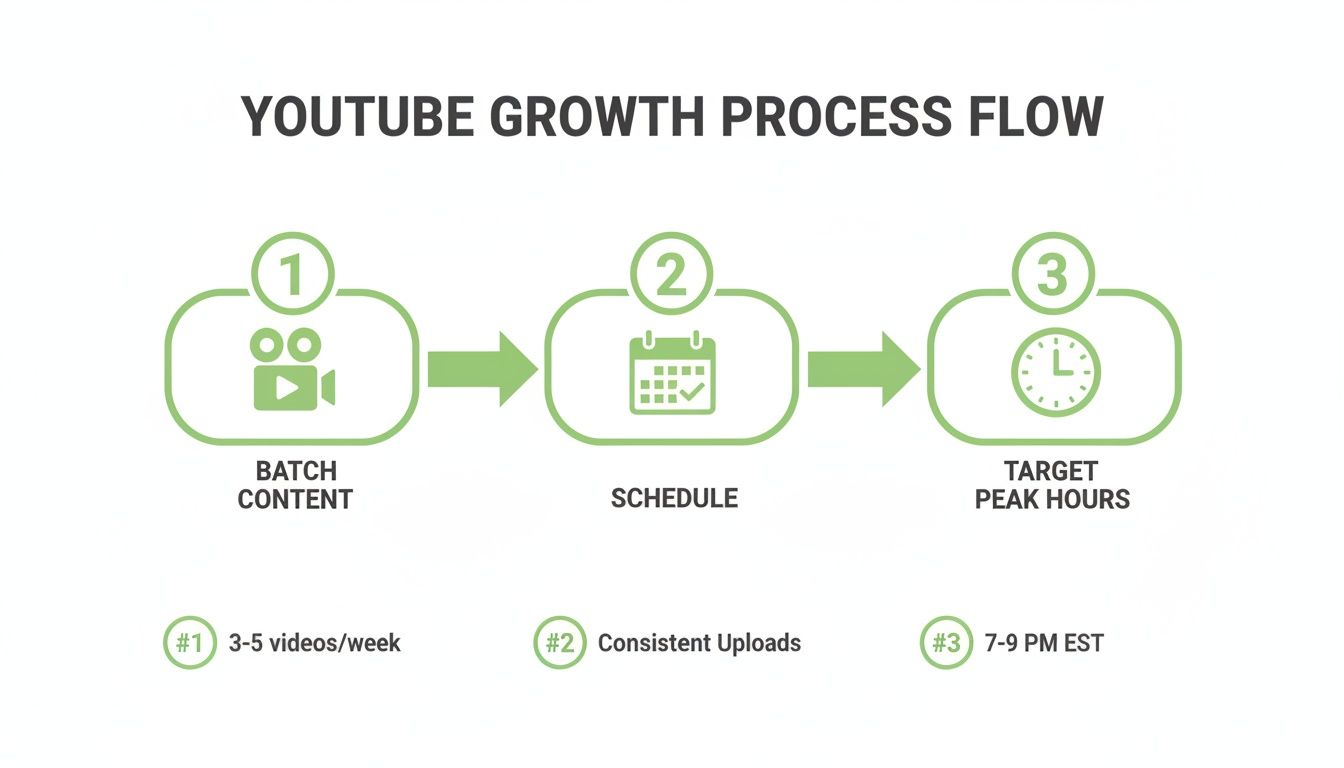
This entire strategy—batching your creation, scheduling it out, and targeting peak hours—is the key to consistent growth.
When you've set your date, confirmed the time, and triple-checked the time zone, go ahead and hit that blue "Schedule" button. That's it. Your Short is now in the queue, ready to be published automatically. You've just turned content creation from a daily grind into a well-oiled, strategic machine.
Scheduling Shorts on the Go: The Mobile Workaround
It’s incredibly convenient to create and edit content right on your phone. But what if you’re out and about and need to get a Short scheduled? Frustratingly, the official YouTube app doesn't have a scheduling feature built-in. This is a common pain point for creators, but there’s a solid workaround that I and many others rely on to keep our content calendars full from anywhere.
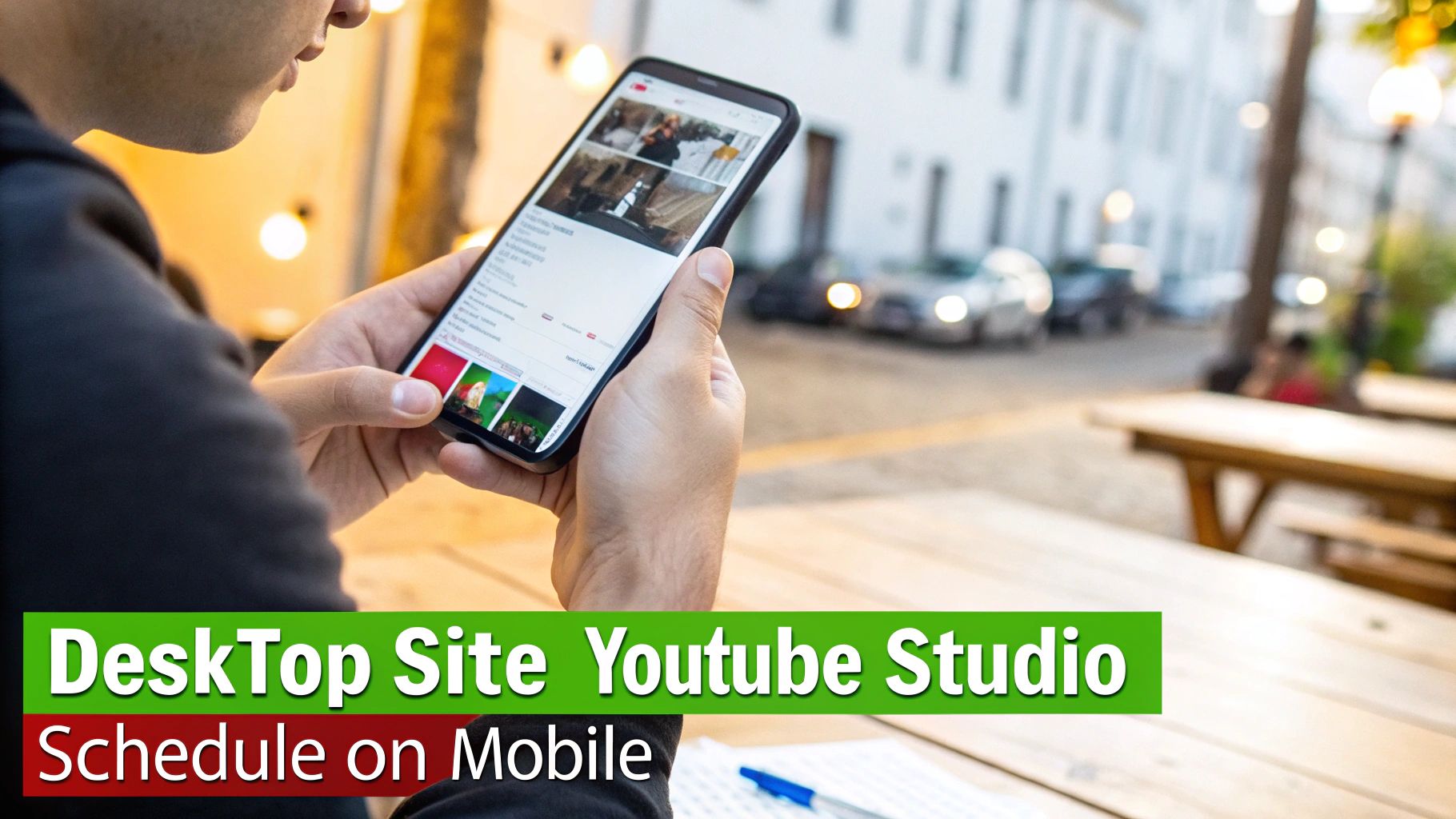
The trick is to use a two-step process: upload with the app, then schedule with your phone’s web browser. It’s a simple but powerful hybrid approach that gives you desktop-level control without being chained to your desk.
The Two-Step: Upload Privately, Schedule in the Browser
First things first, open the YouTube app and upload your Short like you always do. Get your title and description dialed in, but when you reach the visibility settings, stop. Instead of making it public, select "Private." This is crucial. It uploads the video to YouTube's servers so it can process, but keeps it completely hidden from your audience.
With your Short now sitting privately on your channel, it's time for step two. Open your phone’s web browser—Chrome, Safari, whatever you use—and go to studio.youtube.com. Now, your phone will probably try to push you back into the YouTube Studio app. Don't let it. Find your browser’s settings menu (it’s usually a "AA" symbol or three dots in the address bar) and tap "Request Desktop Site."
This forces your browser to load the full-fledged desktop version of YouTube Studio, unlocking all the features you're missing in the app.
This little browser trick is the absolute key to managing your content on the move. You're basically telling your phone to act like a computer, giving you the power to run your channel from the palm of your hand.
Finalizing Your Schedule on a Small Screen
Navigating the desktop site on your phone takes a bit of patience. You’ll be doing a lot of pinching and zooming, but it gets the job done.
Once you’re in the desktop view of YouTube Studio, tap the “Content” icon on the left-side menu. You'll see your newly uploaded private Short right at the top of your video list.
Tap on the video to open its details. Over on the right-hand side, you’ll find the "Visibility" box. Click it, and you'll see the "Schedule" option, just like you would on your computer. Pick your date and time, double-check that the time zone is correct, and hit save.
That’s it! Your Short is now officially scheduled to go live, all handled from your phone.
How to Find Your Channel's Prime Posting Time
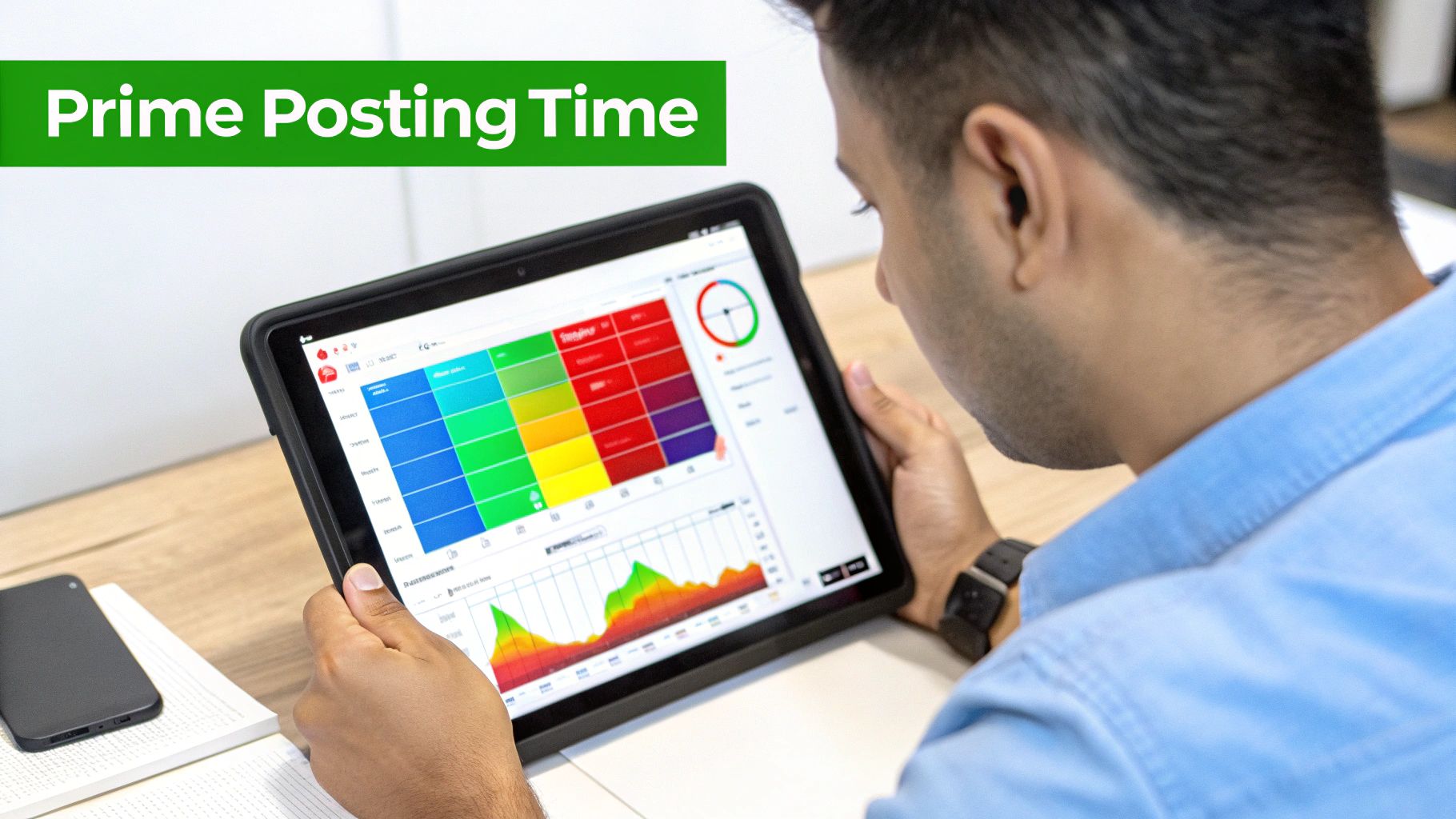
You’ve probably seen a dozen articles claiming to know the "best time to post." While common wisdom points to weekday evenings and weekend afternoons, that's just a starting point. Your audience is unique, with its own habits and rhythms.
To really get your Shorts noticed, you have to stop guessing and start digging into the data your own channel is already collecting. It's the only way to find your true golden hours.
Dive Into Your Audience Analytics
Finding this goldmine of information is easier than you think. Just log in to YouTube Studio on your desktop and look for "Analytics" on the left-hand menu. Once you're in, click over to the "Audience" tab.
Scroll down a bit, and you'll find a chart called "When your viewers are on YouTube." This graph is your treasure map. The darker the purple bars, the more of your viewers are online at that exact time. This data is updated based on the last 28 days, giving you a current look at your audience's behavior.
Forget generic advice. This chart is the single most important tool for building an effective posting schedule. It replaces broad assumptions with personalized, actionable data pulled directly from your viewership.
Decode the Data and Start Testing
So you’ve found the dark purple blocks on your chart—what now? These are your prime-time slots. If you see deep purple on Thursdays around 7 PM and Saturdays at 2 PM, you've found your first test subjects.
A pro tip is to schedule your Shorts to go live 15-30 minutes before these peak times. This gives the YouTube algorithm a little runway to start pushing your content right as your audience begins to log on.
From there, it's all about experimenting:
- Watch the first hour like a hawk. A Short that gets a lot of views, likes, and comments right out of the gate is a huge positive signal to YouTube.
- A/B test your time slots. If your chart shows strong activity on Wednesday, Thursday, and Friday evenings, schedule content for each of those days and see which one performs best.
- Rinse and repeat. Check back on this chart every few weeks. As your channel grows, these patterns can shift. Keep adjusting your schedule based on the latest data.
While your channel's analytics are king, it's still helpful to understand broader social media trends. This guide to the best time to post on social media offers some great context.
General Peak Posting Times vs. Your Channel's Data
It's tempting to follow widely circulated advice, but nothing beats your own analytics. Here’s a quick comparison of general recommendations versus the data-driven approach.
| Posting Window | General Rationale (Global) | Actionable Insight (Your Channel) |
|---|---|---|
| Weekday Afternoons (3-6 PM) | People are winding down from work or school and starting to scroll. | Your analytics might show your specific audience is more active later in the evening or even during their lunch break. |
| Weekday Evenings (6-9 PM) | This is prime leisure time for most audiences across the globe. | Check your data. If your audience is in a different time zone, your "evening" could be their morning. |
| Weekend Afternoons (12-4 PM) | Viewers have more free time for casual browsing on Saturdays and Sundays. | Does your content niche attract a weekend crowd, or are your viewers more engaged during the workweek? Only your data knows for sure. |
Ultimately, global trends provide a hypothesis, but your channel's data provides the proof.
Speaking of global trends, the numbers are staggering. YouTube Shorts get between 70-90 billion daily views, with peak activity often happening from Wednesday through Friday. With 2.3 billion monthly users on the platform, timing your posts to match peak activity can make a huge difference.
Automate Your Shorts Creation and Scheduling
Let's be real—once your channel starts picking up steam, manually uploading and scheduling every single Short is a total grind. It’s the point where so many creators get stuck, spending more time on the tedious logistics of posting than on actually creating. This is where automation tools come in to save the day.
Think of these tools as a dedicated virtual assistant for your content calendar. The best third-party platforms do way more than just schedule; they handle the repetitive, mind-numbing tasks that bog you down. This frees you up to focus on what actually matters—engaging with your audience and brainstorming your next viral hit.
What These Tools Really Do for You
The true magic of these platforms is in their advanced features. You get a central hub to manage your content not just for YouTube, but for TikTok, Instagram Reels, and wherever else you’re building an audience. It’s a game-changer.
Here's what you can typically expect:
- Bulk Scheduling: Ever wanted to upload a month's worth of Shorts in one sitting? Now you can. Just set them and forget them.
- Cross-Platform Publishing: Post one video and have it go live on YouTube, TikTok, and Instagram all at once, without touching each app individually.
- Unified Analytics: Finally, you can see all your performance data in one place to get a clear picture of what’s resonating with your audience across the board.
If you’re a creator who also makes long-form videos, automation becomes even more powerful. We're not just talking about scheduling; we're talking about solving the entire content creation bottleneck from beginning to end.
Actionable Example: Repurposing Your Content on Autopilot
The newest generation of tools has moved beyond simple scheduling and into full-on content creation. Take a platform like MotionLaps; it doesn't just schedule your Shorts—it can actually create them for you by intelligently repurposing your existing long-form videos.
This strategy knocks out two birds with one stone: content creation and distribution. For instance, a podcaster can upload a one-hour interview. A tool like MotionLaps can then automatically identify a dozen compelling, bite-sized moments, clip them into vertical videos, add dynamic captions, and schedule them to be drip-fed to their Shorts feed over the next two weeks. To get the most out of this, it helps to know how to summarize YouTube videos quickly using AI, which can give you a head start on identifying the best clips.
A good AI short video generator can analyze a 20-minute video, automatically pull out dozens of potentially viral moments, clip them, add captions, and schedule them for you. It’s a powerful way to turn one big piece of content into a consistent stream of Shorts that keeps your channel buzzing.
If you're finding that manual uploads are starting to cap your growth, it’s probably time to invest in a tool like this. Check out our deep dive into the best AI short video generator to see how this technology can transform your workflow.
Common Questions About Scheduling YouTube Shorts
Even with the best strategy, you're bound to run into a few questions when you start scheduling YouTube Shorts. Let's tackle some of the most common snags people hit so you can keep your content flowing smoothly. Think of this as your personal cheat sheet for mastering the scheduling game.
I'll give you the straight-up, practical answers you need to sidestep common mistakes and get your scheduling process dialed in.
Can I Edit a Scheduled Short Before It Goes Live?
Absolutely, and you should! This is one of the biggest perks of working ahead. As long as your Short hasn't officially published, you can tweak anything you want.
Just head over to your YouTube Studio's "Content" tab. You'll see your video listed with a "Scheduled" status. Click into the details, and you're free to change the title, sharpen the description, add new tags, or even push the publish time back. It's perfect for those last-minute inspirations or adjusting to a new trend.
Does Scheduling a Short Hurt Its Performance?
Not at all. In fact, it's quite the opposite. Scheduling has zero negative impact on how your video performs in the YouTube algorithm. Once that scheduled time hits, YouTube treats your Short just like one that was uploaded and published instantly.
The real advantage comes from being strategic. When you schedule a Short for a peak viewing time—that sweet spot when you know your audience is scrolling—you give it a much better launchpad. That initial burst of engagement sends a powerful signal to the algorithm that people are interested, which can significantly boost its reach.
Scheduling isn't a penalty; it's a strategic tool. It lets you drop your content at the moment of maximum opportunity, giving it the best possible start.
What Happens If I Schedule for the Wrong Time Zone?
This is a classic blunder, and it can really throw off your results. YouTube Studio operates on your local time zone, the one set on your computer. It doesn't automatically detect where your viewers are.
So, if you're based in New York (EST) and want to post at 8 PM for your audience in London (GMT), you can't just set the schedule for 8 PM. You have to do the math and set it for 3 PM your time. Always double-check where the bulk of your audience lives and schedule accordingly.
Is It Better to Schedule Weeks in Advance or a Day Before?
Honestly, a mix of both usually works best. The right answer really depends on your content style and how you like to work.
Here’s a practical way to think about it:
- Long-Term Scheduling (1-4 weeks out): This is perfect for your foundational, evergreen content. Think tutorials, tips, or videos that will be just as relevant next month as they are today. Getting these locked in creates a consistent backbone for your channel and frees up your mental energy.
- Short-Term Scheduling (1-3 days out): This approach keeps you nimble. By leaving a few slots open in your calendar, you can jump on trending topics, create reactive content, or post something that just popped into your head.
By combining these methods, you get the stability of a planned-out calendar and the creative freedom to stay relevant in the moment.
Ready to stop spending hours creating and scheduling content? MotionLaps uses AI to turn your ideas or existing videos into dozens of viral-ready Shorts and schedules them for you, putting your content creation on autopilot. Start creating faster with MotionLaps today.