How to Use a Comic Book Filter to Create Viral Videos
 Anika Riply
So, what exactly is a comic book filter? Think of it as a complete visual overhaul for your videos, swapping out reality for a stylized, graphic look. It’s all about those bold outlines, classic halftone dots for texture, and a punchy, flat color palette.
This isn’t just about slapping on an effect; it's a way to give your content an instantly recognizable and super engaging aesthetic that people just can't ignore.
Why the Comic Book Style Is a Game-Changer
Let's be real—the social media feed is a crowded place. To get noticed, you need more than a cool idea; you need a look that grabs someone mid-scroll. The comic book filter has become a go-to for creators because it hits that perfect sweet spot between retro nostalgia and sharp, modern graphic design.
This style works because it speaks a visual language we all grew up with. Comic books are masters of telling a story with maximum impact. The heavy lines, dramatic shadows, and paneled scenes are all designed to pull you in. When you bring those same elements into a video, even the most mundane clips suddenly feel packed with energy and purpose.
Tapping into a Huge, Built-in Audience
The appeal here is massive. The global comic book market was valued at around USD 16.83 billion in 2024, and it's on track to blow past USD 26.75 billion by 2032. With North America making up over 40% of that market, it’s clear this aesthetic isn't just a fleeting trend—it's a cultural powerhouse. You can dive deeper into the numbers by checking out the full report on Fortune Business Insights.
By adopting this look, you're plugging directly into a style that millions of people already love and connect with.
This is more than a filter; it’s a strategic decision. You're turning your video into a piece of pop art, making it stick in people's minds long after they've scrolled past. Standard video just can't compete with that.
We're seeing creators on TikTok and Instagram absolutely crush it with this style. They’re not just tinting their videos; they’re framing their stories differently. A cooking video becomes an epic culinary battle. A daily vlog feels like the next issue in a thrilling series. This narrative approach is a key ingredient in many viral hits, which is a fascinating topic on its own if you want to understand what makes a video go viral.
Ultimately, the comic book filter gives your content a powerful, memorable edge that helps it get seen and remembered.
Choosing The Right Comic Book Filter Tool
With the comic book aesthetic popping up everywhere, a bunch of tools have emerged to help you get that specific look. Picking the right one really comes down to your end goal, your budget, and how much creative control you want to have. Your choice will define your entire workflow, whether you're making a quick clip for TikTok or a more involved, animated story.
The options out there are pretty vast, running the gamut from simple one-click phone apps to seriously powerful AI image generators. Each has its own strengths, and knowing what they are will save you a ton of time and help you find the perfect match.
Free and Freemium Options For Quick Edits
If you're a creator who just needs to work fast, several mobile apps are a great place to start. These are perfect for slapping a comic book filter on a photo or a short video without getting bogged down in a complicated process.
- ToonMe: This one is a fan favorite because it's so easy to use. You just upload a picture, and its AI spits out several cartoon and comic-style options in seconds. It’s a great tool for making cool profile pictures or single images to drop into a video.
- PicsArt: More of a full-blown mobile editing suite than just a filter app. PicsArt gives you a ton of comic effects, stickers, and text tools. This means you can add speech bubbles and other graphic elements right from your phone, which is a huge plus.
Apps like these are fantastic for just playing around and getting a feel for the style. But, if you're working on a more complex video, you'll probably hit a wall and need something with more customization. For anyone wanting to really get into the weeds of transforming images, our guide on how to turn an image into an illustration covers some more advanced techniques.
Advanced Tools For Professional Control
When your project needs a more polished, one-of-a-kind feel, it's time to look at desktop software or specialized AI platforms. These tools give you fine-grained control over every single detail of the comic book aesthetic, from line weight to color palettes.
This is where you'll see a big difference, especially when you start exploring the wider world of AI video editing tools that can really elevate your content. It's also where AI image generators come into their own. Instead of just adding a filter over your footage, you can use text prompts to create entirely new artwork from the ground up.
The real power of modern tools isn't just in applying an effect; it's in generating a unique visual from scratch that perfectly matches your narrative vision. This moves you from being a filter user to an art director.
This visual decision tree can help you figure out if your main goal is pure storytelling or driving immediate engagement.
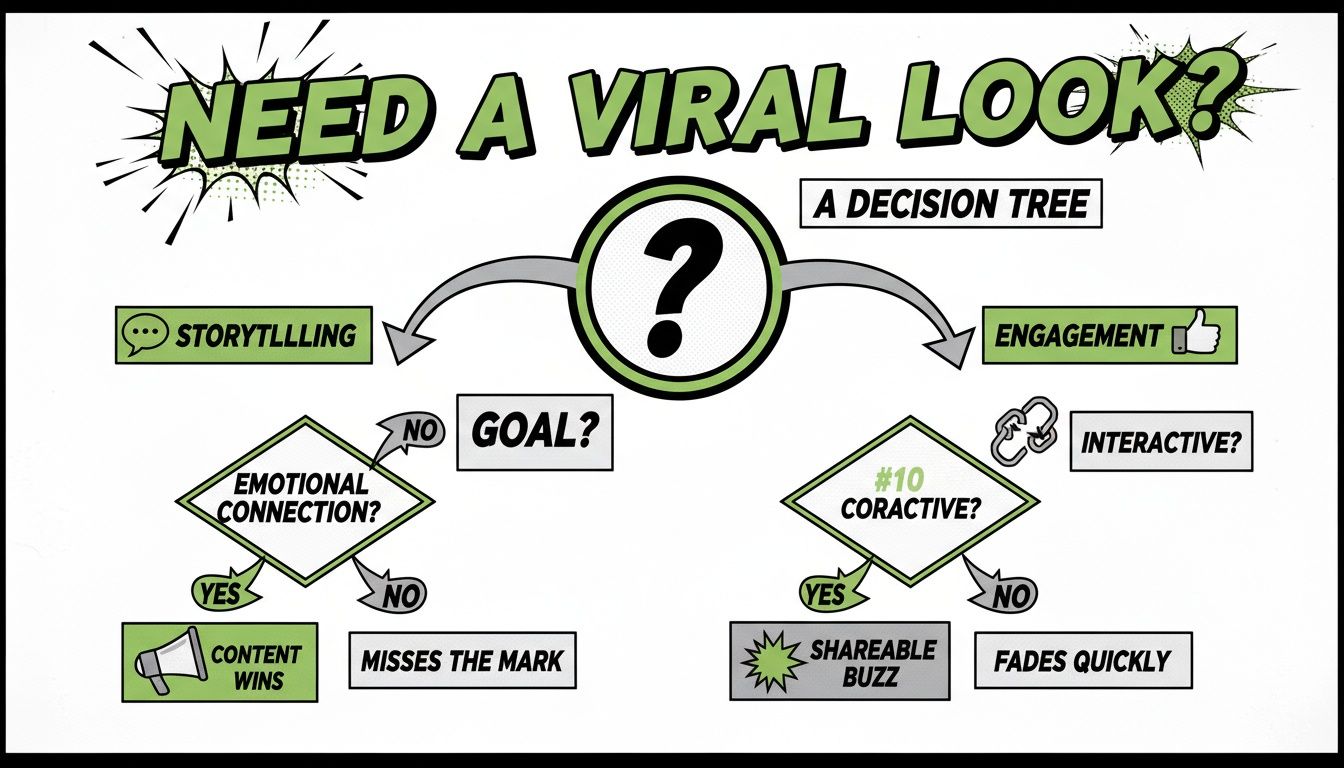
Ultimately, the path you choose here will dictate the specific tools and techniques you'll lean on to make your content pop.
Comic Book Filter Tool Comparison
To help you decide, here’s a quick rundown of some popular tools out there. I’ve broken them down by what they’re best for and what features you can expect.
| Tool | Type | Best For | Key Features |
|---|---|---|---|
| ToonMe | Freemium (Mobile) | Quick, simple social media profile pictures and single images. | AI-driven one-click cartoon/comic effects, multiple style options. |
| PicsArt | Freemium (Mobile) | All-in-one mobile editing for photos and short videos. | Comic filters, stickers, speech bubbles, text overlays, basic editing tools. |
| Flux | Paid (Web-based) | Creating consistent, high-quality comic book style images from text. | Advanced text-to-image generation with the Flux Kontext Max model, style consistency. |
| Midjourney | Paid (Discord) | Generating unique, high-fidelity comic book style still images. | Advanced text-to-image generation with incredible artistic control. |
This table is just a starting point. The best tool is always the one that fits your specific project needs and your comfort level with the technology.
The Power Of AI Image Generators
AI image generation platforms give you the ultimate creative freedom. Tools like Midjourney, Stable Diffusion, and our own Flux with its Kontext Max model let you create jaw-dropping, high-resolution comic book art using nothing but detailed text prompts. Instead of being stuck with whatever a filter gives you, you can call the shots on the art style, the color palette, and even the smallest character details.
With a tool like Flux, you can generate a whole series of consistent images that tell a complete story, all ready to be animated. This approach gives you the highest quality and most authentic comic book look for your videos, delivering a professional edge that simple filters just can't compete with.
Crafting Prompts for the Perfect Comic Book Look
Forget those generic one-click filters. If you want your video to have a genuinely authentic comic book feel, you need to think like an art director, not a button-pusher. The real magic happens in your text prompts—this is where you guide the AI to create the exact look you're picturing, whether it's gritty noir or a vibrant superhero epic.
A great prompt is basically a creative brief for the AI. You have to spell out the subject, the action, the setting, and most importantly, the specific artistic style you're after. Vague requests get you vague, cartoonish results. Precision is everything.
The Anatomy of a Powerful Prompt
I’ve found that the best prompts break the scene down into a few key ingredients. When you layer these details together, you give the AI a clear roadmap to your vision instead of just hoping for the best.
Here’s the formula I use:
- Subject & Action: Who's in the shot and what are they doing? Start simple. For example:
A detective looking at a clue. - Setting & Mood: Where is this happening, and what's the vibe? Let's add:
on a rain-soaked city street at night, moody and mysterious. - Artistic Style: This is the most important part. Name the genre or era. Try:
classic noir comic book art style. - Technical Details: Now, get specific with the artistic touches. Things like:
bold outlines, dramatic shadows, flat colors, heavy inking.
Put it all together, and you have a prompt that's engineering a specific outcome. This is how you create visuals that really connect. The North American comic book market is huge—we're talking 40% of global revenue and a value of USD 6,085.68 million in 2024. If you want a piece of that, your visuals have to look the part. You can dig into more of the data with these comic book market trends.
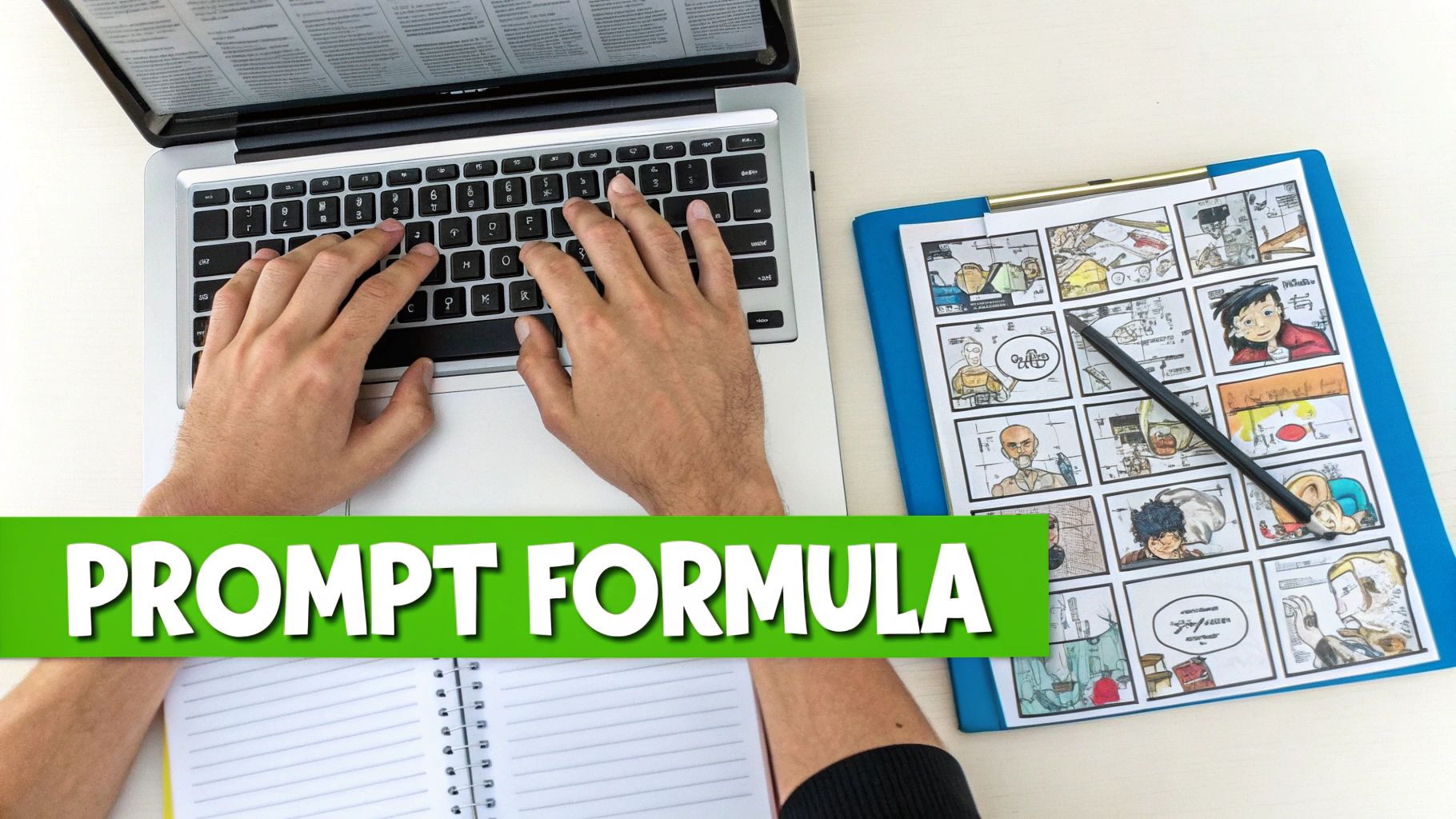
This is the kind of detailed prompting that turns a simple clip into something special.
Prompt Examples for Different AI Models
The core idea is the same everywhere, but I've noticed different AI tools have their own quirks. What works perfectly in one might need a little tweaking in another. Here are a few starting points you can grab and adapt.
For Flux
Our Flux Kontext Max model excels with descriptive, story-like prompts. It’s built for creating a consistent look across multiple scenes, so feeding it a narrative works wonders.
Dynamic action shot of a detective in a rain-soaked city alley, bold outlines, moody flat colors, dramatic noir shadows, classic comic book art style, cinematic.
For Midjourney
Midjourney is an artist's tool at heart. It loves stylistic keywords, artist names, and even camera specs. Don't be afraid to get technical.
A woman gasping in surprise, 1960s pop art comic style, heavy inking, Ben-Day dots, vibrant flat color palette, in the style of Roy Lichtenstein --ar 16:9
For Stable Diffusion
With Stable Diffusion, I often get the best results by leaning into keywords. Using parentheses to add emphasis to a specific term can also give you more control over the final image.
(masterpiece, best quality), 1990s indie comic style, a cyberpunk hacker at a terminal, cel shading, (bold linework), gritty textures, detailed illustration.
Tailoring your prompts this way gives you an incredible amount of control. It’s what separates content that gets scrolled past from content that stops people in their tracks.
Bringing Your Comic Panels to Life as a Video
Alright, you’ve got a killer set of comic-style images. They look amazing, but they're static. The real magic happens when you string them together into a story that moves and breathes. This is where we shift from being an artist to being a director, transforming those individual frames into a scroll-stopping video.

Before you even think about motion, you need to curate. Go through all your generated images and pick the strongest ones that serve your narrative. Think like a comic book editor—you need a clear beginning, a compelling middle, and a satisfying end. Lay them out in an order that builds tension, tells a joke, or unfolds a mystery. Every panel should earn its place.
Injecting Motion and Energy
With your story sequence locked in, it’s time to make it move. And no, you don't need to be a professional animator. The goal is to add simple, intentional camera moves that guide the viewer’s attention and create a sense of action.
This is exactly what tools like MotionLaps are built for. You can take a flat image and give it depth and momentum. I’ve found a few key techniques work wonders:
- The Slow Pan: Drifting the "camera" slowly across a wide panel is perfect for establishing a scene or revealing a hidden character. It builds a little bit of suspense.
- The Dramatic Zoom-In: Pushing in slowly on a character’s expression is a classic comic trick. It’s your go-to for highlighting shock, realization, or intense emotion.
- The Quick Cut: For action scenes, nothing beats jumping rapidly between two contrasting images. It creates a feeling of chaos and speed.
By mixing these simple movements, you’re essentially controlling the pacing of your video, mimicking how our eyes naturally jump between panels on a printed page. It makes the whole thing feel incredibly intuitive. If you want to dive deeper into this, we have a great guide on the best AI short video generator tools that can handle this kind of work.
The Final Polish: Sound and Text
The last 20% of the effort gives you 80% of the comic book feel. It's all about the sound and text. These final layers are what truly sell the aesthetic and make your video feel authentic.
First up: speech bubbles. Don't overthink the font—something bold and classic like "Bangers" or "Komika" works perfectly. Keep the dialogue short and sweet, and be careful not to cover up any important visual details in the panel.
Pro Tip: Sound effects are your secret weapon. Seriously. Dropping in those classic onomatopoeia sounds—a 'POW!', a 'BAM!', or a 'WHOOSH'—adds a layer of punch and personality that visuals just can't match.
Finally, lay down a soundtrack that fits the vibe. A gritty noir story? Find a moody, jazzy track. A huge superhero showdown? You’ll want something epic and orchestral. The right music is the glue that holds everything together, transforming your project from a cool slideshow into a finished, shareable piece of comic book art.
Advanced Techniques to Elevate Your Comic Videos
You’ve got the basics down, and your videos are starting to look like they’ve jumped right off the page. Now, let’s push things further. This is where we add those professional touches that make your content not just good, but genuinely memorable.
Think of it like the final inking and coloring of a comic panel. We’re moving beyond just applying a filter and starting to develop a signature style that makes your videos impossible to scroll past.
Perfecting the Printed Aesthetic with Textures
To really nail that classic comic book vibe, you have to think about the paper. A huge part of this style’s charm is its connection to something physical, something you can hold. There's a reason physical comic books still made up 95.55% of the U.S. market's revenue in 2024—people love that traditional printed feel.
You can mimic this tangible quality by layering on some subtle texture overlays.
- Halftone Dots: These are the tiny dots that defined vintage printing. A low-opacity halftone overlay instantly adds a layer of authenticity and retro cool.
- Crosshatching and Line Art: Want a grittier, more hand-drawn look? Try adding crosshatching textures, especially in the shadows, to give your scenes more depth and grit.
- Paper Grain: This is the easiest win. A simple paper texture overlay can immediately make your digital creation feel less sterile and more like a real, physical object.
Strategic Color Grading and Pacing
Color isn’t just for filling in the lines; it’s for setting the entire mood of your story.
Going for a dark, noir-style mystery? A desaturated, high-contrast color grade will give you those deep, dramatic shadows. On the flip side, if you're creating a high-energy superhero adventure, you’ll want bright, saturated primary colors that practically leap off the screen.
Timing is just as crucial as your visuals. A successful comic-style video builds suspense through deliberate pacing. Hold on a single panel for an extra second to let a dramatic moment sink in, then use quick cuts between action shots to create a sense of frantic energy.
This is what makes your video feel like a living story instead of just a slideshow with effects. When you get really good at combining intentional color with masterful pacing, you elevate your work from a simple filter to a polished piece of motion art.
For a deeper dive into making your videos explode on social media, it’s worth learning how to create viral content that people love to share.
As you start playing around with comic book filters for your videos, you'll probably run into a few common questions. I know I did when I first started. Getting these sorted out early will save you a ton of headaches and help you get that polished, pro look you're after.
Can You Just Slap a Filter on an Existing Video?
This is easily the most common question I hear. Can you just take a video you already shot and apply a comic book filter to it? Technically, yes. Tools like RunwayML or various plugins for After Effects can do this using style transfer.
But here’s the reality: it usually doesn't look great. The effect often ends up looking like a cheap overlay, and it can flicker or get weird during fast motion, which completely shatters the comic book illusion. If you want a truly authentic, high-quality motion comic, the best path is to generate individual stylized images and then bring them to life. It’s more work, but the control you get and the professional finish are worth it.
I've learned that the most convincing comic book videos are built from the ground up, not just filtered after the fact. Creating panel by panel gives you total artistic control over the story and style.
How Do You Write a Good "Vintage" Comic Prompt?
Nailing that perfect vintage vibe is all about the details in your prompt. Just asking for a "vintage" look is way too vague—the AI will just guess, and you'll get something generic. You need to tell it which era you’re aiming for.
For instance, if you want a classic pop art feel, try a prompt like this: “1960s pop art comic style, a woman gasping in surprise, bold black outlines, limited color palette with primary colors, Ben-Day dot shading, aged paper texture.”
Tossing in keywords like “Golden Age comic” or “pulp illustration” also helps the AI really lock onto the specific aesthetic you have in mind.
What's the Deal with Copyright and AI Images?
This is a big one. Can you actually use the comic images you generate with AI for your projects? The answer almost always comes down to the terms of service of the tool you’re using.
Most platforms (including ours) give you a license to use the images you create. The golden rule is to avoid prompting for specific, trademarked characters. Don't ask for "Batman." Instead, get creative and describe the vibe of the character. Something like, “a powerful hero in a dark cape overlooking a gothic city,” will get you an original piece of art that you can use without worrying about copyright strikes.
Ready to skip the trial-and-error and start creating amazing comic book videos? MotionLaps gives you everything you need to turn your ideas into viral-ready content in just a few minutes. Check out our AI-powered platform and bring your stories to life today at https://motionlaps.ai.