How Long Can Instagram Reels Be A Guide to Optimal Length
 Mahmudul Hasan
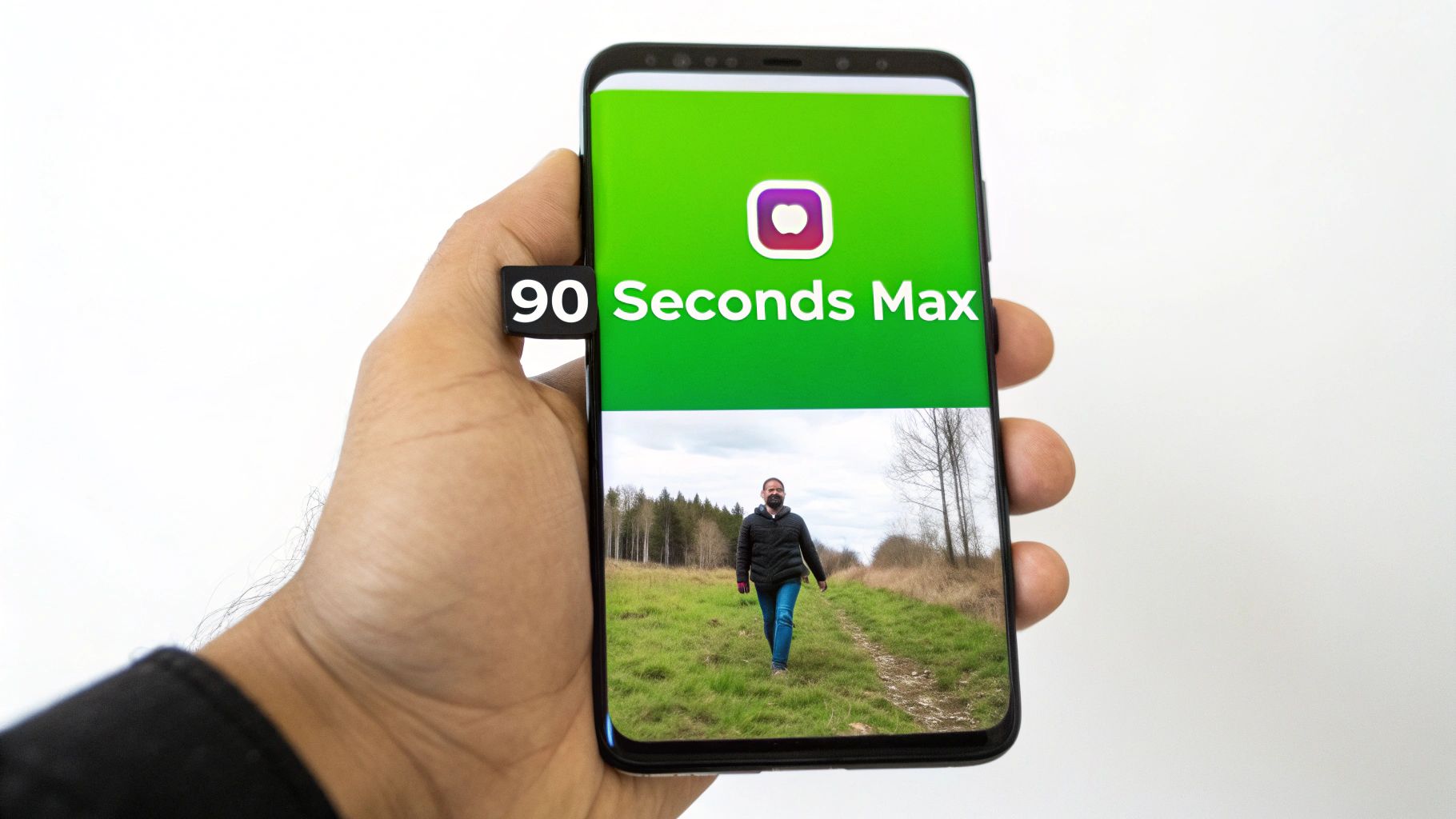
So, how long can an Instagram Reel actually be? The short answer is 90 seconds if you're making it directly in the app.
But that's just the official line. The reality is a bit more complicated, as Instagram is constantly tinkering with longer formats. They've been spotted testing everything from three-minute to even ten-minute Reels with certain accounts. The game is always changing.
The Official Answer on Instagram Reel Length
Knowing the current max length is useful, but truly understanding why it keeps changing gives you a real advantage as a creator. Instagram is performing a delicate balancing act. They want to maintain that snappy, addictive feel of short-form video while also carving out space for creators who need a little more time for deeper storytelling.
This strategic push and pull is exactly why the time limit has been a moving target from day one. By looking at how it has evolved, we can get a peek into Instagram's playbook.
A Timeline of Changing Limits
What began as a direct shot at TikTok's super-short format has steadily grown to embrace more substantial content. It's a fascinating journey that shows how user habits and platform competition shape the tools we use every day.
The Evolution of Instagram Reel Length Limits
| Date Introduced | Maximum Length | Primary Goal |
|---|---|---|
| August 2020 | 15 seconds | To directly compete with TikTok's original short-form format. |
| September 2020 | 30 seconds | To give creators more breathing room for basic storytelling. |
| July 2021 | 60 seconds | To accommodate more complex trends and deeper content. |
| July 2022 | 90 seconds | To merge video posts into the Reels format for a unified feel. |
| Early 2024 | 3-10 minutes | In testing – A move to compete with YouTube and TikTok's longer videos. |
This timeline isn't just a history lesson; it's a roadmap of where the platform is headed. As confirmed by Instagram's head, Adam Mosseri, the trend is clearly toward giving creators more flexibility with longer-form options. If you want to dive deeper into these platform shifts, you can find some great insights on SocialRails.com.
The most important question isn't "how long can a Reel be?" but rather "how long should my Reel be to achieve my goal?" Maximum length does not equal maximum engagement.
Getting a handle on this context is the first step. Once you understand the why behind the numbers, you can stop just following the rules and start making them work for you.
Why Viewer Attention Is Measured in Seconds
Knowing the technical limit for an Instagram Reel is one thing, but really getting a feel for your audience's attention span is a whole different ball game. You have to remember: the Instagram algorithm acts like a super impatient viewer. It’s not just looking at who starts your video; it’s obsessed with who finishes it.
Even better, it pays close attention to who watches it more than once. This is why completion rate and re-watches are the two golden metrics you should be aiming for. When someone sticks around for your entire Reel, you're sending a powerful signal to the algorithm that your content is genuinely good from start to finish.
Case Study: Look at the creator @kallmechris. Many of his most viral videos are under 15 seconds. They use a quick, relatable punchline that encourages looping. This high re-watch rate signals massive value to the algorithm, pushing his content to millions. A rambling, 90-second version of the same joke would have people swiping away in seconds. The punchy 15-second format, however, delivers immediate value.
The First Three Seconds Are Your Audition
You’ve got a tiny, almost microscopic, window to grab someone's attention before their thumb keeps on scrolling. It’s no secret that attention spans are short, and research consistently shows those first three seconds are your make-or-break moment. If you can’t hook them right away with a killer visual, a bold claim, or a question they can't ignore, they're gone.
Practical Example: A financial advisor could start a Reel with the text "3 Money Mistakes Costing You Thousands" appearing instantly on screen, rather than a slow intro. This immediately states the value and hooks viewers who want to avoid those mistakes. That initial hook is everything.
If you're looking for more hands-on tips, our guide on how to create short videos breaks down some practical techniques.
The goal isn't just to stop the scroll; it's to earn the re-watch. A looped video is one of the strongest indicators of high-quality, engaging content that the algorithm will push to a wider audience.
Getting a handle on this dynamic is absolutely essential for your content strategy. To dig deeper into what makes people tick, it's worth exploring different strategies to improve audience engagement across all kinds of content. By zeroing in on a strong hook and a high completion rate, you give your Reels the best possible chance to get more loops, shares, and that coveted spot on the Explore page.
Matching Your Reel Length to Your Content Goal
Knowing you can post a 90-second Reel is one thing. Knowing when you should is the real secret to success. The most successful creators on the platform don't have a single "best" video length—they have the best length for a specific goal.
It’s time to stop asking, "how long can my Reel be?" and start asking, "what do I want this Reel to do?" That single question will change how you edit and dramatically boost your results.
You have just a few seconds to grab someone's attention before they scroll on. It’s a ruthless environment, and that first impression is everything.
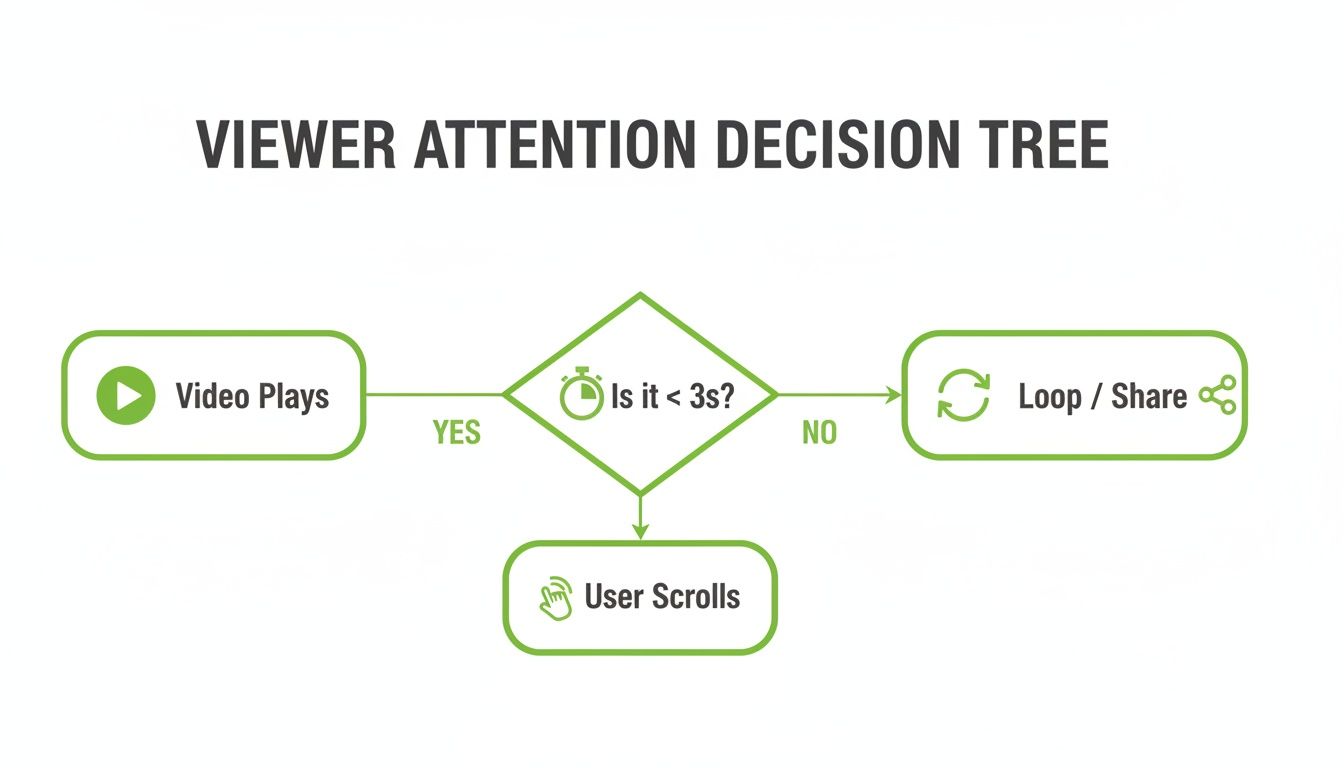
The takeaway here is brutally simple: if you don’t give the viewer a reason to stick around in the first three seconds, they're gone.
Tailoring Time to Your Objective
Different goals demand different lengths. A punchy, shareable video needs to be lightning-fast, while a deep-dive tutorial needs more room to breathe to deliver real value.
Here's a practical framework for matching your Reel's length to what you want to achieve:
- For Maximum Reach & Shares (Under 15 Seconds): This is the sweet spot for viral trends, funny memes, and quick, satisfying clips. Example: A satisfying cleaning video or a quick outfit transition. These are easy for viewers to re-watch, which sends a powerful signal to the algorithm that your content is gold.
- For Driving Engagement & Comments (15-45 Seconds): Got a question for your audience? Or a surprising fact? This length gives you just enough time to set up an idea. Example: A travel blogger shows a 20-second clip of a unique destination and asks, "Would you visit here? Tell me in the comments!"
- For Earning Saves & Building Authority (45-90 Seconds): When you're aiming to teach something valuable, longer is often better. This timeframe is perfect for mini-tutorials or detailed tips. Example: A chef demonstrates "How to perfectly chop an onion in 60 seconds." These are the Reels people save to come back to later.
The best Reels aren't just made; they're engineered. Every second should serve a purpose, whether it's to entertain, educate, or connect. Don't take 60 seconds to say something you could have nailed in 10.
Performance data from across the platform confirms this. Shorter Reels, especially in the 15-30 second range, tend to crush it on key metrics. They see completion rates soar to 85-95% and get shared 3.2x more than the average.
On the flip side, detailed educational content can absolutely thrive in the 60-90 second range, often earning the highest save rates. You can dig into more of this data and see how Reel length impacts performance at OneStream.Live. When you align your video's duration with a clear goal, you're practically telling the algorithm exactly who needs to see your content.
Optimizing Your Video File for a Flawless Upload
You’ve spent hours shooting and editing the perfect Reel. The last thing you need is a technical glitch sabotaging your launch. A fuzzy video or a failed upload can kill your momentum before you even get started.
Think of these next steps as your pre-flight checklist. Getting the technical details right ensures your video looks as crisp and professional on Instagram as it did on your computer.
Core Technical Specifications
Nailing these settings is non-negotiable if you care about quality. This is how you avoid those ugly black bars, blurry playback, or the dreaded "Upload Failed" notification.
- Aspect Ratio: Stick to 9:16. This is the classic vertical, full-screen look that feels native to phones and fills the entire screen.
- Resolution: Go for 1080 x 1920 pixels. It’s the sweet spot for HD quality on mobile, delivering sharp visuals without creating a massive file.
- File Format: Use MP4. It's the gold standard for online video, giving you a great balance of quality and file size.
- File Size: Keep it under 4 GB. That’s a pretty generous limit, but remember, smaller files upload faster and more reliably.
Following these specs tells the algorithm—and your audience—that you know what you’re doing.
Don't let a technicality undermine your creativity. A perfect upload is the final step in delivering a high-impact Reel that respects both the platform's rules and the viewer's experience.
By optimizing your file, you're not just dodging problems; you're setting your content up for success from the very first frame. This is especially crucial if you’re bringing over content from other platforms. You can learn more about how to properly share videos from YouTube to Instagram without losing quality.
Automating Your Reel Creation for Consistency
Let's be honest: keeping up with the demand for fresh, high-quality Reels is a grind. For busy creators and marketers, the manual process of chopping up long videos into engaging clips can quickly lead to burnout and a frustratingly inconsistent posting schedule.
This is where a smarter workflow can change the game. Picture this: you feed a one-hour webinar into a tool and get back ten perfectly cut clips, each one optimized for Instagram's short-form format and ready to go.
Scaling Your Creativity with AI
Automation isn’t about replacing your creative spark; it's about giving it a megaphone. AI-powered tools can dive into your long-form content—like podcasts, keynotes, or tutorials—and automatically pinpoint the most compelling, shareable moments.
Practical Example: A marketing agency uploads a 45-minute client strategy call to an AI tool. The AI identifies 5 key "aha" moments where actionable advice was given. It then generates five 60-second Reels, complete with captions, from these moments. The agency now has a week's worth of expert content without hours of manual editing.
An AI short video generator can turn your existing content library into a goldmine, producing a steady stream of Reels without you having to lift a finger for the tedious editing.
This approach transforms content repurposing from a chore into an efficient system, enabling you to produce more high-impact videos with less effort and maintain a steady presence.
To really get your content engine running smoothly, check out this expert guide on how to automate social media posts. By building a system, you can maintain the kind of consistent flow that grows your audience without sacrificing quality or your sanity. It just makes every piece of content you create work that much harder for you.
Common Questions About Instagram Reel Length
Figuring out the ideal length for your Reels can feel like a guessing game. Even when you know the technical limits, a lot of practical questions pop up when you're actually in the middle of creating. Let's tackle some of the most common ones creators ask.
Does Instagram Penalize Reels That Are Too Long?
The short answer is no, not directly. Instagram doesn't have an official "penalty" for long Reels. But the algorithm has its own way of sorting things out, which can feel like a penalty.
The system loves content with a high completion rate—that’s just a fancy way of saying it rewards videos people watch all the way to the end. If your Reel drags on, viewers will swipe away. That drop-off tells the algorithm your content isn't holding attention, so it stops showing it to more people. It's less of a punishment and more of a natural outcome of boring your audience.
Can I Post a Reel Longer Than 90 Seconds?
Yep, you absolutely can. If you upload a video from your camera roll, Instagram will accept files up to 15 minutes long and post them as a Reel.
But—and this is a big but—there are trade-offs. Once you go past that 90-second mark, you often lose access to the full licensed music library. You know, all the trending songs? Gone. Some of the interactive stickers and effects might not be available either. To keep all your creative tools and stay on the algorithm's good side, it's usually best to keep it under 90 seconds.
What Is the Best Reel Length for Getting More Saves?
If you're chasing saves, your whole mindset needs to shift from pure entertainment to pure value. People save things they want to come back to later, so this is where tutorials, tips, and educational content really shine.
For saves, aim for a length between 45 and 90 seconds. This is the sweet spot for delivering a genuinely helpful tip, a quick recipe, a step-by-step guide, or breaking down a complicated idea.
Actionable Example: A DIY home decor account creates a 75-second Reel titled "Transform Your Boring Wall for Under $50." The video quickly lists the needed supplies, then shows a time-lapse of the project with clear, concise text overlays for each step. This format is highly "saveable" because viewers will want to reference it when they try the project themselves.
Ready to create perfectly timed, high-impact Reels without all the manual editing headaches? MotionLaps uses AI to turn your long-form content into a steady stream of engaging, viral-ready short videos. Stop guessing and start creating consistently with our powerful automation tools. Discover how MotionLaps can scale your video strategy today.