How to Make a TikTok Video That People Actually Watch
 Anika Riply
Creating a TikTok that gets seen involves more than just hitting record. It's a blend of smart planning, strategic filming, and sharp editing, all tied together with a data-driven posting strategy. The whole game is about grabbing attention in the first three seconds and then delivering value—whether that's a laugh, a lesson, or something cool to watch. This guide provides actionable steps and practical examples to help you create content that connects.
The Unseen Work Behind Viral TikTok Videos
Ever wonder why some TikToks blow up while others fade into obscurity? It’s rarely luck. The most successful videos are born from a solid plan long before the camera even comes out. This "pre-production" phase is your secret weapon for creating content that not only stops the scroll but also gets the algorithm to notice you on the "For You" page.
Think of it like an architect with a blueprint. For your TikTok, that blueprint means nailing down a core idea, crafting an irresistible hook, picking the right format, and deciding on a clear call-to-action (CTA). This structure is what gives your video a purpose.
The Anatomy of a Winning Idea
Killer TikTok concepts don't just magically appear. They usually live at the intersection of what your audience is hungry for and what’s currently buzzing on the platform.
A great way to start is by intentionally scrolling your "For You" page as a researcher, not just a viewer. Look for patterns. Are there specific audio clips you hear over and over? Any trending effects or challenge formats popping up? These are clues from the algorithm about what’s working right now.
Case Study: Zach King's 'Magic Ride'
This video is the most-viewed TikTok of all time, with an unbelievable 2.3 billion views. What can we learn from it? That a simple, creative idea paired with killer editing can go stratospheric. The real takeaway is the power of its visual hook—a magic trick that makes you question what you're seeing. Data shows that 63% of the highest-performing videos get straight to the point immediately, just like Zach King’s content.
This simple workflow breaks down the pre-filming essentials: start with your core idea, figure out how to hook the viewer, and know what you want them to do at the end.
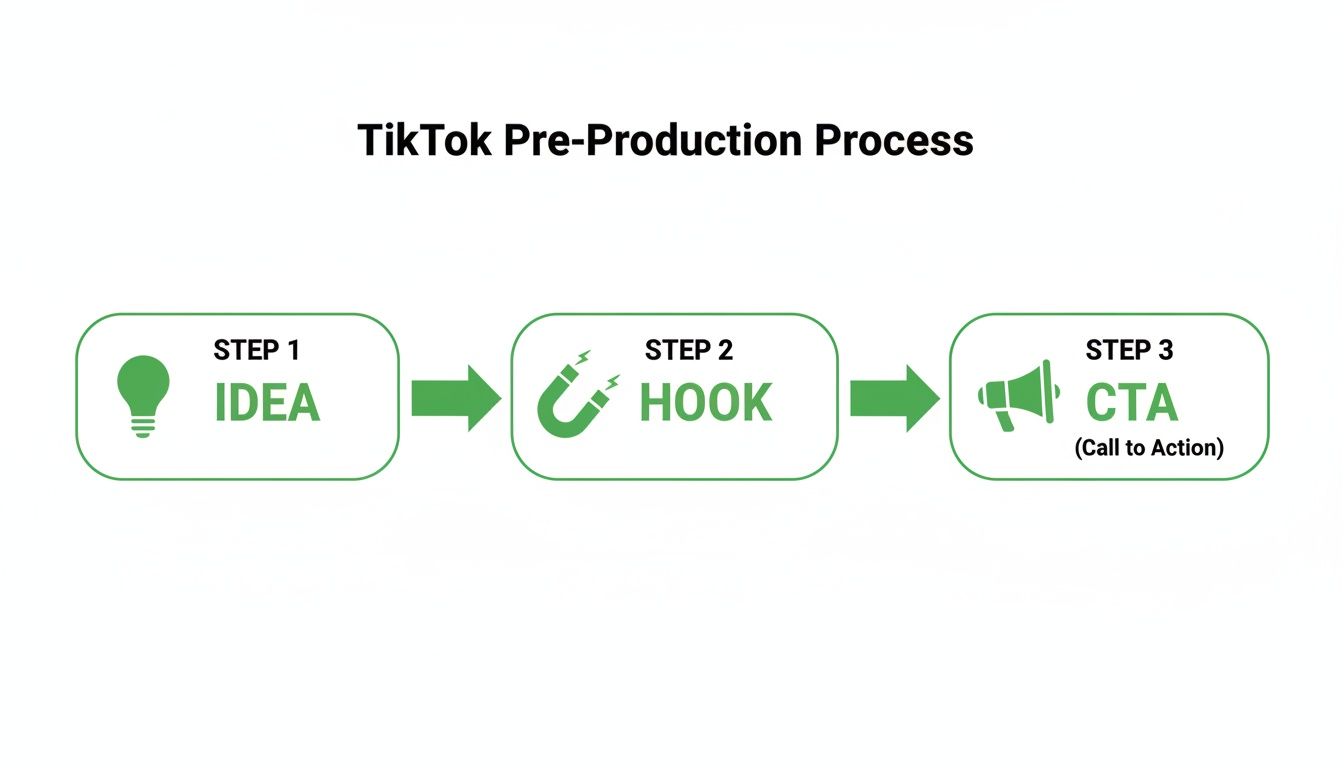
As you can see, a viral-worthy TikTok isn't just a happy accident. It’s built on a proven structure designed to capture and hold someone's attention from beginning to end.
Structuring Your Content for Retention
Once you've got your concept, it's time to give it some bones. The Hook-Value-CTA model is a straightforward and incredibly effective framework for keeping viewers locked in.
Your opening move is everything. The first few seconds will either make someone stay or swipe away. A provocative question, a shocking visual, or bold on-screen text needs to give them a reason to pause their endless scroll.
After you've snagged their attention, you have to deliver on your promise. This is the "value" part—it could be a quick tutorial, the punchline to a joke, or a jaw-dropping before-and-after reveal. Just keep it tight and to the point.
Finally, wrap it up with a clear CTA. Don't just let the video end! Ask a question to spark a conversation in the comments, tell them to follow for Part 2, or point them to the link in your bio. This final nudge is what turns casual viewers into a real community. If you're curious to learn more about the science behind this, you might find our analysis on what makes a video go viral really insightful.
Before you even think about hitting record, run through this quick checklist. It's a simple way to make sure you've covered all the strategic bases that give your video the best chance of success.
Your Pre-Filming TikTok Checklist
| Planning Component | Actionable Step | Why It Drives Virality |
|---|---|---|
| The Core Idea | Settle on one specific message or story. | Simplicity and clarity make your video easy to understand and share instantly. |
| The Hook | Write the first line or plan the first visual. | A strong hook stops the scroll and dramatically increases your 3-second view rate. |
| The Value | Define the "Aha!" moment or the punchline. | This is the payoff for the viewer, making them feel like their time was well spent. |
| The Trend | Identify a relevant sound, effect, or format. | Tapping into existing trends signals to the algorithm that your content is relevant. |
| The CTA | Decide what you want viewers to do next. | A clear CTA boosts engagement (likes, comments, shares) and helps build a following. |
Think of this table as your blueprint. When you have a solid answer for each of these components, you're not just making a video—you're engineering a potential hit.
Filming Techniques for a Polished Look

You can have the best idea in the world, but if the video looks bad, people will just scroll past. The good news? You don't need a Hollywood budget to make your TikToks look sharp. Your phone is more than capable, as long as you follow one golden rule: always film vertically.
Shooting in a 9:16 aspect ratio is non-negotiable. It fills the entire screen, making your content feel native to the platform and way more immersive. This isn't just about aesthetics; it's a strategic move. Vertical video gets a 25% higher 6-second watch-through rate than horizontal video, which is a massive signal to the algorithm to push your content out to more people.
Master Your Lighting and Camera Settings
Great lighting is the single fastest way to make your videos look more professional. Forget expensive gear for now. The simplest trick is to stand facing a window—the natural light is soft, flattering, and costs you nothing. If you're shooting at night or in a dark room, a basic ring light is a fantastic, affordable investment that makes a world of difference.
Before you even think about hitting record, take 30 seconds to check your phone’s camera settings. This little step is a game-changer for quality.
- On an iPhone: Head to
Settings > Camera > Record Video. You’ll want to select 1080p HD at 60 fps. That higher frame rate is the secret to getting that buttery-smooth motion you see in popular videos. - On an Android: Open your camera app, find your
Settings, and look for the video resolution options. Choose 1080p and 60 fps to get that crisp, clean look that plays perfectly on TikTok.
Nailing these settings gives you high-quality raw footage to work with, making the editing process so much easier.
Use Framing and Movement to Keep Viewers Hooked
A static, boring shot is a guaranteed way to lose a viewer's attention. You need to add a bit of energy and visual interest, and it’s easier than you think. You don't need fancy camera rigs; just be intentional with your framing and movement.
Pro Tip: Don't be afraid to get close to the camera. Leaning in to emphasize a point or pulling back to reveal something new creates a push-and-pull dynamic that keeps the viewer's eyes locked on the screen.
Even subtle movements add a professional touch. A slow pan across a product or a quick push-in on your face to land a punchline can make a massive impact. To really level up, it's worth exploring more advanced tips for filming TikTok videos that go viral. These small efforts are what will make your content stand out from the endless scroll.
Editing Secrets That Boost Viewer Retention
Getting the footage is just the start. The real magic—the part that turns a simple clip into something people actually watch—happens in the edit. This is where you take all that raw footage and sculpt it into a story that grabs viewers and refuses to let go.
Your primary goal is to create a seamless, energetic viewing experience. Every second of your video is fighting for attention, so if a moment doesn't add value, it needs to go. That means being ruthless with your trims. Cut out every breath, every "um," and every dead-air pause between sentences. This creates that tight, punchy pace that keeps people from swiping away.
Mastering Pacing with Quick Cuts and Visuals
A static shot is a boring shot. The key to holding attention is to keep things moving. Quick cuts between different clips or angles—even just for a second—are your best friend. This technique constantly resets the viewer's focus, giving their eyes something new to process. It’s a signature of viral content for a reason.
On-screen text is another powerful tool in your arsenal. You can use it to:
- Highlight key phrases: Make your main point impossible to miss.
- Add context or jokes: A quick caption can inject personality and humor.
- Reinforce your message: Since many people watch with the sound off, text makes your video accessible and ensures the message still lands.
The trick is to be strategic. Don't clutter the screen, but think of text as visual punctuation that drives the story forward.
The Power of Sound and Effects
Let’s be real: audio is at least 50% of the TikTok experience. It’s not just about slapping a song on top; it's about building a complete soundscape. Syncing your video to a trending sound is a massive signal to the algorithm that your content is relevant right now.
There's something incredibly satisfying about a perfectly synced video. When a visual action lands exactly on a beat drop or lyric, it feels professional and polished. It's the kind of detail that makes people hit the "replay" button.
A clean voiceover is just as important. Find a quiet room, get close to your phone's microphone, and speak clearly. In the edit, you need to get the balance right. A good rule of thumb is to lower your background music to around 8-15% volume during voiceovers so your words are front and center.
For creators looking to speed up this whole process, new tools are popping up all the time. If you're curious, our guide on AI video editing software shows how you can edit faster without sacrificing quality.
Finally, don't forget to explore TikTok's built-in effects. A simple transition, a subtle color filter, or a popular effect like the green screen can instantly elevate your video from looking homemade to eye-catching. A little experimentation here can add the final layer of polish that hooks viewers right to the very end.
Scaling Your Content Creation with AI
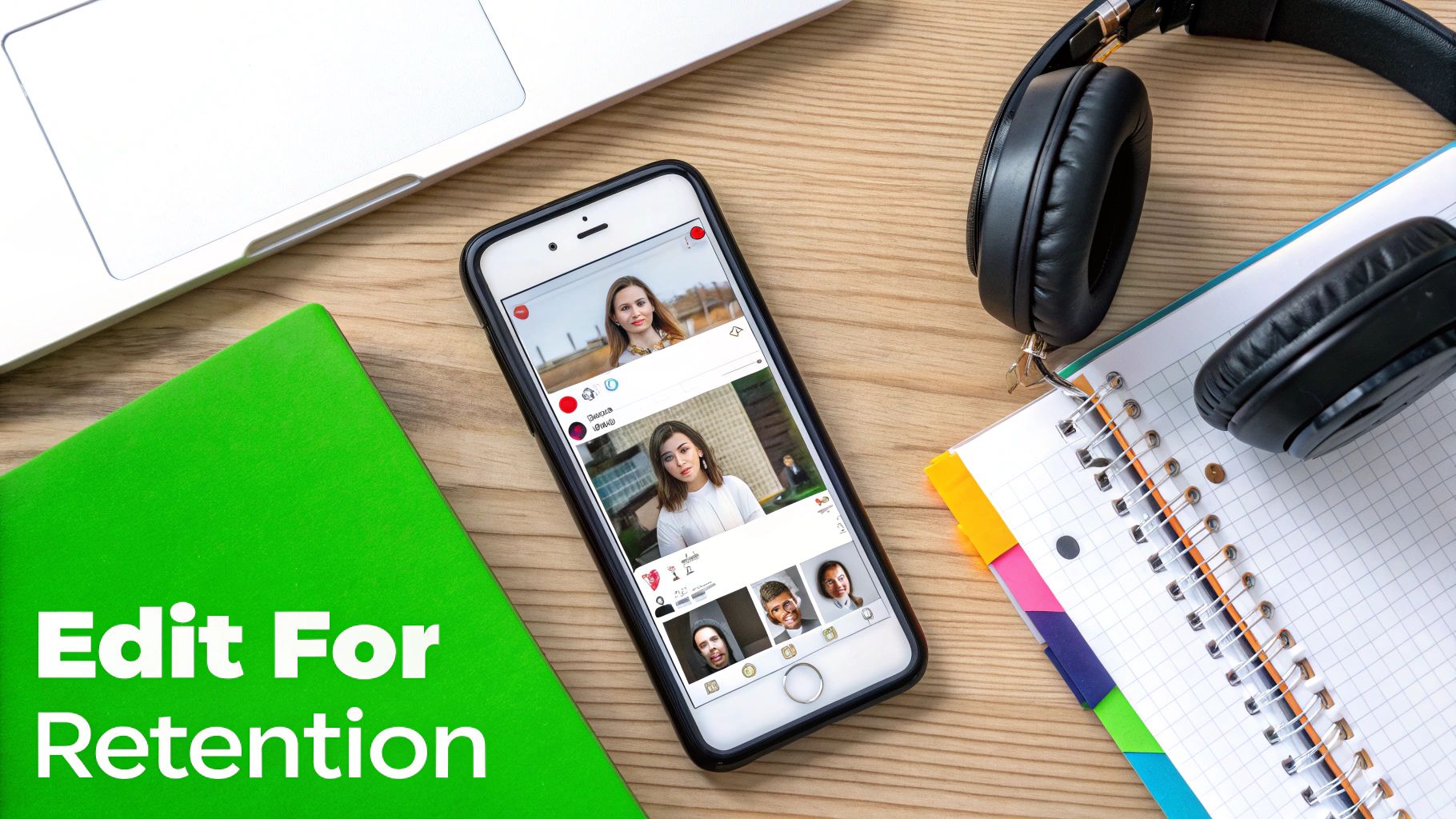
This setup is familiar to any creator. The grind is real. While crafting every video by hand has its place, the sheer volume needed to stay relevant on TikTok is a massive hurdle for most people. The algorithm rewards consistency, but how do you keep up without burning out?
This is exactly where AI tools can step in and become your secret weapon.
What if you could bypass the most time-consuming parts of the video creation process—the scripting, the editing, the voiceovers—and still publish high-quality content every single day?
Automating Your Video Workflow
Think of it this way: AI-powered platforms can act as a full-blown production assistant. You give it an idea, and it handles the heavy lifting, turning a simple prompt into a polished, HD video in minutes. Tools like MotionLaps were built for exactly this.
The process is surprisingly simple. You start with a concept, and the AI gets to work generating a script, creating a natural-sounding voiceover, and pulling it all together into a final video. It even finds relevant, high-quality stock footage and royalty-free music to fit the mood.
This approach completely changes the game for certain types of TikToks.
Key Takeaway: The single biggest benefit of AI here is scale. It gives you the ability to produce content at a pace that's almost impossible for a solo creator to match, freeing you up to focus on big-picture strategy and community building instead of getting bogged down in editing.
This is a perfect fit for channels focused on education, storytelling, or marketing. It's the ideal solution for creating "faceless content," where the message and narration are the stars of the show, not the person on camera. This is an incredibly popular and effective strategy for anyone learning how to make a TikTok video that consistently gets views.
Practical Applications for AI in TikTok Creation
So, what does this look like in the real world?
Imagine you run a channel that posts daily historical facts or quick business tips. Instead of spending hours every single day researching, scripting, and editing, an AI tool could help you batch-produce an entire week's worth of content in one afternoon. For an even bigger efficiency boost, exploring AI Post Generators specifically for TikTok can be a real game-changer.
This newfound freedom allows you to:
- Test more ideas: You can quickly whip up different versions of a video to see what your audience actually connects with.
- Keep a tight schedule: Posting multiple times a day becomes manageable, which can seriously increase your visibility on the "For You" page.
- Focus on promotion: Use your time to actually engage with comments, build relationships, and collaborate with other creators.
By removing the production bottleneck, you can finally scale your presence on the platform. If you're curious to see what else is out there, this detailed breakdown of AI content creation tools is a great place to start your research.
Optimizing Your TikTok for Maximum Reach
Creating a killer video is only half the battle. Your work isn't done when you hit "export." How you frame your video—with captions, hashtags, and a smart posting strategy—is what actually gets it in front of the right people on the For You page. Think of this as the final, crucial launch sequence for your content.
A compelling caption is your first real chance to start a conversation. Instead of just describing what's happening, try asking a question that pulls viewers in and makes them want to share their own thoughts. You also need to be direct with your call-to-action (CTA). Never assume people know what you want them to do next—you have to tell them.
Crafting Captions and Calls to Action
You don't have a lot of room for your caption, so every character needs to pull its weight. The main goal here is to drive engagement, which is the big green light for the TikTok algorithm to push your video out to more people.
Here are a few ways to get the conversation started:
- Ask a Relatable Question: If you just posted a video about a DIY project, a caption like, "What's the one DIY project you're most proud of? Drop it in the comments!" is a great way to invite personal stories.
- Create Curiosity: For a travel video, you could write something like, "You won't believe what we found at the end of this trail… have you ever seen anything like it?" This little hook encourages people to finish the video and then jump into the comments.
- Be Direct with Your CTA: Simple, clear instructions are your best friend. "Follow for Part 2!" or "The full recipe is at the link in my bio" gives your audience a clear, easy next step.
A great caption doesn't just describe; it invites participation. Every comment, share, and like sends a powerful signal to the algorithm that your content is connecting with a community.
Just remember to keep it short and to the point. People are there for the video, so your caption should enhance it, not steal the show.
Your Hashtag and Posting Strategy
Hashtags are basically signposts for your video. They tell TikTok what your content is about and who might be interested in seeing it. A lot of people make the mistake of only using huge, generic tags like #fyp, but that's like shouting into a hurricane. A much better approach is to mix different kinds of hashtags to get both broad reach and targeted discovery.
Here’s a simple formula that works wonders:
- Broad Tags (1-2): Start with popular, high-volume tags that fit your general topic (like
#DIYor#Travel). - Niche Tags (2-3): Now get specific to find your people (think
#WoodworkingTipsor#SoloFemaleTraveler). - Trending Tags (1): If there’s a relevant trend you can jump on, use its hashtag to ride that wave of attention.
Finally, consistency is the engine that drives all growth on this platform. How often you post is a surprisingly powerful lever for success. While the average brand posts about 1.7 videos a week, the top 20% of creators are publishing 5+ times weekly—and that's how they dominate feeds. This relentless output is a big reason TikTok has grown to 1.99 billion monthly active users. You can find more fascinating data in the TikTok benchmarks at RivalIQ.com.
To figure out your perfect schedule, head into your Creator Tools > Analytics > Followers tab. Look for "Follower activity" to see the exact days and hours your audience is scrolling the most. If you post just before those peak times, you give your video the best possible shot at getting that initial traction it needs to land on the For You page.
Got Questions? Let's Talk TikTok FAQs
Once you get the hang of making TikToks, a whole new set of questions starts to bubble up. It's one thing to know how to make a video, but it's another to understand all the unwritten rules and best practices that separate the good videos from the great ones.
Let's cut through the noise. Here are the straight-up answers to the questions I hear from creators all the time. Getting these details right can be the difference between a flop and a viral hit.
What’s the Perfect TikTok Video Length?
There's no magic number. Seriously. The best length is whatever it takes to land your point, and not a second more.
Your real mission is to hook viewers in the first 3 seconds. If you can keep them glued to the screen until the very end, the algorithm will notice and reward you.
The Golden Rule: Be as long as you need to be, but as short as you can possibly make it. Never drag a 15-second concept into a 60-second video just to chase watch time. Viewers will swipe away in a heartbeat, and that drop-off tells TikTok your video isn't engaging. Check your analytics—they’ll show you exactly where people are losing interest.
Can I Really Use That Taylor Swift Song in My Video?
This is a big one, and the answer comes down to your account type.
-
Personal Accounts: Go for it! You have free rein over TikTok’s enormous library of popular, chart-topping music. Using sounds directly from the app is not only safe, it's what the platform is designed for.
-
Business Accounts: This is where you need to be careful. Your access is limited to a specific library of royalty-free commercial music. It’s a legal safeguard to protect you, the artists, and TikTok from messy copyright lawsuits.
Bottom line: If you have a Business Account, never upload a video using popular music you added outside of TikTok. The platform's system is smart and will likely mute your audio or take the video down entirely. Stick to the sounds provided for your account type.
How Do I Find Trends Before They’re Over?
The single best way to find trending sounds and effects is to just be on TikTok. Spend some time scrolling your "For You" page every day. When you hear the same audio or see the same filter three or four times, that's your signal. You're seeing what the algorithm is actively pushing to users.
Found a sound you want to use? Tap the little spinning record icon in the bottom corner. That takes you to the audio's main page where you can see how popular it is and save it to your favorites. You can also hit the '+' button to open the camera, then browse the "Sounds" and "Effects" tabs to see what TikTok is officially featuring.
How Often Should I Actually Be Posting?
Consistency is way more important than frequency. It’s a marathon, not a sprint.
Posting three genuinely good, well-thought-out videos a week will do more for your growth than posting seven rushed, sloppy ones. That being said, the algorithm does tend to favor accounts that are active, so aiming for 3-5 times per week is a great target if you want to see steady growth.
The key is to find a cadence you can actually maintain without burning yourself out. In the long run, quality always wins.
Ready to scale your content without the burnout? MotionLaps uses AI to turn your ideas into polished, ready-to-post videos in minutes, handling everything from scripting to editing. Stop grinding and start growing at https://motionlaps.ai.