Free AI Face Swap — Swap Faces in Any Photo Online
Upload Two Photos and Swap a Face in Seconds
Swap a face into any photo with our free AI face swap tool. Upload the face you want to use and the photo you want it in, and the AI handles the rest — matching the original lighting, shadows, skin tone and grain so the result looks like a real photograph instead of a cut-and-paste edit. Keep the expression that was already in the photo or pick a new one. Perfect for memes, group photos, cosplay shots, profile pictures and messing around with friends.
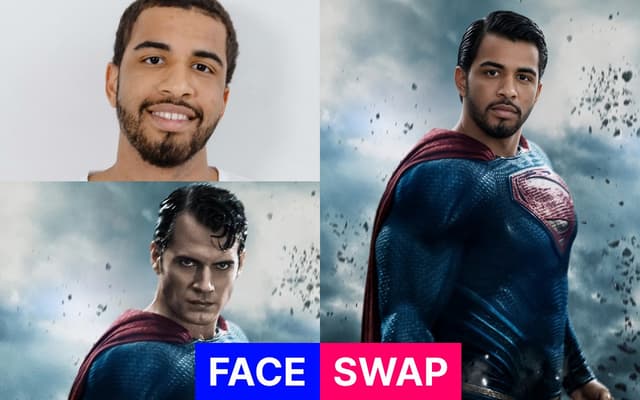
AI Face Swap Generator
How the swapped face should look
Your Face Swap
Your face-swapped photo is ready to download
Result Time 5-20 seconds
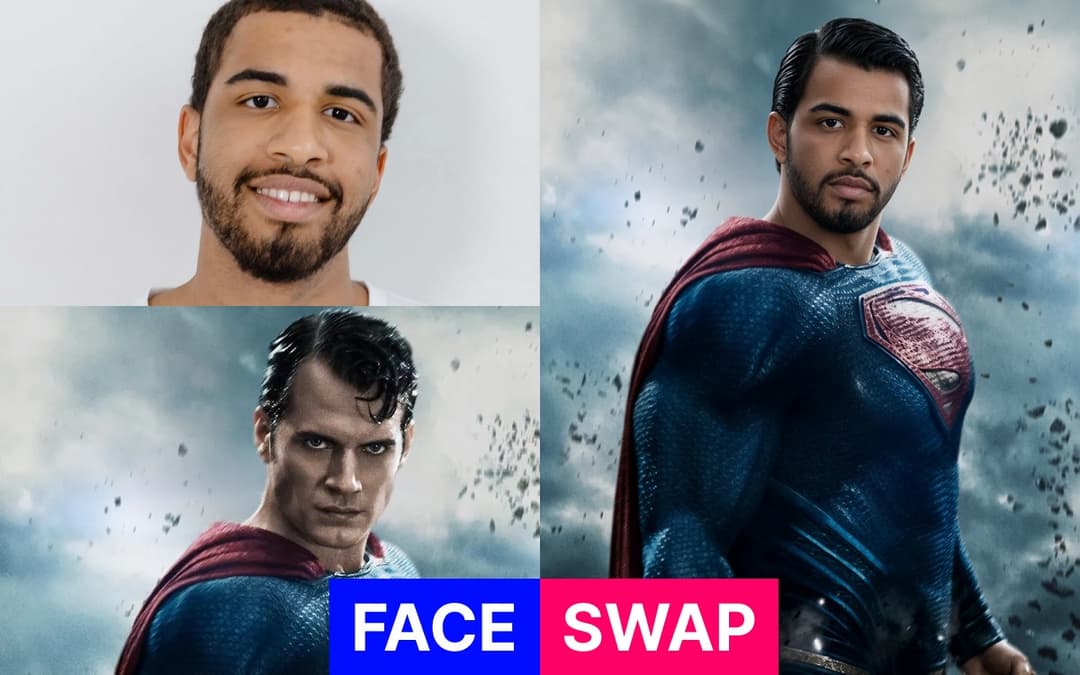
How to Face Swap a Photo
Upload Your Two Photos
Add the source face first — a clear, well-lit photo where the face is easy to see works best. Then upload the target photo, the picture you want that face to appear in. Both images upload in a couple of seconds, and you can swap either one out before you generate.
Pick an Expression
Keep the expression already in the target photo, or choose a new one — subtle smile, big smile, neutral, serious, laughing or surprised. You can also type your own description if you want something specific. Leaving it on Keep Original gives the most natural, true-to-the-photo result.
Generate and Download
Hit generate and the AI blends the new face into the target photo, matching its lighting direction, shadows, color temperature and grain so there are no visible seams around the jawline or hairline. Download in high resolution, or generate up to four variations at once and pick your favourite.
Create full videos for YouTube & social
Turn scripts, audio, and ideas into complete videos with AI voices, visuals, and export.
Script to Video
Paste your script, choose a style, and let AI create a professional video with voice narration, music, and visuals in minutes.
Learn moreAudio to Video AI
Our audio to video AI generator is an audio to video converter built for creators: upload an audio file or paste a YouTube/TikTok link, and turn audio into video with auto captions, AI-matched visuals, and MP3-to-video export—no camera or B-roll hunt required.
Learn moreTikTok Video Generator
Generate scroll-stopping TikTok videos with AI. Trending hooks, viral formats, faceless content - everything optimized for TikTok's algorithm. No filming, no editing, just viral content.
Learn moreAI Movie Maker
The AI movie creator and movie maker AI built for cinematic shorts: write a video prompt, get an AI generated movie with scenes, professional voices, music, and export—text to movie AI without a studio or film crew.
Learn moreFrequently Asked Questions
Everything you need to know about the AI Face Swap tool